

Best Slack AI Agents for Marketing in 2026
 Dott
It's Monday morning in #marketing. Someone asks how last week's paid campaigns did, someone else drops a messy thread from #launch and asks for the customer announcement, and a third person asks whether the "50,000-row export" claim in the new ad is actually live in production. A writing assistant handles one of the three.
Every agent on this list can draft a LinkedIn post from a Slack thread. Drafting is the easy part now. Two questions actually sort these tools for a marketing team: where the finished work lands (as a message in the thread you still have to copy somewhere, as a draft inside Buffer or your CRM, or as a reviewed pull request to the website itself) and where your brand voice lives (inside the vendor's platform or in a file your team owns and can take anywhere).
If you're just here for a quick recommendation, here's the summary.
The short answer
- You're at a software company and marketing depends on what the product actually shipped: Merlin. It checks product claims against the codebase, drafts release notes from what merged, pulls weekly numbers from Google Ads and Google Analytics, and opens website pull requests for a person to review.
- Your company is already on Claude Team or Enterprise: Claude Tag.
- Your content team already keeps its brand voice in Jasper or WRITER: Jasper or WRITER.
- Paid media wants to pause ad sets and shift budgets from Slack: Viktor.
- Your marketing numbers live in HubSpot: HubSpot Breeze Assistant.
- You want scheduled morning reports on ads and competitors: Lindy.
- You already pay for ChatGPT Business or Slack Business+: ChatGPT in Slack or Slackbot.
- Your briefs and style guide live in Notion: Notion Custom Agents.
- You want to build several specialized content agents yourself: Dust.
- You want a flat-priced agent that answers marketing reporting questions: Runbear.
The 12 agents at a glance
If you only scan two columns in the table below, make them "Where the work lands" and "Cost for a 5-person team".
| Agent | Best for | Where the work lands | Brand voice comes from | Cost for a 5-person team |
|---|---|---|---|---|
| Merlin | Software companies whose engineers run Claude Code or Codex | Pull requests to the website, drafts in Buffer, Customer.io and Google Docs, reports in the channel | A shared skill plus channel memory | $59 a month on Team for five people ($9 on Starter for up to 3 active users), model usage on each machine owner's own Claude or ChatGPT plan |
| Claude Tag | Claude Team and Enterprise orgs | Drafts, recaps and charts in the thread, CRM reads | Channel memory and linked docs | $40 a month (2 Standard seats, annual) plus usage. Teammates without a seat can use it in channels |
| Jasper | Content teams on Jasper | Drafts in the thread | Jasper IQ (Brand Voice, Knowledge Base) | Business plan only, custom quote |
| WRITER | Marketing orgs running Playbooks | Briefs and Playbook output in the channel | WRITER brand guidelines and Playbooks | Not listed on writer.com. Starter covers up to 5 users |
| Viktor | Paid media teams | Changes in Google Ads and Meta after approval, reports and dashboards | Workspace memory and skills | $100 a month flat for the workspace |
| HubSpot Breeze Assistant | HubSpot marketing teams | Answers in the thread, CRM record updates | HubSpot data | Included. Marketing Hub Starter is $100 a month for 5 seats at list price ($20 per seat) |
| Lindy | Small teams wanting scheduled reports | Reports and drafts in the channel, outside actions after approval | Team memory and skills | $249.95 a month ($49.99 per active user) |
| ChatGPT in Slack | ChatGPT Business teams | Thread replies, connected tools after approval | Admin instructions (no memory at launch) | $40 a month (2 Business seats, annual) plus workspace credits |
| Slackbot | Slack Business+ workspaces | Thread replies, canvases and Big Mode docs | Your public channels plus skills like My Voice | $75 a month (Business+ at $15 per user, annual), 15 Slackbot messages per person per week |
| Notion Custom Agents | Teams living in Notion | Notion pages and replies in chosen channels | The Notion pages you point it at | $100 a month (Business at $20 per member, annual) plus $10 per 1,000 Notion credits |
| Dust | Teams building their own agents | Thread replies, HubSpot updates | Synced company data per agent | $120 a month (5 Pro seats at $24, annual) |
| Runbear | A flat-priced reporting agent | Reports in the thread, Webflow and Wix CMS tools | Knowledge sources like Notion and Google Drive | $79 a month on Team (annual), $399 a month on Business for HubSpot |
These are the list prices I saw on October 29, 2026.
Three kinds of marketing agent in Slack
When you look past the @mention in the demo video, the twelve tools below fall into three distinct buckets (for a broader look across engineering and ops too, see the best AI agents for Slack).
First are the writing platforms that came to Slack, like Jasper and WRITER. They bring strong brand voice enforcement and structured content workflows, and their job ends when they drop text back into the Slack thread.
Second is the assistant built into your system of record: HubSpot Breeze, Slackbot and Notion Custom Agents. Each one knows its own house inside out and knows very little about the rest of your stack.
Third are the team agents that sit in the channel on top of your tools: Merlin, Claude Tag, Viktor, Lindy, ChatGPT, Dust and Runbear. What they can reach depends on the connectors an admin wires up. And if you work at a software company, the questions that actually block a launch ("did this ship?", "is it on every plan or just Enterprise?", "can we say 50,000 rows?") live in the product codebase alongside your analytics and ad tools.
Five things separate the options below:
- Where the work lands: a Slack reply you copy-paste, a draft inside Buffer or Customer.io, a live change in Google Ads, or a pull request to your website.
- Where the brand voice lives: locked inside a vendor's platform or stored in a skill file or style guide doc your team owns.
- Which numbers it can reach: Google Ads, Meta, Google Analytics, HubSpot or your data warehouse.
- Shared channel or personal: whether the whole team can steer a thread together or the best tools only work in 1:1 DMs.
- How the bill grows: flat per workspace, per seat, or per person who happens to
@mentionthe bot once.
The 12 best Slack AI agents for marketing in 2026
1. Merlin
Best for software companies whose marketing depends on what the product actually shipped.
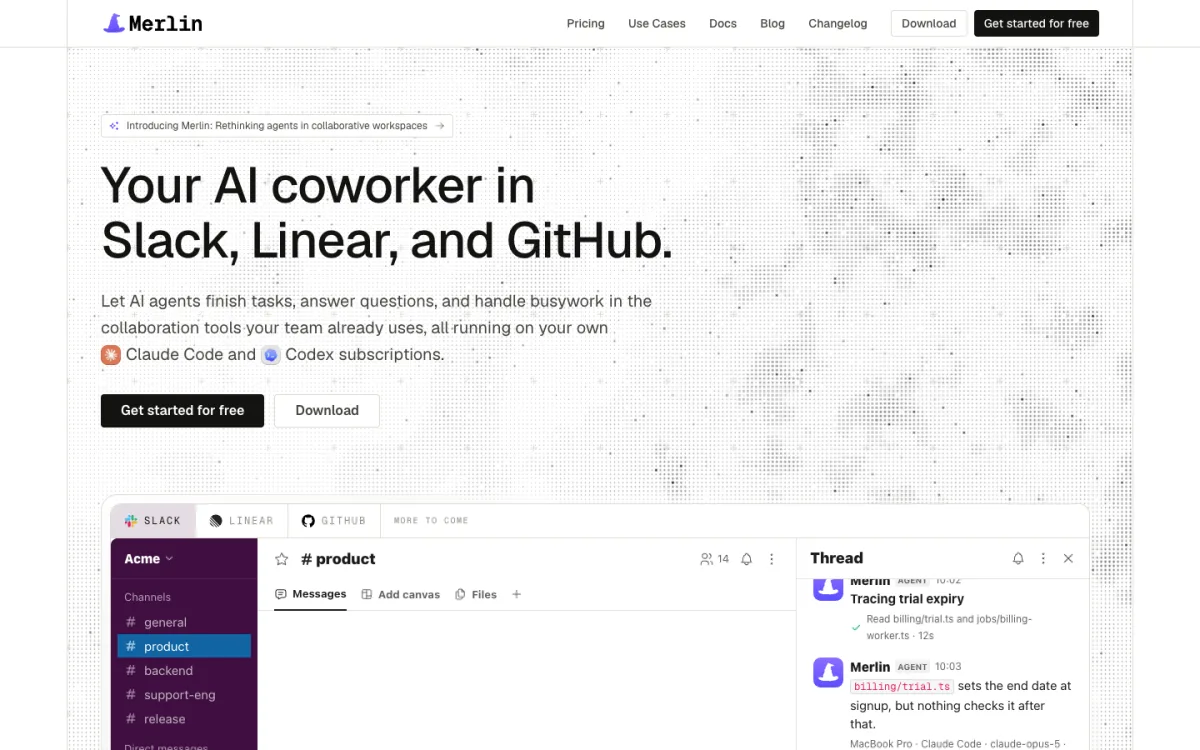 Merlin brings the Claude Code and Codex a team already runs into Slack, Linear and GitHub.
At a software company, half of marketing is figuring out what is actually true about the product this week. Merlin turns the coding agents your engineers already run, Claude Code and Codex, into an AI coworker the whole marketing team can @mention in Slack (plus Linear and GitHub). When a marketer asks a question in #marketing or a launch channel, the work runs on a teammate's machine through the macOS or Windows desktop app or the Linux CLI daemon (prerequisites), using that machine's repositories and MCP servers, and progress streams right back into the thread. Most marketers never need to set up their own runtime: a single public runtime shared by an engineer with the product repo is enough for the whole team (Merlin for marketing).
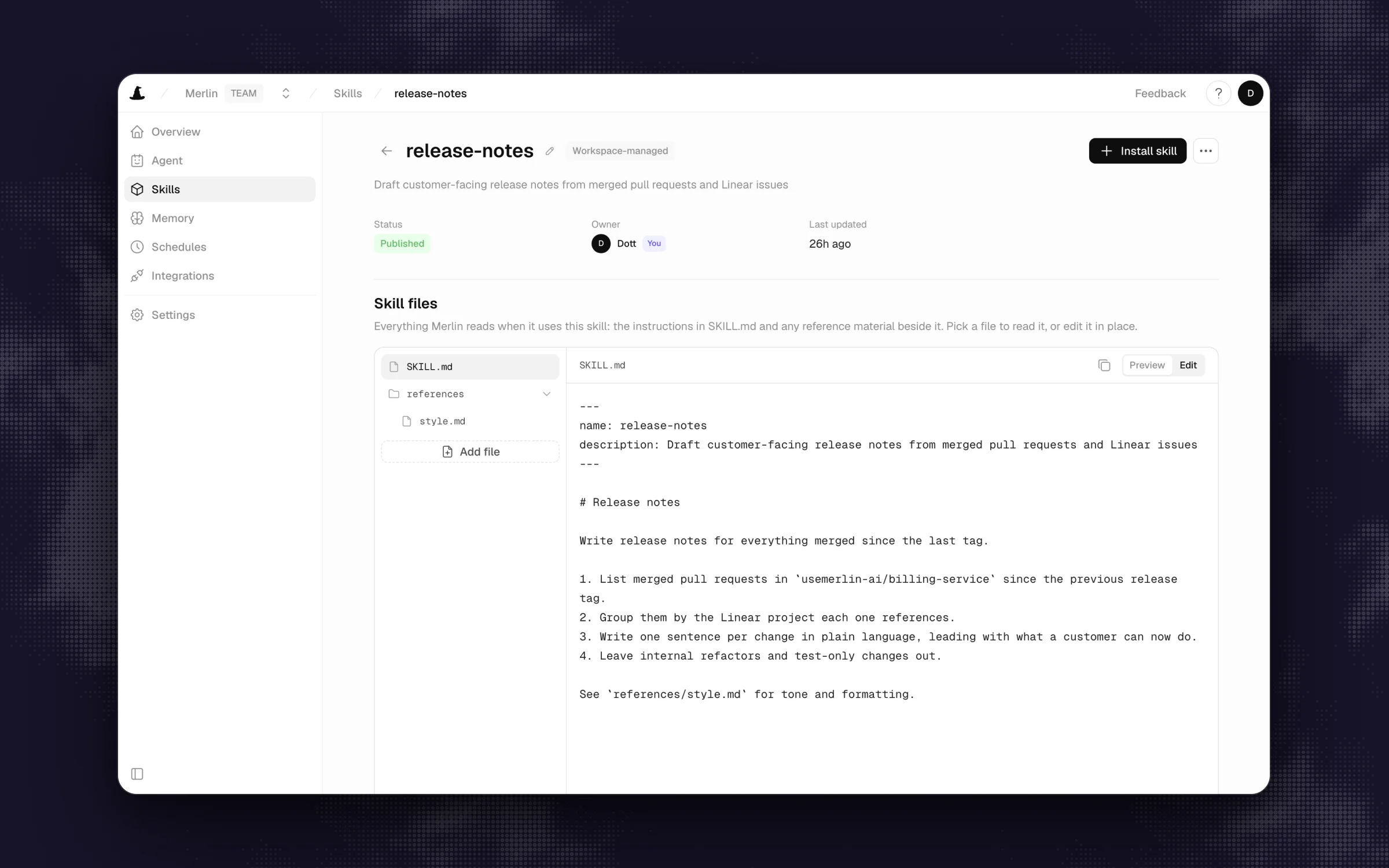 A brand voice or release notes skill is a file the team owns, and every draft follows it.
What stands out
- It checks claims against the code and ships website changes as pull requests. Before a post or ad goes out, you can ask in Slack whether the bulk export limit is already raised to 50,000 rows in production, or drop a Google Doc or Notion link to fact-check a draft or fact-check ad copy so every product claim comes back marked true, false or gated with the source file behind it. Every Thursday it can draft the weekly changelog from what actually merged, and when someone replies "ship it" in the thread, it opens a pull request to the website changelog. On the 1st of the month it can compare organic sessions in Google Analytics, flag the five posts that lost the most traffic, and open a pull request for a blog post refresh.
- It puts drafts and numbers where your team already works. On Mondays it posts a weekly campaign report in
#marketingwith spend and clicks from Google Ads, signups from Google Analytics and cost per signup next to the week before (read-only: it never changes budgets, bids or ads). Drop it a blog link and it saves one LinkedIn and three X drafts in Buffer for blog to social posts with nothing scheduled, or prepares a launch email draft in Customer.io from what shipped in Linear. - Your brand voice lives in a file you own. Tone rules, banned words and your launch template sit in a workspace shared skill that every draft follows, and naming decisions go straight into channel memory ("remember for this channel: headlines use sentence case"). Each channel also gets its own response mode: Mention only, Thread follow-ups or Proactive (Slack setup).
Worth knowing
- Not for you yet if nobody on your team runs Claude Code or Codex. If you don't have engineers on either tool, one of the cloud agents below will fit better.
- External tools like Google Ads, Google Analytics, Buffer and Customer.io are reachable through MCP servers configured on the machine that runs the task, and that shared machine has to stay online. There is no Microsoft Teams app and no free plan, and Merlin never merges code or publishes copy on its own: a person always reviews first.
Pricing: Starter is $9 per workspace per month for up to 3 active users and 1,000 requests, Team is $59 for up to 50 active users and 5,000 requests, and Scale is $99 for up to 200 active users with unlimited requests, with a 14-day Team trial and no card required (pricing, seen on October 29, 2026). Merlin hosts no model, so model usage stays on each machine owner's existing Claude or ChatGPT plan.
2. Claude Tag
Best for Claude Team or Enterprise orgs that want a shared agent in every campaign channel.
 Claude Tag is Anthropic's own Slack teammate, in public beta.
Claude Tag is Anthropic's own Slack teammate, currently in public beta for Claude Team and Enterprise organizations. Anyone in a channel, thread, group DM or DM can tag @Claude to turn a messy campaign discussion into a send-ready announcement draft, answer policy questions in an intake channel or summarize what happened while they were out. Anthropic's marketing team guide centers on five jobs: intake answers, campaign channel recaps and drafts, CRM reads, a weekly metrics digest and brand voice rules saved per channel.
What stands out
- Brand voice per channel with zero extra setup. Claude follows tone and terminology rules saved to a channel's memory, so a rule saved once in
#launchor#socialapplies to every later draft in that channel. Recaps and drafts work out of the box with no external connectors. - Teammates without a Claude seat can still use it in channels. Anthropic notes that Slack users don't each need a paid Claude seat to work with
@Claudein shared channels, which is great when marketing wants to invite product, design or an agency into the thread. - Safe CRM reads and custom MCP connectors. Its HubSpot connection is created with read scopes so prompts in a channel pull records without changing them, and admins can wire up any service with an HTTP API or MCP server through custom connectors.
Worth knowing
- It is in public beta for Team and Enterprise only, an Owner has to pair the workspace, and it has no external access until an admin adds connections.
- There is no named native connector for GA4, ad platforms, a CMS or social schedulers, and the weekly metrics chart requires a BigQuery or Snowflake data warehouse connection (with schedules running in UTC).
Pricing: Claude Team requires a minimum of 2 seats at $20 per user per month billed annually ($25 monthly), so $40 a month is the floor, plus usage billed from the organization's balance under a spend limit (pricing, seen on October 29, 2026).
3. Jasper
Best for content teams that already keep their brand voice in Jasper.
 The Jasper Slack Agent launched in May 2026 for Business customers.
Launched in May 2026, the Jasper Slack Agent brings Jasper's marketing writer into Slack channels and threads, or you can open Jasper in Slack for longer work. You type @Jasper with your prompt in a launch thread and it drafts social posts, email subject lines or campaign copy using the context of the conversation (May 2026 product update). Built on Slack's Real-Time Search and MCP APIs, workflows start in Slack, execute inside Jasper and return to the thread for review (Slack customer story).
What stands out
- Full access to Jasper IQ in Slack. Every Brand Voice, Knowledge Base item and connected source your team has already built in Jasper is available to
@Jasperinside Slack. - Workspace-wide search. Jasper can search across your Slack channels, documents and canvases to pull product context into a draft.
Worth knowing
- The Slack Agent requires Jasper API access, which is only included on the custom-quoted Business plan. Single-seat Pro plans ($59 to $69 a month) don't get it, and Slack's listing also notes a paid Slack plan is required (Slack Marketplace).
- All output lands back in the Slack conversation as text, and it doesn't push drafts into a CMS or social scheduler from Slack.
Pricing: Business plan only, by custom quote (pricing, seen on October 29, 2026).
4. WRITER
Best for larger marketing orgs that run repeatable Playbooks with strict brand guidelines.
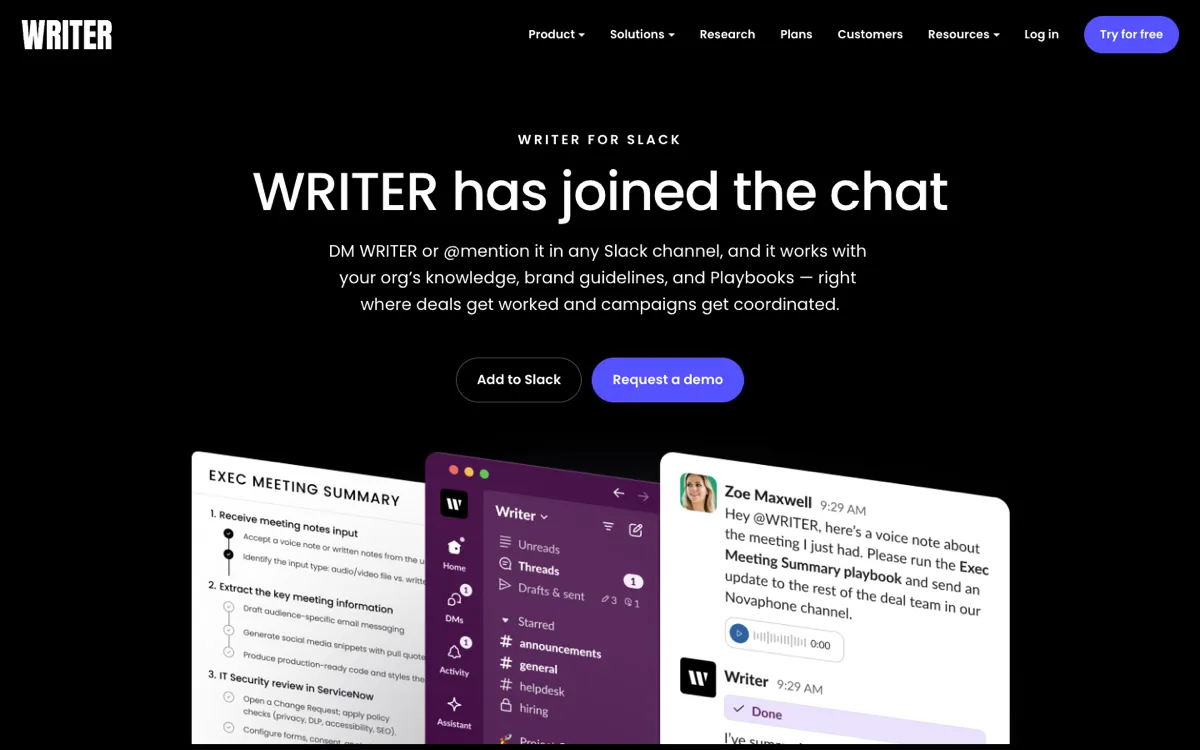 One mention runs a whole WRITER Playbook from the thread.
WRITER for Slack became generally available on August 4, 2026 after a closed beta. You DM WRITER or @mention it in a channel, or run slash commands like /writer playbooks, and it works with your organization's knowledge, brand guidelines and pre-built Playbooks. In WRITER's main marketing example, a team debates messaging and timelines in a channel, tags @WRITER, and gets a structured campaign brief formatted to the company's rules.
What stands out
- One mention runs a full Playbook. Instead of writing a long prompt every time, a marketer can trigger an approved Playbook (a campaign brief, a follow-up email, a forecast update) using the context already in the conversation.
- Strict brand governance. Every output is checked against WRITER's organizational brand guidelines and knowledge graph.
Worth knowing
- Per WRITER's support docs, running a Playbook from inside an existing thread is not yet supported, the bot must be invited to each channel first, and reading private channels, DMs or creating canvases requires a separate Slack connector enabled by an org admin.
- Output posts back into the channel rather than publishing to a CMS or social tool.
Pricing: WRITER lists a Starter plan for up to 5 users (with a 14-day free trial) and an Enterprise plan on its site, without public dollar figures (plans, seen on October 29, 2026).
5. Viktor
Best for paid media teams that want ad changes made from Slack.
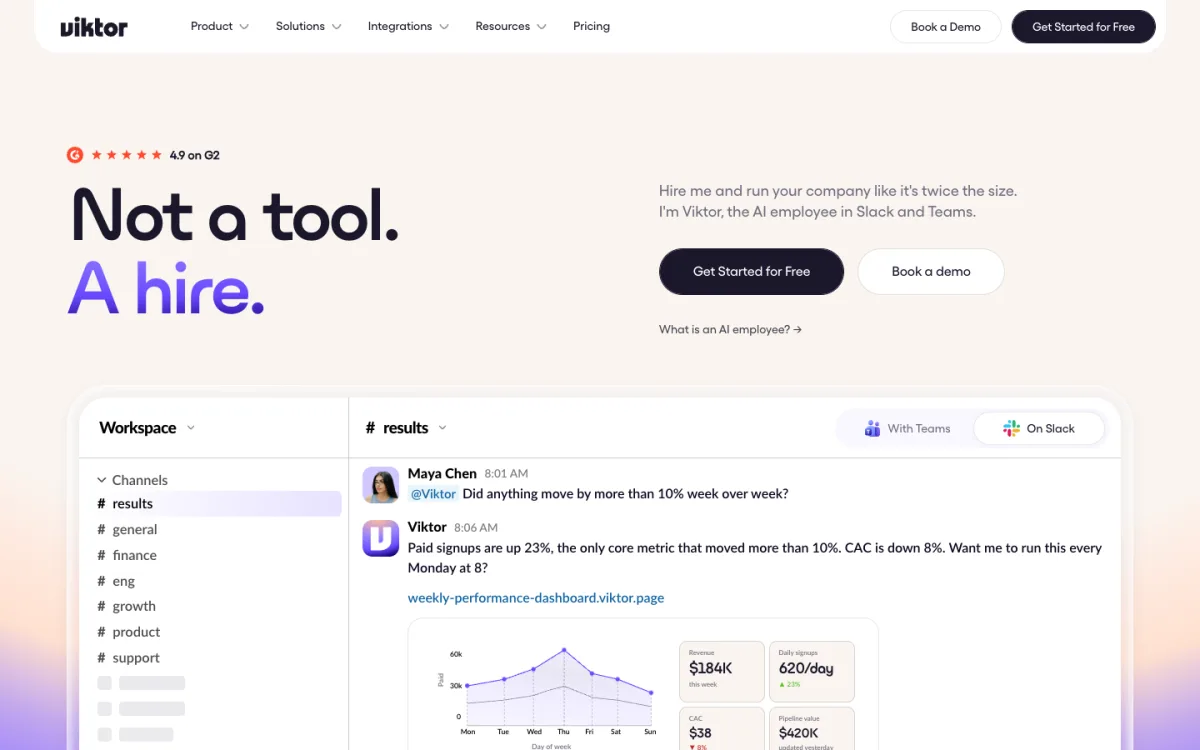 Viktor answers metrics questions in Slack and can change the ad accounts behind them.
Viktor pitches itself as an AI employee in Slack and Microsoft Teams, with one Viktor per workspace and no per-seat fees. While most Slack agents stop at reporting on ad spend, Viktor's media buying workflows go all the way to changing live campaigns: you can tell @Viktor to pause anything with a CPA above $40, reallocate budget to top performers, launch a new campaign from a message or export the week's performance to Google Sheets.
What stands out
- Deep ad platform actions with an approval gate. Its Google Ads integration lists 80 actions, including creating campaigns, ad groups, budgets and Performance Max campaigns, alongside Meta Ads, LinkedIn Ads, Mailchimp, Google Analytics and PostHog. Anything sensitive waits for your approval in Slack before it runs.
- Flat workspace pricing. Your whole marketing team shares one workspace pool of credits with workspace memory, reusable skills and scheduled tasks, and Viktor raised a $75M Series A led by Accel in May 2026.
Worth knowing
- Because Viktor can act on live ad accounts, you need clear team habits around who approves budget and status changes in a busy channel.
- Viktor lists SOC 2 Type 1 compliance (rather than Type 2).
Pricing: Free starter tier with up to $100 in credits that never expire, then Team at $100 a month flat for the workspace with 40,000 shared credits (pricing, seen on October 29, 2026).
6. HubSpot Breeze Assistant
Best for teams whose marketing numbers live in HubSpot.
 Breeze Assistant ships with every HubSpot plan. The homepage shows the platform, not the Slack app.
If your team already lives in HubSpot for email, forms, attribution and CRM, Breeze Assistant in Slack is the shortest path to getting those numbers into a channel. You mention @HubSpot(Breeze) in a channel or thread (or chat 1:1 in the app's Messages tab) to ask about campaign effectiveness, lead sources, MQL-to-SQL funnel conversion, organic vs paid performance or marketing attribution, and to create or update CRM records, tasks and notes.
What stands out
- Included with your HubSpot subscription. There is no extra AI add-on bill just to ask Breeze about your HubSpot campaigns in Slack.
- Direct CRM updates from the thread. It can summarize a Slack thread and turn it into a CRM note or task without leaving the channel.
Worth knowing
- In Slack, Breeze reads HubSpot data only. HubSpot's Content Agent (which drafts blog posts, social copy and landing pages in your brand voice) lives inside the HubSpot web app on Content Hub Pro or Enterprise (HubSpot AI for marketing).
- It does not monitor channels on its own (every request needs a fresh mention), and each person's Slack login email must match their HubSpot user email.
Pricing: Breeze Assistant is included with all HubSpot plans. Marketing Hub Starter is $20 per seat per month at list price ($100 a month for 5 seats, with a $10 per seat promo for new customers, and Free covers 2 users) (pricing, seen on October 29, 2026).
7. Lindy
Best for small teams that want scheduled ad, competitor and content reports.
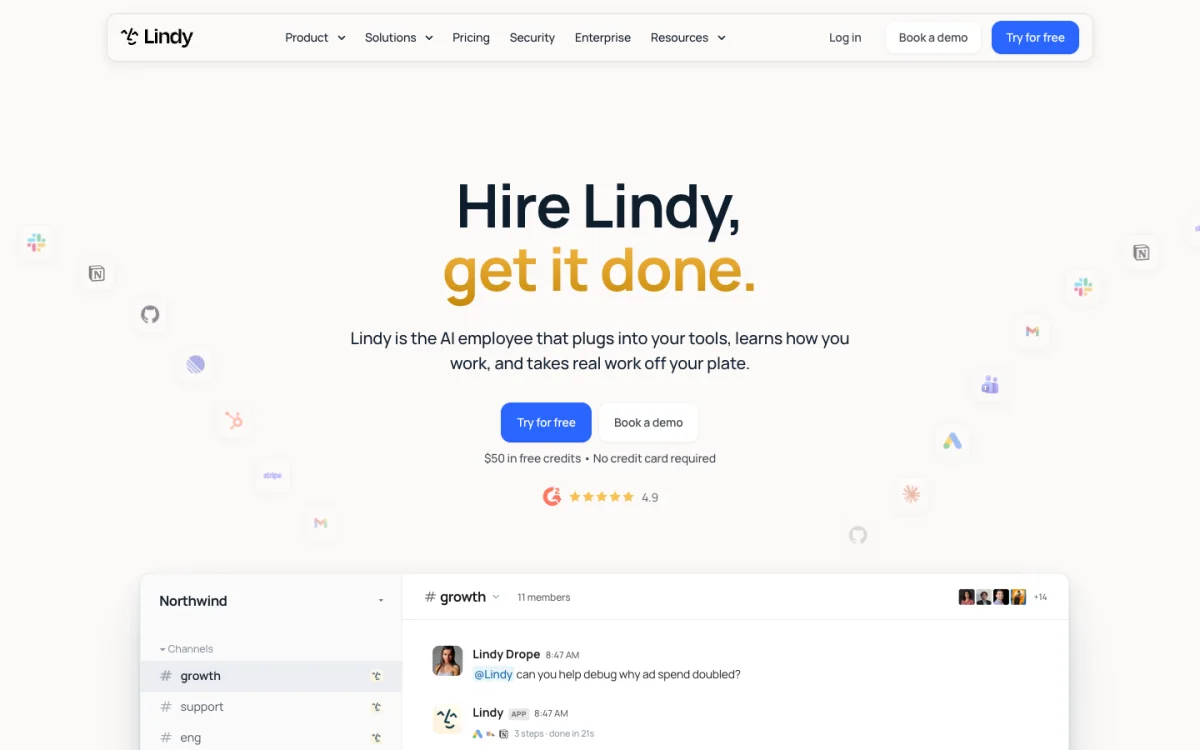 Lindy works from Slack mentions, with its full toolset in DMs.
Lindy positions itself as an AI teammate for marketing teams that you tag in Slack or put on a schedule. Its marketing playbook covers daily ad checks (yesterday's spend, ROAS and flags across Google Ads and Meta posted each morning), weekly competitor tracking, lead-source lookups in HubSpot, battle card drafts and even video scripts and storyboards from a single Slack message.
What stands out
- Strong scheduled routines. You can set recurring jobs (daily ad spend, weekly competitor moves) to land in the exact Slack channel you pick, and anything with outside impact waits for approval.
- Team and personal memory scopes. Lindy keeps both team-wide memory and personal memory, plus reusable skills.
Worth knowing
- Per Lindy's Slack docs, shared channels get a smaller toolset (web search, image generation, public Slack search and Notion), while the full toolset only runs in DMs and your own threads.
- Watch how the bill grows: after a 7-day trial, anyone in your workspace who
@mentionsLindy in Slack becomes a paid active user at $49.99 a month. New Slack installs also require a paid Slack plan.
Pricing: Team plan is $49.99 per active user per month ($249.95 a month for 5 people) with 5,000 credits per user and top-ups at $10 per 1,000 credits (pricing, seen on October 29, 2026).
8. ChatGPT in Slack
Best for teams already paying for ChatGPT Business.
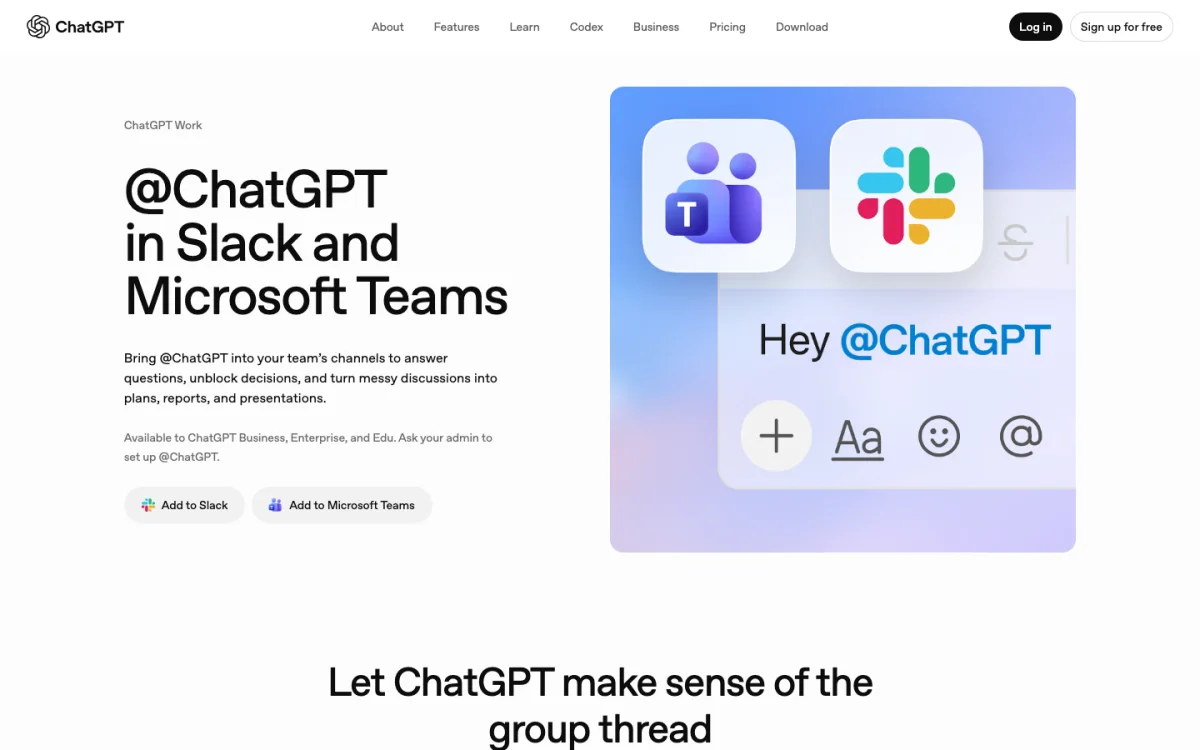 @ChatGPT is managed by the organization, not each user.
OpenAI's organization-managed @ChatGPT app for Slack lets teammates mention @ChatGPT in channels and threads or DM it to turn messy campaign discussions into launch plans, reports and presentations (OpenAI help center). Admins can also deploy workspace agents into specific channels to reply on mention, reply to every relevant message or run on a schedule, and update connected tools after approval.
What stands out
- Unlicensed teammates can use it in enabled channels. You can buy a small number of ChatGPT Business seats and still let the rest of the workspace interact with
@ChatGPTin the channels you turn on, drawing from workspace credits. - Flexible channel triggers. Workspace agents can run on a schedule or watch connected tools rather than waiting for a human to tag them.
Worth knowing
- At launch,
@ChatGPTin Slack does not record or access memory, and your personal ChatGPT memories and custom instructions don't carry over into Slack. - It does not respond to Slack guests and is not supported in Slack Connect channels, which rules it out if you run campaigns in shared channels with external agencies or freelancers.
Pricing: ChatGPT Business is $20 per user per month billed annually ($25 monthly) with a 2-seat minimum, so $40 a month plus workspace credits (help center, seen on October 29, 2026).
9. Slackbot
Best for occasional use when you already pay for Slack Business+.
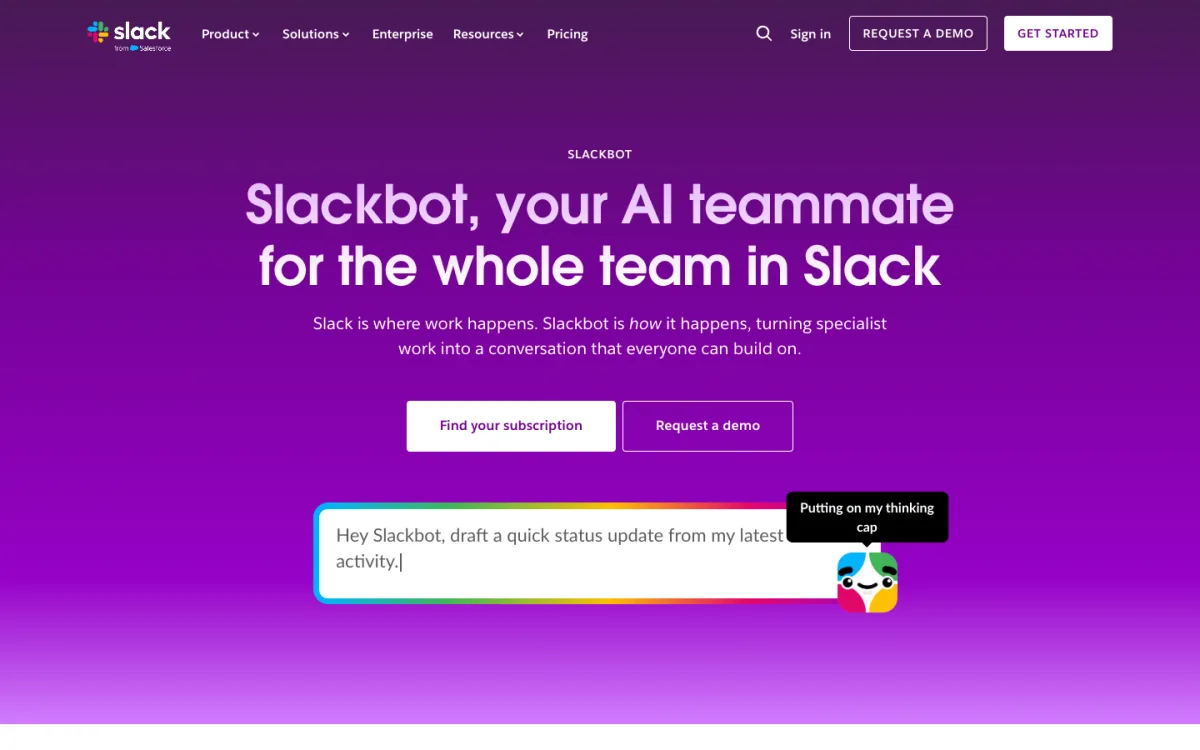 Slackbot is Slack's own agent, included on Business+ with a weekly message cap.
Slackbot is Slack's built-in agent, powered by Claude and grounded in every public channel you have access to (Slack blog). In fall 2026 Slack added two features aimed straight at marketers: Big Mode (September 15, 2026), a full-screen workspace inside Slack for drafting multi-page strategy briefs and long-form research, and shareable skills (October 8, 2026), which ship with a marketing and comms pack including Form Page Optimizer, Compete Skill Builder, CTA Matchmaker, Internal Comms Post Reviewer and a My Voice skill that builds a voice guide from your sent mail.
What stands out
- Zero install friction. If your company is on Business+ or Enterprise+, it is already there with your Slack permissions intact.
- Built-in marketing starter skills. The October 2026 skill templates give a small team quick repeatable prompts for CTAs, form pages and competitive notes without building agents from scratch.
Worth knowing
- On Business+, each member is capped at 15 Slackbot messages per week. Three prompts a workday disappears fast when you're iterating on copy, which is why heavy users start looking at Slackbot alternatives.
- Using Slackbot in channels is still in early pilot, and Slack guests have no access.
Pricing: Included with Slack Business+ at $15 per user per month billed annually ($18 monthly), which comes to $75 a month for 5 people (pricing, seen on October 29, 2026).
10. Notion Custom Agents
Best for teams whose briefs and style guide live in Notion.
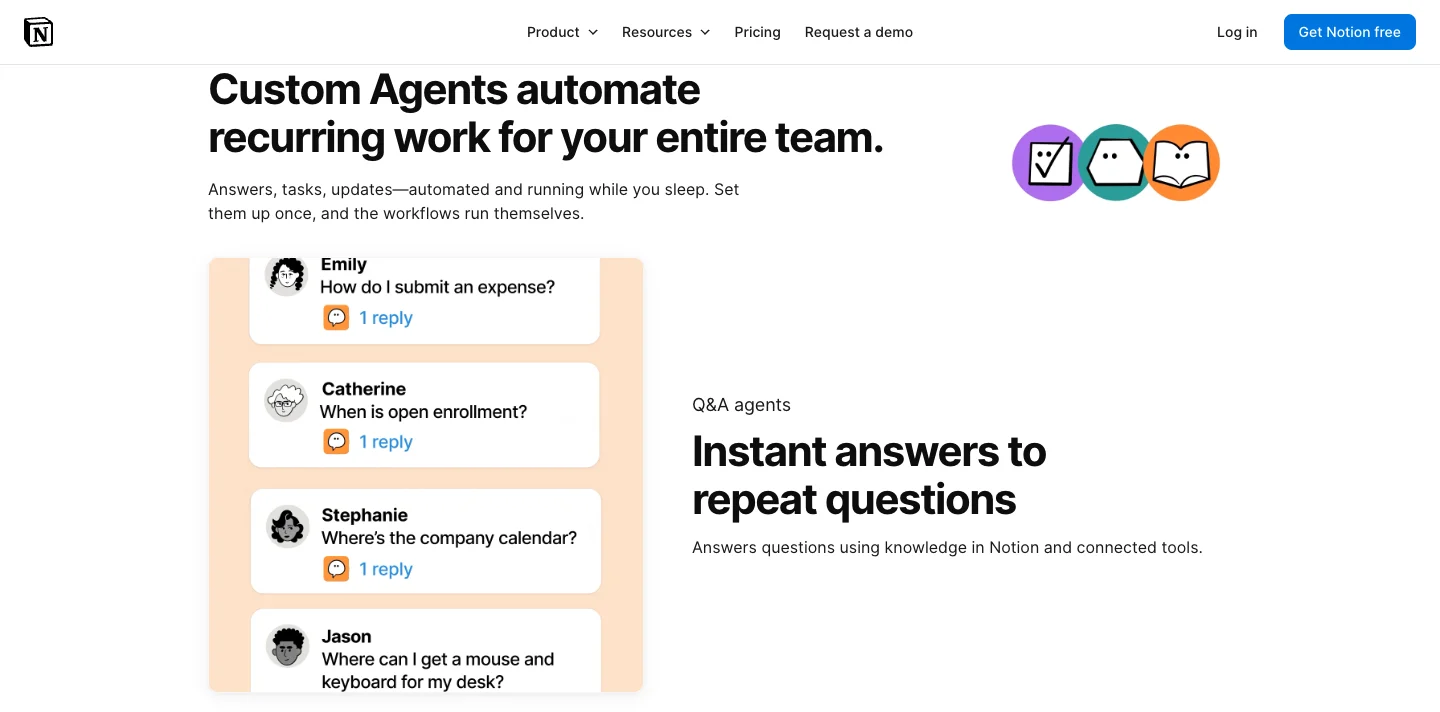 Notion's Custom Agents can answer a Slack mention from your Notion pages.
Launched on February 24, 2026, Notion Custom Agents let you build agents grounded in specific Notion pages, databases and connected sources, and trigger them from Slack when mentioned, when a message lands in a channel or when someone adds an emoji reaction. One launch customer described using a Slack-mentionable Notion agent that grades and rewrites drafts, and the agent can write output back into Notion pages and databases.
What stands out
- Turns your Notion wiki into a live editor in Slack. Point the agent at your brand guidelines page and campaign database in Notion, and anyone can tag it in Slack to check or rewrite a draft.
- Writes back to Notion. Unlike chat-only bots, it can log briefs and updates directly into your Notion content calendar.
Worth knowing
- Requires a Notion Business or Enterprise plan, each person's Slack email must match their Notion email, and Slack mentions require a Slack admin to allow all members to create user groups.
- Beyond the trial allowance, Custom Agents consume monthly Notion credits at $10 per 1,000 credits on top of your seat bill.
Pricing: Notion Business is $20 per member per month billed yearly ($100 a month for 5 members), plus $10 per 1,000 monthly Notion credits after the free trial (pricing, seen on October 29, 2026).
11. Dust
Best for teams that want to build several brand-voice content agents themselves.
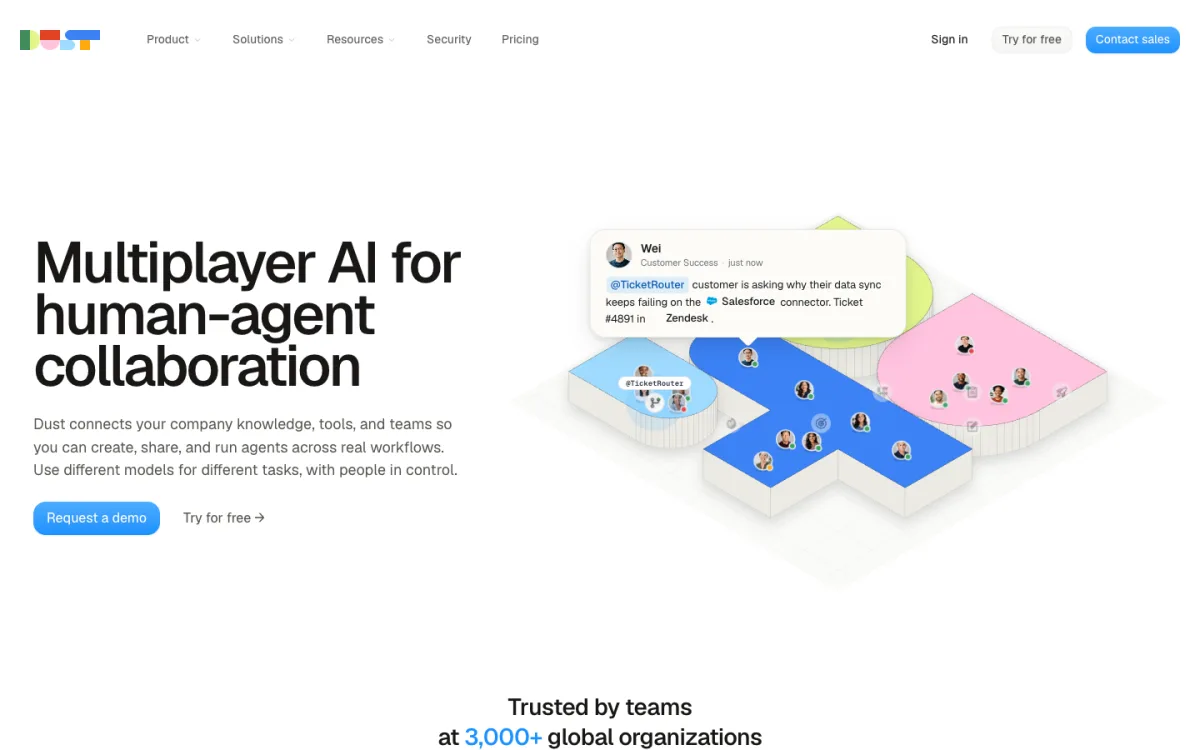 Dust lets a team build many agents and call each one by name in Slack.
Dust for Marketing is a platform for building your own fleet of specialized agents grounded in synced company data from Slack, Notion, Google Drive and more. In Slack you can call a specific agent with @Dust +AgentName in a channel or thread, DM it, or set a default agent that answers in a channel without a mention (Dust Slack docs). Marketing teams use it for content localization, brand-aligned optimization, social cross-posting and market intelligence. In a vendor-published customer story, healthcare company Alan reported its Dust brand-voice agent cut customer story production time by 80%.
What stands out
- Call different specialists in the same thread. You can build
@Dust +BrandEditor,@Dust +Localizerand@Dust +CaseStudyWriter, each grounded in different folders, and summon whichever one you need. - Built-in HubSpot, Canva and image tools. Dust connects natively to HubSpot, Canva and image generation tools.
Worth knowing
- It is a builder's platform: someone on your team has to design, prompt and maintain the agents.
- There is no native Google Ads, Meta Ads or GA4 tool in the standard catalog.
Pricing: Pro is $24 per seat per month billed yearly ($30 monthly), so $120 a month for a 5-person team with 8,000 credits a month (pricing, seen on October 29, 2026).
12. Runbear
Best for a flat-priced agent that answers marketing reporting questions.
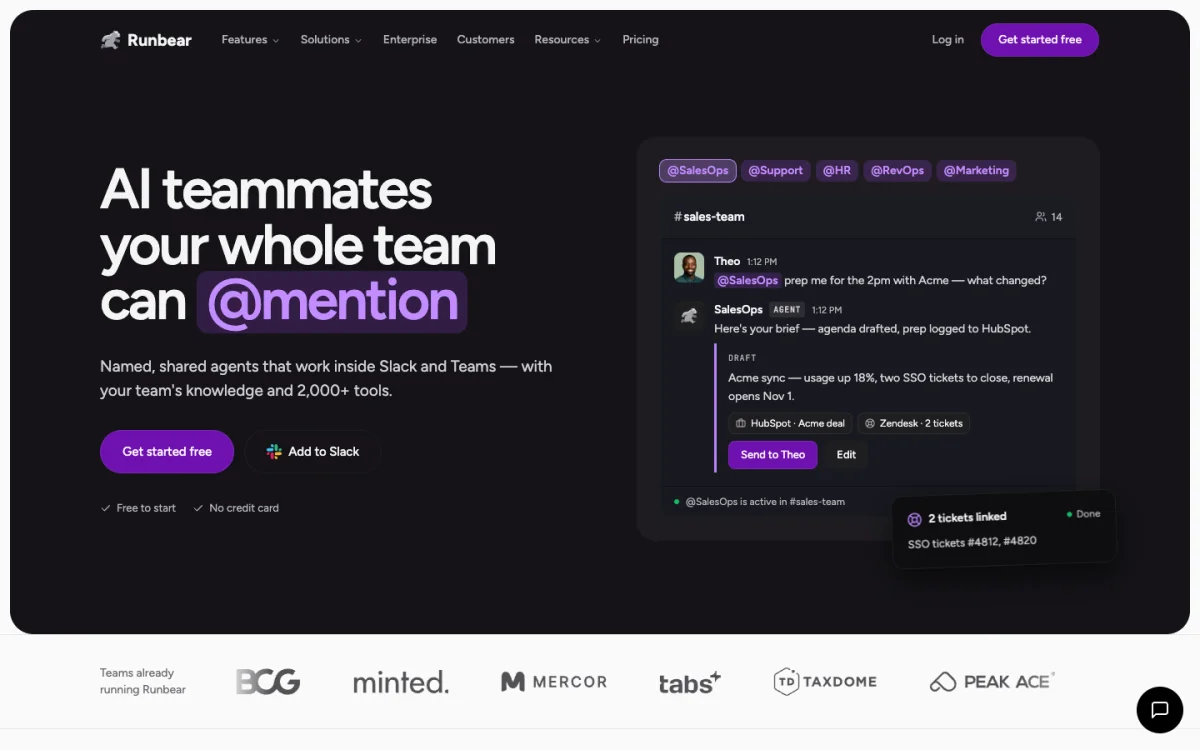 Runbear runs named agents like @Marketing and prices per workspace.
Runbear lets you put a named @Marketing agent into Slack that answers reporting questions and drafts copy without charging per Slack seat. You can @mention or DM it, set per-channel rules (keep replying in the thread, answer every message, or run on a schedule) (Runbear Slack docs), and connect tools from its catalog including Ahrefs, PostHog, Webflow, Wix, HubSpot and custom MCP servers.
What stands out
- CMS and SEO tools included. Its catalog includes Webflow and Wix tools for managing CMS content plus Ahrefs for SEO lookups right from Slack.
- No per-seat tax for the whole channel. Pricing is per workspace rather than per person who talks to the bot.
Worth knowing
- If you want the HubSpot integration, you have to jump from the Team plan ($79 a month annual) to the Business plan ($319 a month annual or $399 monthly).
Pricing: Team is $79 a month billed annually ($99 monthly) for up to 5 builders and 20,000 credits, and Business is $319 a month annual ($399 monthly) (pricing, seen on October 29, 2026).
How to choose a Slack AI agent for marketing
A list like this is a starting point. If you want to narrow twelve options down to two in five minutes, run through these five questions in order:
- Where do you want finished work to end up? If text in the Slack thread is enough, almost any option works. If you want changes made in live ad accounts, look at Viktor. If you want Notion pages updated, pick Notion Custom Agents. If you work at a software company and want website pull requests, Buffer social drafts, Customer.io launch emails and product claims checked against the actual codebase, start with Merlin.
- Where does your brand voice live today? If you already invested months into Jasper IQ or WRITER Playbooks, use their Slack apps. If you want your brand voice in a plain file or channel memory that your team owns and can edit anytime, Merlin, Claude Tag or Notion fit well.
- Which numbers does the team ask about on Monday morning? For HubSpot funnel and attribution numbers, HubSpot Breeze is included. For Google Ads and Meta spend, Merlin pulls Google Ads and Google Analytics numbers into a read-only weekly report, Viktor reads and writes to ad accounts, and Lindy runs scheduled checks.
- Is this for shared campaign channels or 1:1 DMs? Check whether the tool weakens in public channels. Lindy restricts its full toolset to DMs and your own threads, and Slackbot in channels is still in early pilot.
- Do you want to pay per seat or flat for the workspace? Merlin, Viktor and Runbear charge by workspace tier. Claude Tag and ChatGPT let unlicensed teammates chime in from enabled channels. Lindy bills $49.99 for every person who
@mentionsthe bot.
6 things most lists skip
- Slackbot's 15-message weekly cap on Business+. Fifteen messages per person per week is three prompts a day. A content marketer testing headlines will hit the wall before lunch on Tuesday.
- Jasper's Slack Agent isn't on the Pro plan. It requires API access, which only comes with custom-quoted Business plans.
- Who triggers a seat charge varies wildly. In Lindy, a curious PM who
@mentionsthe bot in#marketingafter the trial adds $49.99 a month to the bill. In Claude Tag and@ChatGPT, teammates without seats can use the bot in enabled channels while drawing from org usage or credits. - Agency and freelancer blind spots.
@ChatGPTignores Slack guests and doesn't work in Slack Connect channels, and Slackbot locks out guests too. If you run launches with outside partners in shared channels, test that on day one. - Brand voice portability. A voice tuned inside Jasper IQ or WRITER stays on their servers if you switch tools next year. A markdown skill file or a style guide doc moves anywhere.
- Approval gates on live ad spend. An agent that can pause ad sets or shift budgets from a Slack message (like Viktor) is a superpower right up until someone phrases a prompt loosely. Set your approval rules before connecting a live ad account.
FAQ
Yes. Slack's built-in Slackbot can draft copy, summarize launch threads and run shareable marketing skills like CTA Matchmaker and My Voice in Big Mode. On Business+ plans, keep in mind that each user is limited to 15 Slackbot messages per week, so content-heavy teams usually pair it with a dedicated marketing agent.
Merlin can turn a blog link into one LinkedIn draft and three X drafts saved directly in Buffer (with nothing scheduled until a human reviews and clicks publish). Most other Slack marketing agents, including Jasper, WRITER and Claude Tag, return social copy as text inside the Slack thread for you to copy over.
There are two main ways: inside a vendor's platform (like Jasper IQ or WRITER's brand guidelines) or in files and memory your team controls. In Merlin, tone rules, banned words and templates live in a workspace shared skill file alongside per-channel memory, and in Claude Tag you can tell @Claude to save tone and terminology rules directly to a channel's memory.
For several of them, yes. Slackbot requires Business+ or Enterprise+ beyond a small preview, and both Jasper's Slack Marketplace listing and Lindy's documentation specify a paid Slack plan for new installs. Always check the Slack plan requirement before starting a trial.
Yes, depending on whether you want read-only reporting or live changes. Viktor connects to Google Ads, Meta Ads and LinkedIn Ads and can pause ad sets, shift budgets or launch campaigns after approval in Slack. Merlin's weekly campaign report only reads Google Ads and Google Analytics, and Lindy posts daily spend and ROAS checks.
If you're marketing a software product and your team already has Claude Code or Codex in the building, start with Merlin. If you're a pure content shop on Jasper or WRITER, turn on the agent you already pay for, and if your Monday starts in Google Ads or HubSpot, test Viktor or Breeze in a single channel first.
Try Merlin for free
Hand work to Claude Code and Codex from Slack, Linear and GitHub. Free for 14 days, no API keys, no card required.
Get started for free