

Best AI Support Agents for Slack in 2026
 Dott
A customer drops a question into your shared Slack Connect channel at 11pm. Every week your team answers from the same five help articles, and the one question that actually needs an engineer sits for two days while someone pings #eng for a status update.
Picking an AI support agent for Slack comes down to three things: which job you are hiring it for, who sees the answer when it replies, and how the bill grows as your channels get busy. Almost every tool on the market is built to deflect the easy questions from your docs, while very few can help when the ticket is an actual bug in your product.
If you're just here for a quick recommendation, here's the summary.
The short answer
- B2B software teams whose hard tickets end with an engineer: Merlin. It reads your actual codebase through Claude Code or Codex to diagnose customer errors, deduplicate Linear issues and open fixes.
- Customer-facing answers in Slack Connect channels, priced per outcome: Fin.
- An all-in-one B2B support platform built around Slack Connect: Pylon.
- Teams that want to build their own support workflows, with code if they like: Plain.
- Slack-first teams that want AI answers on top of the helpdesk they already have: ClearFeed.
- One helpdesk that serves both customers and internal teams: Unthread.
- Slack-native ticketing with AI included in every plan: Thena.
- Existing Zendesk shops that mainly want tickets to flow through Slack: Zendesk.
- A named
@Supportteammate at a flat workspace price: Runbear. - Internal IT and employee support in Slack at enterprise scale: Atomicwork.
The 10 agents at a glance
For B2B software teams, "Can it dig into your code?" is the column I'd read first, followed closely by "Who it answers in Slack."
| Agent | Best for | Who it answers in Slack | Can it dig into your code? | You pay |
|---|---|---|---|---|
| Merlin | B2B software teams with engineering escalations | Your team in internal and support channels | Yes, through Claude Code or Codex on a teammate's machine | $9 to $99 per workspace a month, model usage on each machine owner's own plan |
| Fin | Customer-facing answers in Slack Connect | Customers in Slack Connect and community channels | No, hands off to your team (Linear via Procedures connectors) | $0.99 per outcome, plus Intercom seats or a 50-outcome monthly minimum on another helpdesk |
| Pylon | All-in-one B2B support on Slack Connect | Customers (Support Agent) and your team (Slack Agent, internal only) | Through its Devin integration, which opens pull requests | $89 or $139 per seat plus AI credits (5,000 credit minimum, sales-quoted) |
| Plain | Building your own support workflows | Customers in customer channels (Customer Agent), your team in discussion channels (Sidekick) | Partly, Sidekick reads GitHub pull requests | $45 or $99 per user a month (annual) with credits, about $1 per Customer Agent resolution |
| ClearFeed | AI on top of an existing helpdesk | Customers or employees in request channels | Partly, it can use selected GitHub repos as a knowledge source | $24 or $49 per agent a month, AI credits from $20 for 100 |
| Unthread | One helpdesk for customers and internal teams | Customers in shared channels and employees | No, hands off to Linear, Jira or GitHub | From $85 per agent a month, 5-seat minimum |
| Thena | Slack-native ticketing with AI included | Customers and internal helpdesk channels | No, creates Linear or Jira issues | $29, $79 or $119 per user a month (annual), AI included |
| Zendesk | Existing Zendesk teams | Employees only, through an early-access AI agent | No | $55 or $115 per agent a month (Suite, annual), $2 per extra automated resolution |
| Runbear | A named @Support teammate | Your team in channels and DMs | No | $99 or $399 per workspace a month (credits) |
| Atomicwork | Internal IT support at enterprise scale | Employees in channels and DMs | No | From $25,000 a year, or $1 to $3 per outcome with annual minimums |
These are the list prices I saw on October 28, 2026.
Three jobs hide behind the same label
When people search for an AI support agent for Slack, they are usually hiring for one of three different jobs: answering customers in shared Slack Connect channels, answering employees in an internal helpdesk, or taking the hard ticket to engineering.
Most products focus on the first two jobs because those are the cheap tickets. Answering "how do I reset my webhook secret" from a help center article saves five minutes. The expensive tickets are the ones that end with "let me check with engineering." A support lead copies a stack trace into #eng-escalations, an engineer context-switches two hours later to grep the repo, and the customer waits. Very few tools can cross the line from support docs into your codebase.
Slack's own built-in tools also split along these lines. Slackbot is a personal AI agent included on Business+ ($15 per user a month, annual) and Enterprise+, and Agentforce in Slack routes employee requests through Slackbot to specialized agents like an IT Service Agent when you hold both Agentforce and Slack licenses. Both are built for your own employees. Salesforce's customer-facing option for Slack Connect is now Fin, which it acquired in September 2026.
The other surprise is the billing unit. Per-answer pricing rewards a bot that resolves issues, while a busy set of shared channels can turn per-answer fees into a second payroll line on top of your seat licenses. Here is the straightforward math for 500 AI answers a month from each vendor's published per-answer price, seen on October 28, 2026:
| Agent | Price per AI answer | 500 answers a month |
|---|---|---|
| Fin | $0.99 per outcome | $495 |
| Plain | 100 credits per Customer Agent resolution, top-ups at $10 per 1,000 credits, so about $1 | about $500 beyond the credits included in seats |
| Zendesk | $2.00 per automated resolution beyond the 5 to 10 per agent included | up to $1,000 |
| ClearFeed | about 1 credit per resolution, extra credits $1 to $2 per 10 | about $50 to $100 |
| Atomicwork | $1 per Knowledge Support outcome, $25,000 a year minimum | the minimum alone is $25,000 a year |
Seat pricing goes the other way and charges you for people who barely touch the AI, while Merlin and Runbear price per workspace instead. To sort the ten tools below, look at four criteria:
- Who it answers: customers in shared channels, employees, or your own support team.
- What it does with a hard ticket: hands off, files an issue, or investigates the code.
- Where the conversation lives: Slack only, or synced to a helpdesk.
- How the bill grows: per seat, per answer, or per workspace.
The 10 best AI support agents for Slack in 2026
1. Merlin
Best for B2B software teams whose hard tickets end with an engineer.
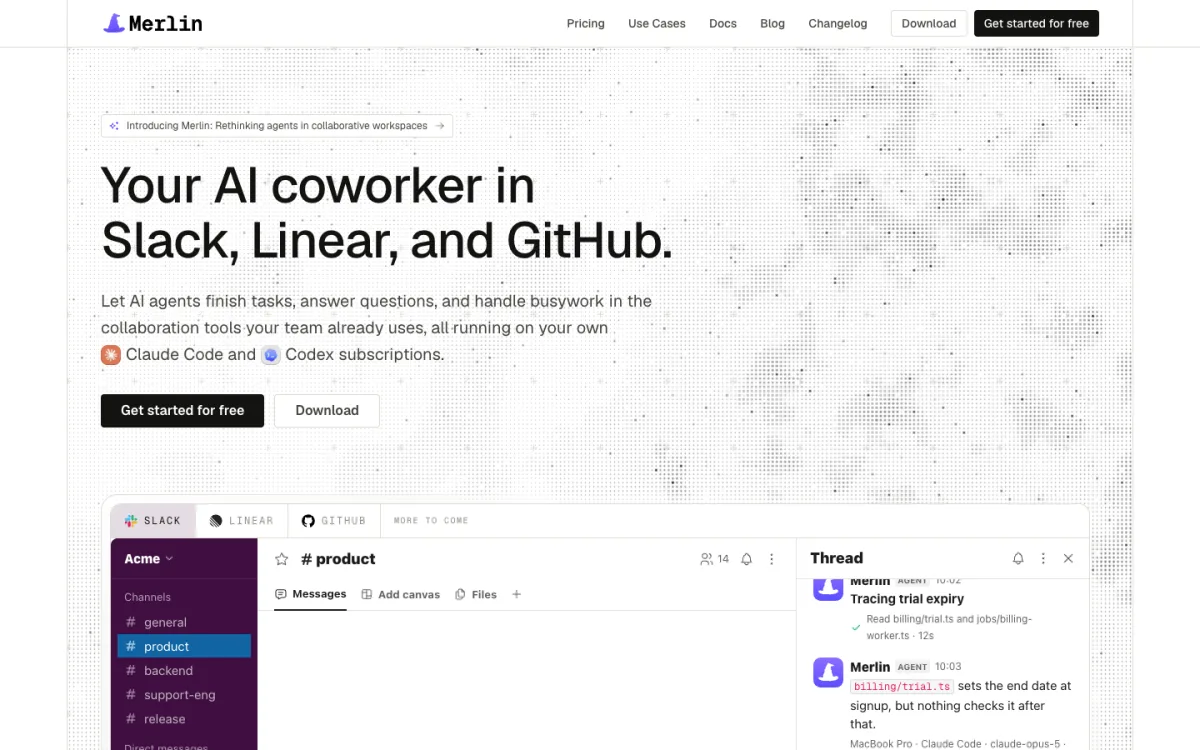 Merlin brings the Claude Code and Codex a team's engineers already run into Slack, Linear and GitHub.
Merlin is the escalation and engineering half of support for B2B software teams. It turns the coding agents a team's engineers already run, Claude Code and Codex, into a teammate the whole company can work with in Slack, Linear and GitHub. Anyone on the support team can @mention Merlin in a thread or DM, and the work runs on an engineer's shared machine (via the macOS or Windows desktop app, or the Linux CLI daemon) using that machine's checked-out repositories, credentials and MCP servers. Instead of guessing from an outdated help center article, support can attach a sanitized log, ask what the product actually does in the code, and get the exact file path and evidence back in the thread.
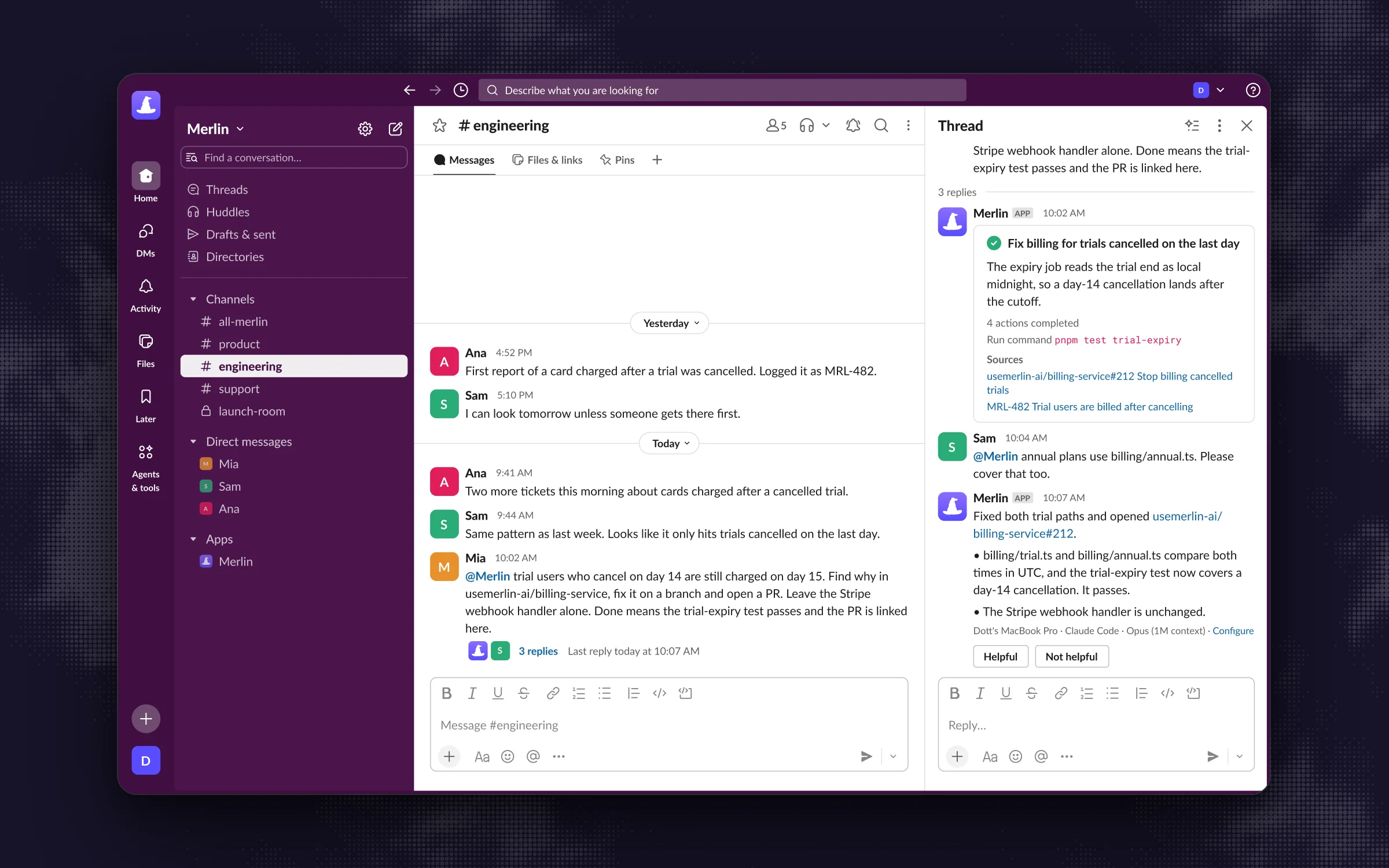 From two customer tickets to a tested fix in one thread, with a teammate steering halfway through.
What stands out
- Built for the support-to-engineering escalation loop: Merlin searches Linear for a matching open issue first, pulls customer impact from Intercom or Pylon and error traces from Sentry through MCP servers on the runtime, and either comments on the existing ticket or files a new Linear issue complete with reproduction steps, log excerpts and a code pointer. If the team wants to go further, Merlin can open the pull request with the fix.
- Support reps rarely need their own runtime (support use cases). Engineering provides a shared runtime that carries the product repository, and support uses shared skills to draft customer replies in the team's voice, keep known workarounds in per-channel memory, or run a weekday scheduled digest of open customer escalations.
- Each channel gets its own response mode (Mention only, Thread follow-ups, or Proactive), and memory in a private channel stays visible only to that channel's members.
Worth knowing
- Not for you if you want a full helpdesk with ticket queues, SLAs, CSAT or a customer portal, or if you want an unattended bot to be the first thing a customer talks to in Slack Connect. Pair Merlin with a customer-facing inbox like Fin, Pylon or Plain, or use it on its own if your team handles first-line replies by hand.
- It requires at least one engineer running Claude Code or Codex (prerequisites), a shared machine has to stay awake and online to pick up requests, it does not support Microsoft Teams, and as Merlin's own docs note, a likely cause in the code is still a diagnosis for an engineer to review before you promise a customer a fix.
Pricing: Starter at $9 per workspace a month (up to 3 active users, 1,000 requests), Team at $59 (up to 50 active users, 5,000 requests), Scale at $99 (up to 200 active users, unlimited requests), with a 14-day Team trial and no card required (pricing, seen on October 28, 2026). Merlin hosts no model, so model usage stays on each machine owner's own Claude or ChatGPT plan.
2. Fin
Best customer-facing agent for Slack Connect channels, priced per outcome.
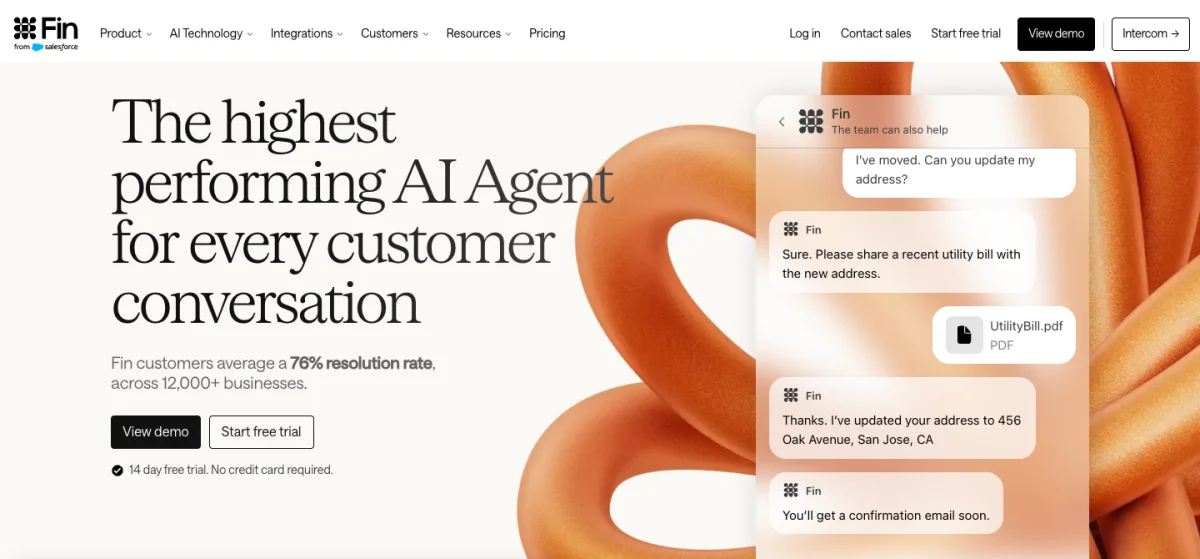 Fin, formerly Intercom, now carries Salesforce branding after the September 2026 acquisition.
Fin is the AI customer service agent from the company formerly called Intercom, which renamed itself Fin on May 12, 2026 (keeping Intercom as the helpdesk name) before Salesforce completed its acquisition of Fin on September 10, 2026. In Slack, Fin answers customers directly inside Slack community channels and dedicated Slack Connect channels. When a customer posts in a connected channel, Fin creates an Intercom conversation, replies in the same Slack thread with native formatting from your knowledge base and past conversations, and hands off to your team when a human is needed.
What stands out
- Fin's homepage claims a 76% average resolution rate across 12,000+ businesses, and Fin Procedures can run multi-step workflows across Stripe, Shopify, Linear and internal tools through data connectors or MCP.
- You can run Fin on top of your existing helpdesk or pair it with the Intercom helpdesk.
Worth knowing
- Customers cannot start a new conversation by DMing the bot, tickets cannot be created directly from Slack, and data connectors are off by default in Slack because they could expose private data in public channels (Slack channel docs).
- Only one Intercom workspace per Slack workspace holds conversations by default, it cannot be installed in the primary workspace of an Enterprise Grid org, and it does not read your codebase.
Pricing: $0.99 per outcome, with a 50-outcome monthly minimum and no seat cost when used on your current helpdesk, or paired with Intercom helpdesk seats at $85 (Advanced) and $132 (Expert) per seat a month (Fin pricing and Intercom pricing, seen on October 28, 2026).
3. Pylon
Best all-in-one B2B support platform built around Slack Connect.
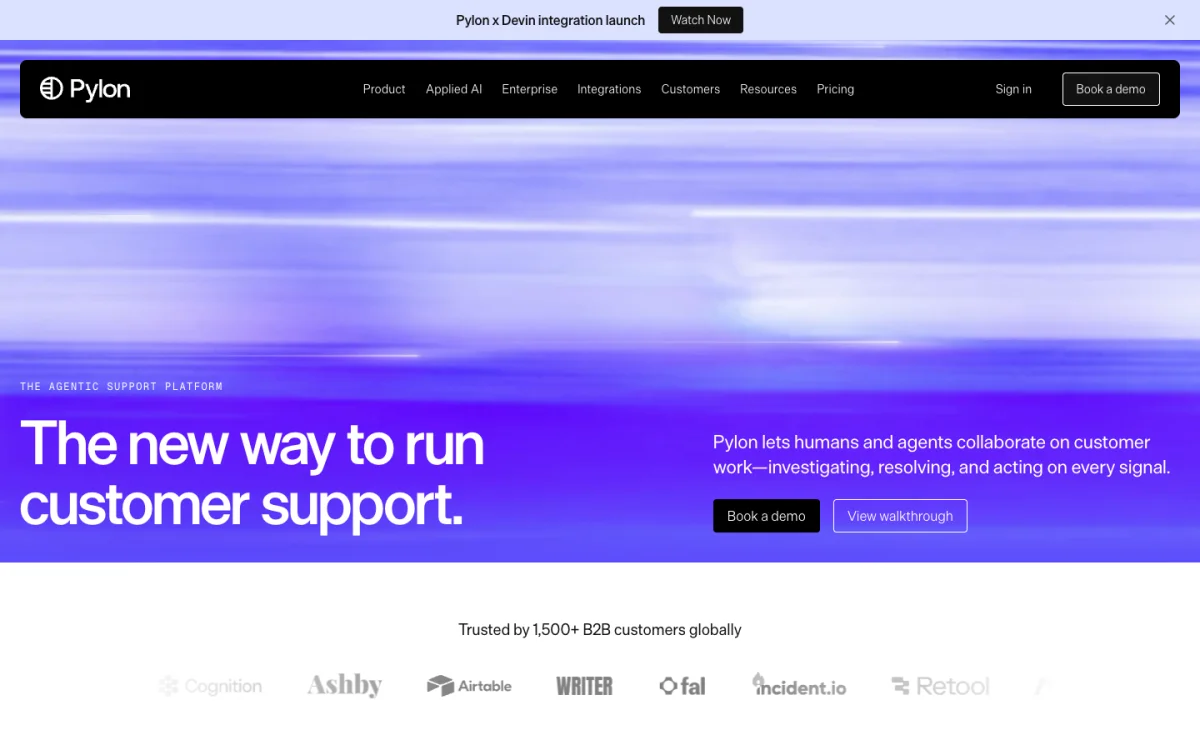 Pylon calls itself the agentic support platform, and its Devin integration takes bugs to a pull request.
Pylon is an all-in-one B2B support platform used by over 1,500 B2B companies per its homepage. It turns Slack Connect messages into tracked issues automatically and syncs replies both ways so reps can work from Slack or the Pylon inbox. Pylon splits its AI into two roles: its Support Agent answers customers across Slack and email using approved knowledge and account context like ARR and health scores, while its Slack Agent answers @Pylon mentions from your own team in internal channels and DMs.
What stands out
- On October 13, 2026, Pylon launched a Devin integration that lets full Devin sessions investigate bugs, make code changes and open pull requests for engineering to review, triggered manually or on escalation criteria.
- Support Agent can take approved actions in Linear and Notion via MCP.
Worth knowing
- Pylon's internal Slack Agent does not run in Slack Connect channels, and Pylon's agentic features were relaunched on July 15, 2026 with a beta label.
- Every AI feature consumes credits with a 5,000-credit minimum and no public price per credit on the pricing page, plus Devin requires a separate subscription with Cognition.
Pricing: Professional at $89 per seat a month, Advanced at $139 per seat, and Enterprise custom, plus sales-quoted AI credit packs with a 5,000-credit minimum (pricing, seen on October 28, 2026).
4. Plain
Best for teams that want to build their own support workflows, with code if they like.
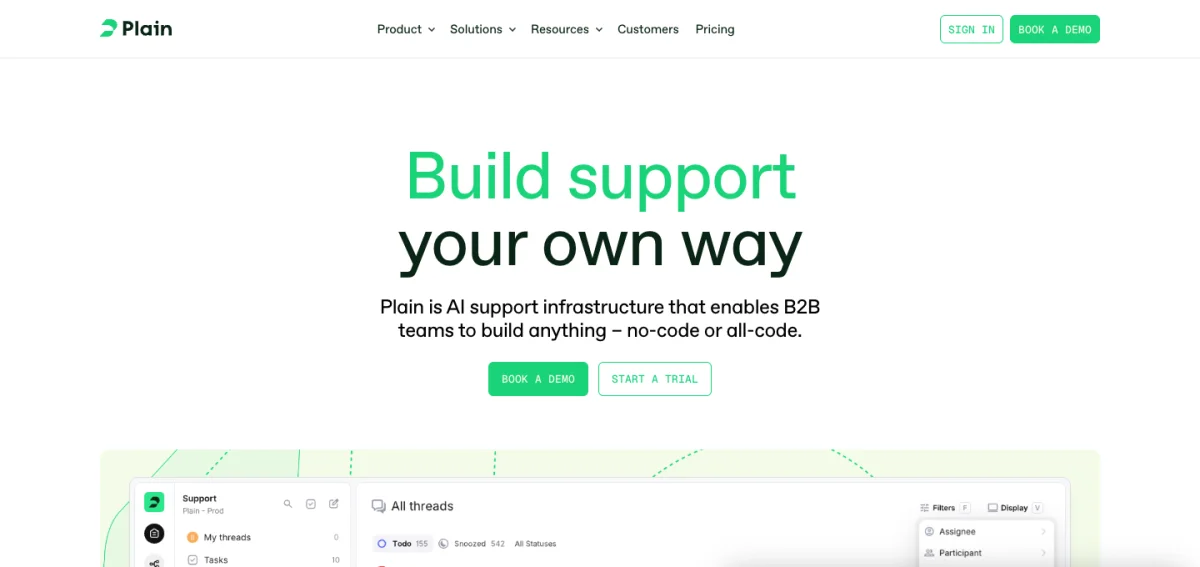 Plain syncs the Slack channels you choose into threads like these.
Plain is B2B support infrastructure built for engineering-leaning teams that want clean APIs alongside an inbox. It syncs the Slack channels you pick into Plain as threads and posts replies back to Slack. Every connected channel is designated as either a Customer channel or an internal Discussion channel. Plain's Customer Agent (renamed from Ari on October 27, 2026 per its changelog) answers customer threads strictly from your knowledge sources and hands off the moment it is unsure, while Sidekick helps your team inside discussion channels.
What stands out
- Sidekick gained the ability to read GitHub pull requests on October 23, 2026, giving internal discussion channels context on recent code changes, and Linear and Jira integrations are included from the base plan.
- Strict separation between external and internal AI: per Plain's docs, "Sidekick is active in every discussion channel and never in a customer channel."
Worth knowing
- Plain's own documentation warns that AI can generate inaccurate responses and recommends reviewing answers before they reach a customer.
- Customer Agent resolutions consume 100 credits each, which works out to roughly $1 per resolution once you burn through your plan's included credits.
Pricing: Foundation at $45 per user a month billed annually (includes 1,000 credits), Horizon at $99 (includes 2,500 credits), and Frontier custom, with credit top-ups at $10 per 1,000 credits (pricing, seen on October 28, 2026).
5. ClearFeed
Best for Slack-first teams that want AI answers on top of the helpdesk they already have.
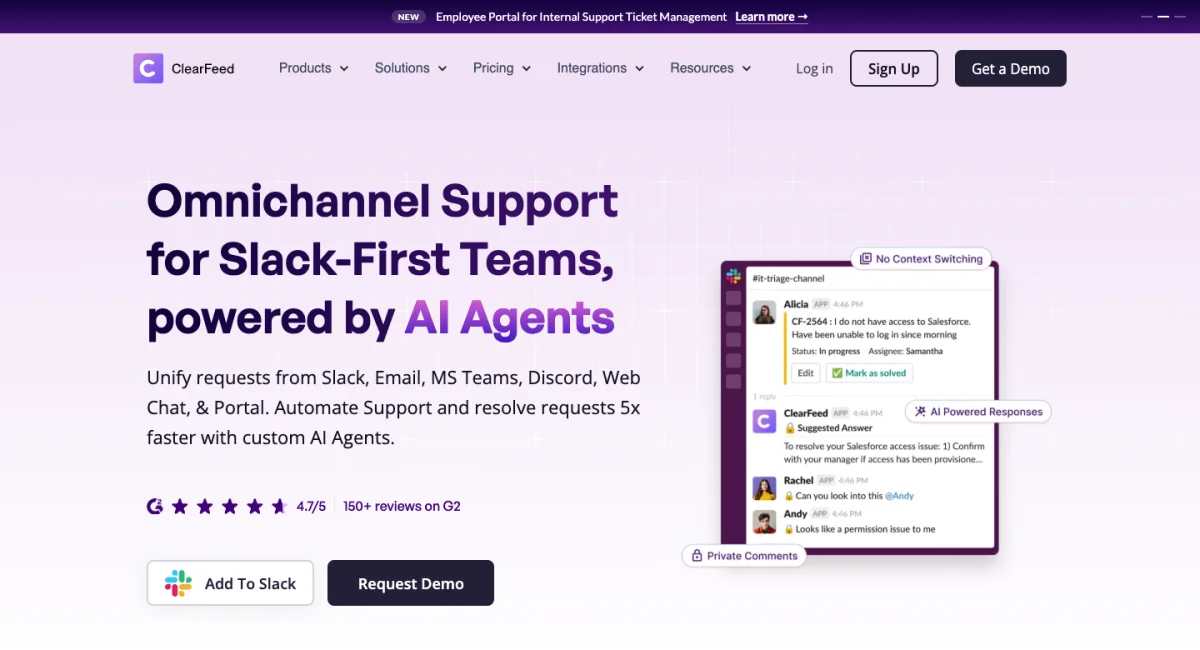 ClearFeed can draft in a triage channel for your team or answer customers directly.
ClearFeed funnels customer or employee request channels into a shared Slack triage channel and syncs tickets both ways with Zendesk, Jira Service Management, Salesforce, Linear, Freshdesk, HubSpot and Intercom. Reacting with a ticket emoji turns a thread into a tracked issue. Its AI agents run in two modes: Virtual Agent replies directly to customers in request channels, while Agent Assistant posts draft answers inside your internal triage channel so a human can check them before sending.
What stands out
- Its GitHub integration can create GitHub issues from Slack and index selected repositories as an AI knowledge source.
- Per-resolution AI credit math is gentle compared with outcome-billed competitors, working out to roughly $0.10 to $0.20 per resolution.
Worth knowing
- Pricing splits across three different editions (External Helpdesk, Internal Helpdesk, and Integrations Edition), and the Integrations Edition does not support Slack Connect.
- Indexing a GitHub repo as a static knowledge source helps with documentation and constants, though it is not an active coding agent that can run tests or trace live execution.
Pricing: Starter at $24 per agent a month (with AI packs starting at $20 a month for 100 credits) and Professional at $49 per agent a month (includes 50 AI credits per agent), with overages at $2 per 10 credits dropping to $1 per 10 past 1,000 (helpdesk pricing and AI pricing, seen on October 28, 2026).
6. Unthread
Best for one helpdesk that serves both customers and internal teams.
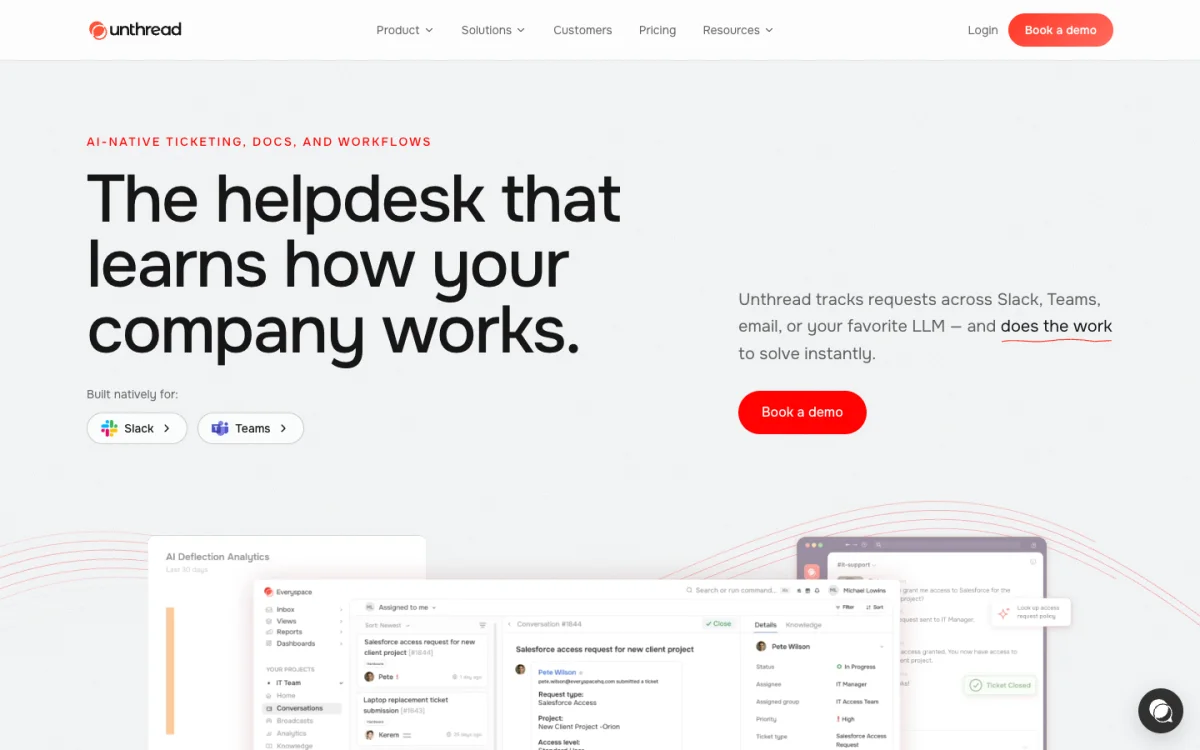 Unthread serves customer channels and internal requests from one inbox.
Unthread is an AI-native ticketing platform that runs inside Slack and Microsoft Teams for both external customer channels and internal employee helpdesks. You connect Slack Connect channels through its Shared tab, and Unthread automatically categorizes, prioritizes and routes incoming threads. Its auto-responder answers customers in Slack (a thumbs-up reaction from the customer closes the ticket as resolved), or reps can drop a thinking-face reaction on a message to get a private AI draft first.
What stands out
- Flexible model setup: Unthread's agentic AI works with Claude, ChatGPT, Gemini or your own custom agents, and its homepage attributes a roughly 40% automatic ticket resolution rate to customer Lemonade.
- Built-in handoffs to Linear, Jira and GitHub.
Worth knowing
- A 5-seat minimum on the Pro plan puts the entry floor at $425 a month before you send a single message, and conversation limits apply per tier.
- It stops at filing the engineering ticket rather than investigating the code.
Pricing: Pro from $85 per agent a month with a 5-seat minimum, while Business and Enterprise plans are quote-only (pricing, seen on October 28, 2026).
7. Thena
Best Slack-native ticketing with AI included in every plan.
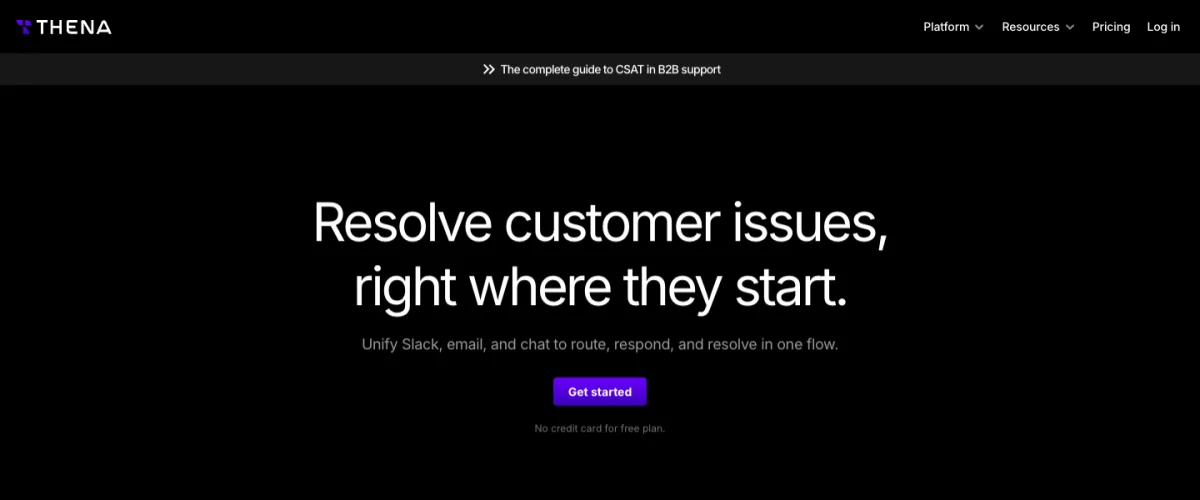 Thena treats Slack as the support tool itself, with ticketing built around channels.
Thena pitches itself as the support tool built around Slack rather than a Slack app bolted onto a legacy inbox. Every connected channel acts as a customer channel, an internal helpdesk channel or a triage channel, and tickets spin up from automatic intent detection, an emoji reaction, an @Thena mention, a slash command or a form. Its AI agent, Jamie, resolves low-complexity tickets from your knowledge sources and fills in ticket titles, summaries and status updates.
What stands out
- No separate per-resolution credit calculator: AI features are bundled into the seat tiers.
- Creates Linear and Jira issues from tickets.
Worth knowing
- While Starter includes baseline AI summaries and tagging, full AI auto-responses, the AI agent studio and MCP support only unlock on the $79 Standard tier.
- Billing is annual-only on the pricing page, and Microsoft Teams support is locked to Enterprise.
Pricing: Starter at $29 per user a month (billed annually, up to 5 seats and 1,000 tickets a month), Standard at $79, and Enterprise at $119 (pricing, seen on October 28, 2026).
8. Zendesk
Best if you already run Zendesk and mainly want tickets to flow through Slack.
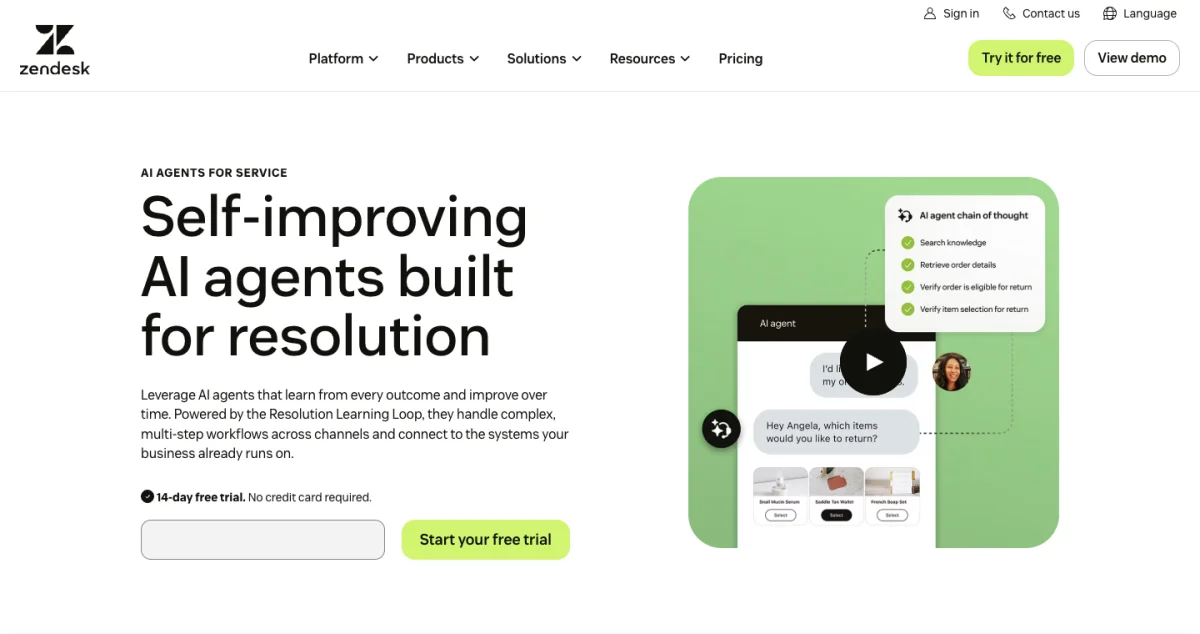 Zendesk's AI agents page. In Slack, its AI agent currently answers employees only.
Zendesk for Slack lets support teams create, view and update tickets from Slack, receive notifications and run side conversations with internal experts. Following its acquisition of Forethought on March 26, 2026, Zendesk has been rebuilding its AI lineup, and on August 3, 2026 it launched an early-access Employee Service AI agent in Slack for internal IT and HR questions.
What stands out
- Deep ticketing mechanics for teams that already live in Zendesk Suite, including approval workflows and Slack side conversations.
- The Employee Service AI agent in Slack is free to use during its early-access program.
Worth knowing
- Zendesk's older customer-facing Slack DM AI agent has been legacy since July 31, 2025 and will be removed on December 10, 2026. Its newer AI agent in Slack answers employees only.
- Automated resolutions beyond the tiny bundle included per seat cost $2.00 each on pay-as-you-go.
Pricing: Suite Team at $55 and Suite Professional at $115 per agent a month (billed annually), including 5 to 10 automated resolutions per agent a month, with extra automated resolutions at $2.00 each and the Copilot add-on at $50 per agent a month (pricing, seen on October 28, 2026).
9. Runbear
Best for a named @Support teammate at a flat workspace price.
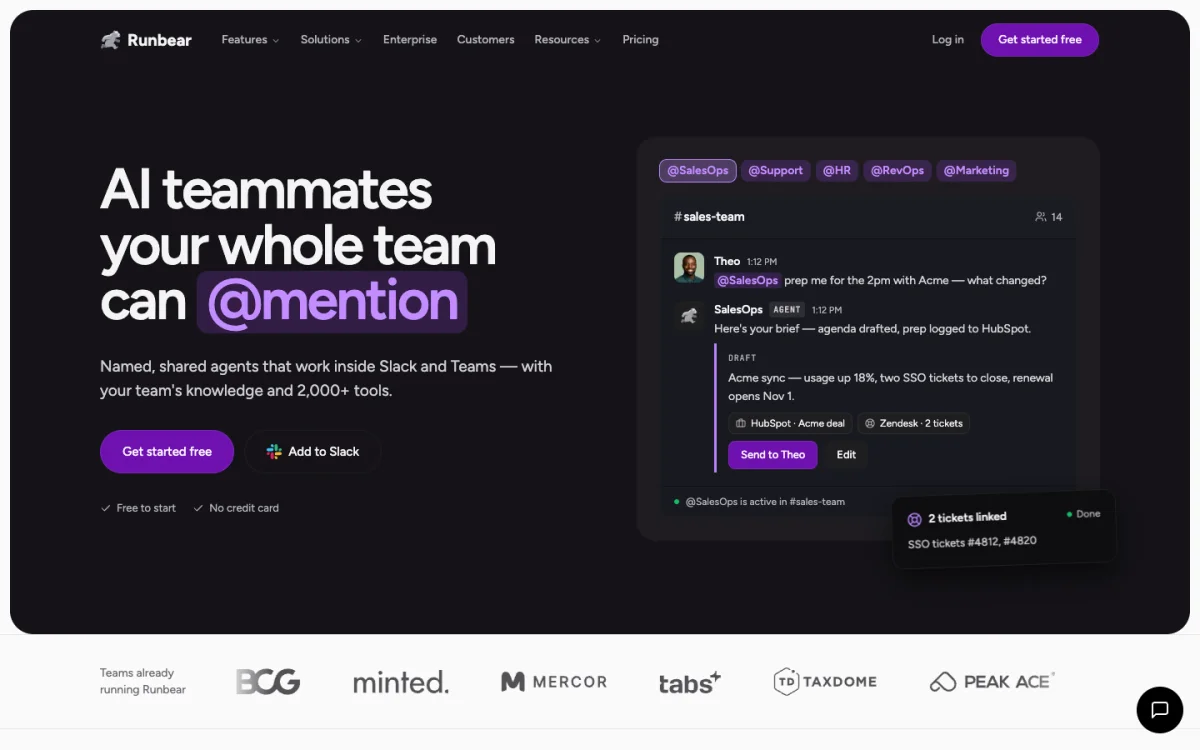 Runbear's @Support is one of several named agents a team can mention in Slack.
Runbear lets a company spin up named AI teammates (@Support, @SalesOps, @HR) that anyone can mention in Slack or Microsoft Teams, connected to internal docs and over 2,000 tools. For support teams, @Support reads your documentation and past tickets, drafts a reply in the thread, tags a human when it isn't sure, and creates or updates records in Linear, Zendesk, HubSpot and Salesforce.
What stands out
- External actions use a propose-and-approve flow by default and log every step in the Slack thread.
- Flat workspace pricing: a quick answer uses about 5 credits, so the $99 Team plan's 20,000 credits cover roughly 4,000 quick answers a month.
Worth knowing
- Runbear is not a helpdesk and has no ticketing queue, SLA timers or customer inbox of its own.
- Agents pause when your monthly credits run out unless you enable pay-as-you-go overages, and it cannot inspect your codebase.
Pricing: Team at $99 per workspace a month (20,000 credits, up to 5 builders) and Business at $399 per workspace a month (100,000 credits, adds Zendesk and HubSpot channels, BYOK and SSO) (pricing, seen on October 28, 2026).
10. Atomicwork
Best for internal IT and employee support in Slack at enterprise scale.
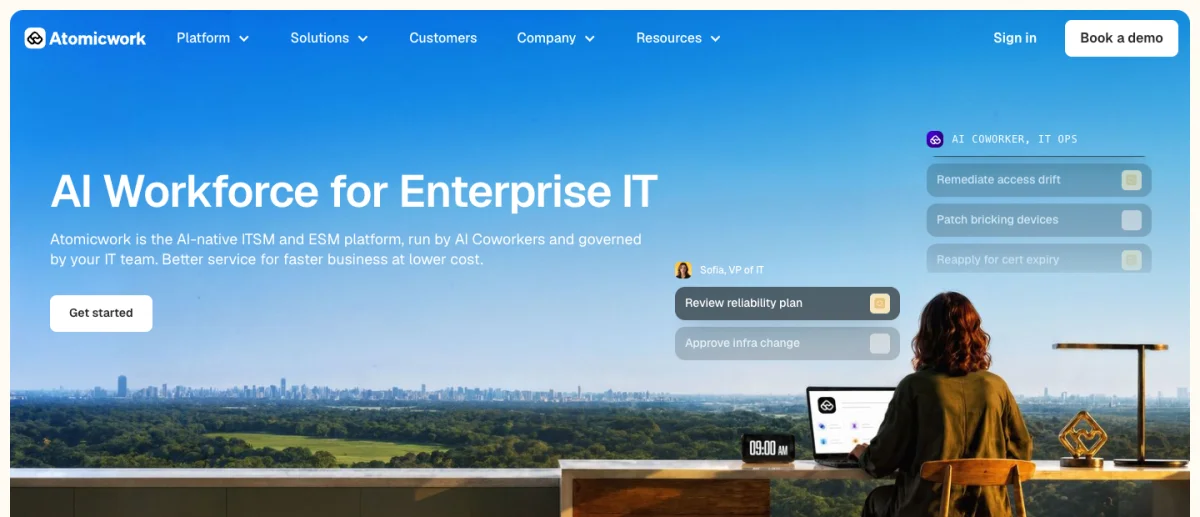 Atomicwork's Atom answers employees in Slack channels and DMs.
Atomicwork is an AI-native ITSM and enterprise service management platform whose AI Workforce Platform reached general availability on June 9, 2026. Employees ask for IT, HR or workplace help in public Slack channels or via DM, and its assistant, Atom, answers questions, checks ticket status and runs access or device workflows. Atom only learns from the Slack channels it has explicitly been added to.
What stands out
- Can run as a full ITSM replacement or sit on top of ServiceNow or Jira Service Management with no platform fee, billed per outcome.
- Built for real IT actions like access provisioning and device patching.
Worth knowing
- Strictly for internal employee support, so it will not help with customer Slack Connect channels.
- Enterprise contract floor: the Professional platform plan starts at $25,000 a year and the outcome plans carry annual minimums that work out to $24,000 to $25,000 a year, so either path is an enterprise-sized commitment.
Pricing: Professional from $25,000 a year (25,000 credits, 2 AI Coworkers, up to 250 end users), or outcome plans at $1 per Knowledge Support outcome (25,000 annual minimum), $2 per Access Automation outcome (12,000 annual minimum) and from $3 per Service Resolution outcome (8,000 annual minimum) (pricing, seen on October 28, 2026).
How to choose an AI support agent for Slack
Roundups like this are a starting point. Run these four questions in order and you will narrow the list to one or two tools in five minutes:
- Who is asking the questions in Slack? If your own employees need IT, HR or ops help, look at Atomicwork for enterprise scale, Unthread for mid-market, or dedicated internal service desks like Siit ($23 to $89 per admin a month billed annually, with unlimited employees) and Ravenna. If you want a general internal agent beyond support, see the broader guide to Slackbot alternatives. If B2B customers are asking questions in Slack Connect, keep going.
- Do you already have a helpdesk you want to keep? If you love your current Intercom, Zendesk or Linear setup and just need Slack plumbing or AI answers on top, pick Fin, ClearFeed or Runbear. If you want to replace your helpdesk with a Slack-first B2B inbox, compare Pylon, Plain, Unthread and Thena.
- Do you want the bot talking directly to customers in shared channels? If yes, Fin, Plain's Customer Agent, ClearFeed's Virtual Agent and Unthread's auto-responder all post directly into Slack Connect customer threads, and Pylon's Support Agent answers customers on Slack. If you prefer a human to check every answer before a customer's whole team sees it, use Merlin, ClearFeed's Agent Assistant mode or Plain's Sidekick.
- What happens when the ticket is a real product bug? If filing a blank Linear ticket is where your current workflow stalls, put Merlin in your support and engineering channels so your team can diagnose the code path, deduplicate issues and ship the fix from the thread (or look at Pylon if you also pay for Devin).
5 things most lists skip
- In a shared Slack Connect channel, a wrong AI answer is public to the customer's whole company. Unlike a private web chat widget, a hallucinated reply in
#customer-acmelands in front of their VP of Engineering and their executive sponsor at the same time. That is why Plain's docs explicitly tell you to review AI answers, ClearFeed offers a triage-only draft mode, Unthread lets reps trigger private suggestions with an emoji, and Fin leaves data connectors off by default in Slack. - Customer agents and internal agents are usually two separate products under the same roof. Vendors advertise "AI in Slack," and then you read the fine print: Pylon's
@PylonSlack Agent never runs in Slack Connect channels, and Plain's Sidekick only works in internal discussion channels. Always verify which half of the product you are buying. - Big funding in AI support does not mean deep Slack support. Decagon raised a $250M Series D at a $4.5B valuation in January 2026, yet per Decagon's Slack docs, its Slack integration only routes escalation alerts to your team.
- Zendesk's customer-facing Slack bot is shutting down. If you are on Zendesk and counting on its legacy customer Slack DM bot, mark December 10, 2026 on your calendar, because that is the day Zendesk removes it.
- Filing a Linear ticket is only the start of an engineering escalation. Nearly every helpdesk on this list proudly checks the "Linear integration" box. In practice, that means copying a vague customer complaint into a new ticket that an engineer still has to reproduce from scratch. An AI coworker that can read the repo, check Sentry via MCP and point to
billing/trial.tssaves the hour of engineering time that actually blows up your SLA.
FAQ
An AI support agent for Slack is software that reads support requests in Slack channels or DMs and either answers them automatically from your documentation, drafts a reply for a human rep, or investigates the issue in your connected tools and codebase. Depending on the tool, it works in external Slack Connect channels with customers, internal helpdesk channels with employees, or engineering escalation threads.
Yes. Fin, Plain's Customer Agent, ClearFeed's Virtual Agent and Unthread's auto-responder can all post answers directly into shared Slack Connect channels, and Pylon's Support Agent answers customers on Slack. Keep in mind that internal assistants from the same vendors, such as Pylon's Slack Agent and Plain's Sidekick, are restricted to internal channels only.
Pricing follows three models (seen on October 28, 2026): per resolution ($0.99 per outcome for Fin, about $1 for Plain's Customer Agent, and $2 for extra Zendesk automated resolutions), per seat ($24 to $139 per agent a month across ClearFeed, Thena, Plain, Unthread and Pylon), or flat per workspace ($9 to $99 a month for Merlin with model usage on your existing Claude or ChatGPT plans, and $99 to $399 a month for Runbear).
For internal employee support, yes: Slackbot is included on Business+ and Enterprise+ plans, and Agentforce in Slack routes employee IT and HR requests through Slackbot when you hold both Slack and Agentforce licenses. Neither is built to answer external customers in Slack Connect channels. Salesforce's customer-facing agent for Slack Connect is Fin.
Most support agents stop at creating a Linear or Jira ticket. Two options on this list can actually inspect code and open a pull request: Merlin, which runs Claude Code or Codex on a teammate's machine to diagnose customer errors and push fixes, and Pylon when paired with a separate Devin subscription.
For deflecting repeat how-to questions in Slack Connect, Fin, Pylon, Plain and ClearFeed are the strongest fits, depending on whether you want outcome billing or a full B2B inbox. For internal IT and employee help, Atomicwork and Unthread lead the pack. And when the bottleneck is the ticket that needs someone to read the code, Merlin is the one built to bridge support and engineering.
Try Merlin for free
Hand work to Claude Code and Codex from Slack, Linear and GitHub. Free for 14 days, no API keys, no card required.
Get started for free