

Best Memory Layer for AI Coworkers in Slack
 Dott
By the fifth time you tell an AI agent in Slack that your team ships on Thursdays, that Priya owns billing, or that customer invoices go out on the first of the month, the novelty of having an AI coworker wears thin. You want a memory layer so you can tell the bot a fact once and never explain it again.
In Slack, though, memory is a permissions problem before it is a recall problem. Every product on this list can remember a fact. What separates them is who gets to read that fact after it is saved, and above all whether something said in a private leadership or incident channel can surface inside a public channel answer.
If you're just here for a quick recommendation, here's the summary.
The short answer
- You want one shared memory that follows Slack's public and private channel lines: Merlin.
- Your company is already on Claude Team or Enterprise: Claude Tag.
- You want memory stored as plain, versioned files you can edit: Lindy.
- You want one company-wide AI hire that shares everything across the team: Viktor.
- You want personal memory inside Slack with zero setup: Slackbot.
- You build governed custom agents and want each person's memory kept private: Dust.
- You are a developer building your own Slack bot: Letta for a built-in Slack integration, Mem0 for a drop-in API, Zep for enterprise access policies, or Supermemory for an open-source Slack bot template.
The 10 memory layers at a glance
"A private channel fact can reach" is the column I'd read first, followed by "Memory belongs to."
| Product | Best for | Memory belongs to | A private channel fact can reach | Price (seen on 2026-10-29) |
|---|---|---|---|---|
| Merlin | One shared memory that follows Slack's channel lines | The channel (public notes form workspace memory) | Only that channel's current members | $59 per workspace per month (Team), plus each machine owner's own Claude or ChatGPT plan |
| Claude Tag | Claude Team and Enterprise orgs | The channel, plus workspace notes from public channels | Only that channel | Claude Team seat $20 per user per month (annual) plus usage under a spend limit |
| Lindy | Memory as editable, versioned files | The person (personal) and the workspace (team) | Not documented | From $49.99 per active user per month |
| Viktor | One company-wide AI employee | The whole team | Not documented | $100 per month per workspace (Team credits) |
| Slackbot | Personal memory with no setup | The person | Only you (it is your personal memory) | Included with Slack Business+ at $15 per user per month (annual) |
| Dust | Governed custom agents | The person, per agent | Only the person who taught it | €24 per user per month (Pro, annual) |
| Letta | Open source stateful agents with a Slack integration | The agent (shared by all its conversations) | Every conversation that agent has, unless you run separate agents | Free, Pro $20 per month |
| Mem0 | A drop-in memory API | Whatever IDs your code passes (user, agent, app, run) | Whatever your read filter allows | Free tier, then Custom |
| Zep | Access policies over agent memory | Users and graphs your code defines | What your access policies allow (Enterprise) | Free 10k credits, Flex $125 per month |
| Supermemory | A fast memory API with namespaces | Namespaces (container tags) your code sets | What your namespaces allow | Free, Pro $19 per month |
Prices seen on 2026-10-29. Model usage and credits are extra where noted.
How Slack memory works, and what to check
When people search for a Slack AI memory layer, they are usually looking at two buckets: turnkey AI coworkers that already live in Slack, and developer memory APIs you wire into your own Slack bot. Across both buckets, every tool picks one of four models for who owns a saved fact:
- Memory belongs to the channel (Merlin, Claude Tag). A fact lives with the Slack channel where it was learned. Notes from public channels can be shared across the workspace, while notes from a private channel stay inside that private channel. This is the only turnkey model that matches Slack's own privacy boundaries by default.
- Memory belongs to the person (Slackbot, Dust). The agent remembers your personal preferences and projects, and shares none of it with your teammates. It is completely safe against cross-channel leaks, with the trade-off that a correction you make never helps the next person who asks.
- Memory belongs to the whole team (Viktor, Lindy's team tier). Tell the coworker something once and everyone benefits. The catch is that neither vendor documents what happens when someone teaches the bot a sensitive fact inside a private channel or DM.
- Build your own (Letta, Mem0, Zep, Supermemory). The memory layer gives you user IDs, agent IDs, tags or namespaces. Keeping a private channel's facts out of a public reply is up to the filters your own Slack bot passes on every read.
To sort the options below, look at five criteria: who can read a saved fact, whether humans can see and edit individual memories, whether memory is on by default and who controls it, whether answers show where a fact came from, and what it costs for a team.
The 10 best memory layers for AI coworkers in Slack in 2026
1. Merlin
Best for teams that want one shared memory that follows Slack's public and private channel lines.
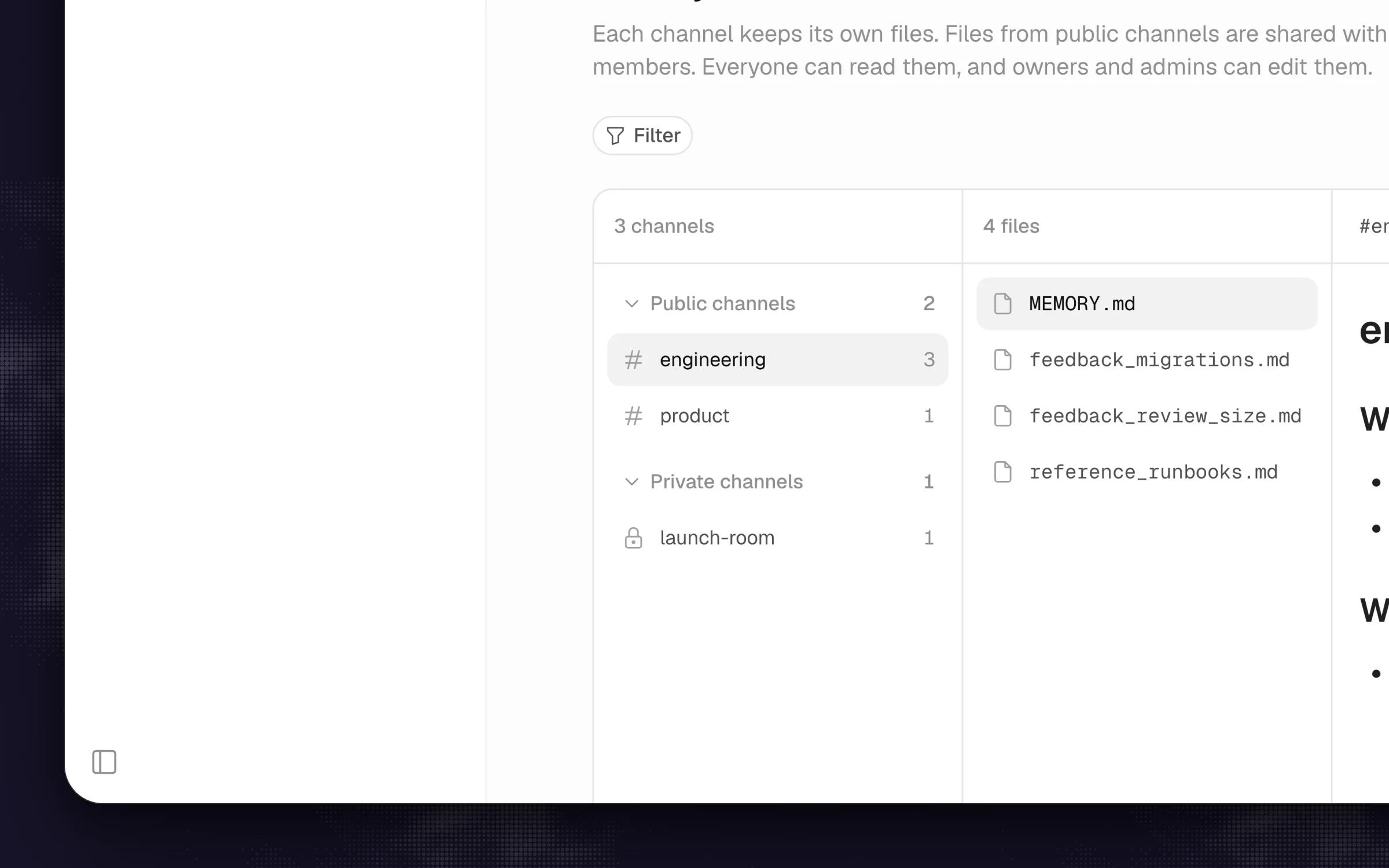 Each Slack channel gets its own memory store, and a private channel's store is shown only to its current members.
Merlin is an AI coworker for Slack, Linear and GitHub that drives the Claude Code and Codex setups already installed on your team's machines. Its team memory saves short, durable facts that future conversations should never have to rediscover, like working agreements, project owners, corrections or where a resource lives. You can let Merlin pick up stable facts during a thread or tell it directly: "Remember that we ship on Thursdays" saves a note, and "Forget the launch date" removes one. Each topic lives as a small Markdown file under a channel's MEMORY.md index, and memory is strictly for facts, never raw transcripts, secrets or full playbooks (which belong in custom instructions).
What stands out
- Memory follows Slack's channel boundaries (details in the memory docs): an internal public channel reads public stores across the workspace and writes to its own public store, while an internal private channel reads public stores plus its own private store and writes only to its private store. DMs, group DMs, external shared channels and Linear-born runs read public stores and write nothing.
- Every fact keeps a link to the exact Slack message it was learned from, and when Merlin relies on a saved fact in Slack, its answer cites that message. It also records people by the name your team actually uses rather than a cryptic Slack user ID.
- Members can open Memory in the web app to read any store their Slack channel membership permits. Private channel stores are visible only to current members of that channel, with no owner or admin bypass (security).
Worth knowing
- Not for you yet if nobody on your team runs Claude Code or Codex on their machines, since Merlin runs work through those local agents.
- Memory starts off by default in a new workspace until an owner or admin flips on Enable memory, and only owners and admins can edit or delete memory files in the web app. Also watch channel visibility flips: turning a public channel private does not withdraw notes that were already saved publicly, and turning a private channel public does not promote its old private notes.
Pricing: Starter at $9 per workspace per month (up to 3 active users), Team at $59 (up to 50), and Scale at $99 (up to 200), with a 14-day Team trial without a card and no free plan (pricing). Model usage stays on each machine owner's own Claude or ChatGPT plan.
2. Claude Tag
Best for Claude Team or Enterprise orgs, with the most carefully documented channel memory (still in public beta).
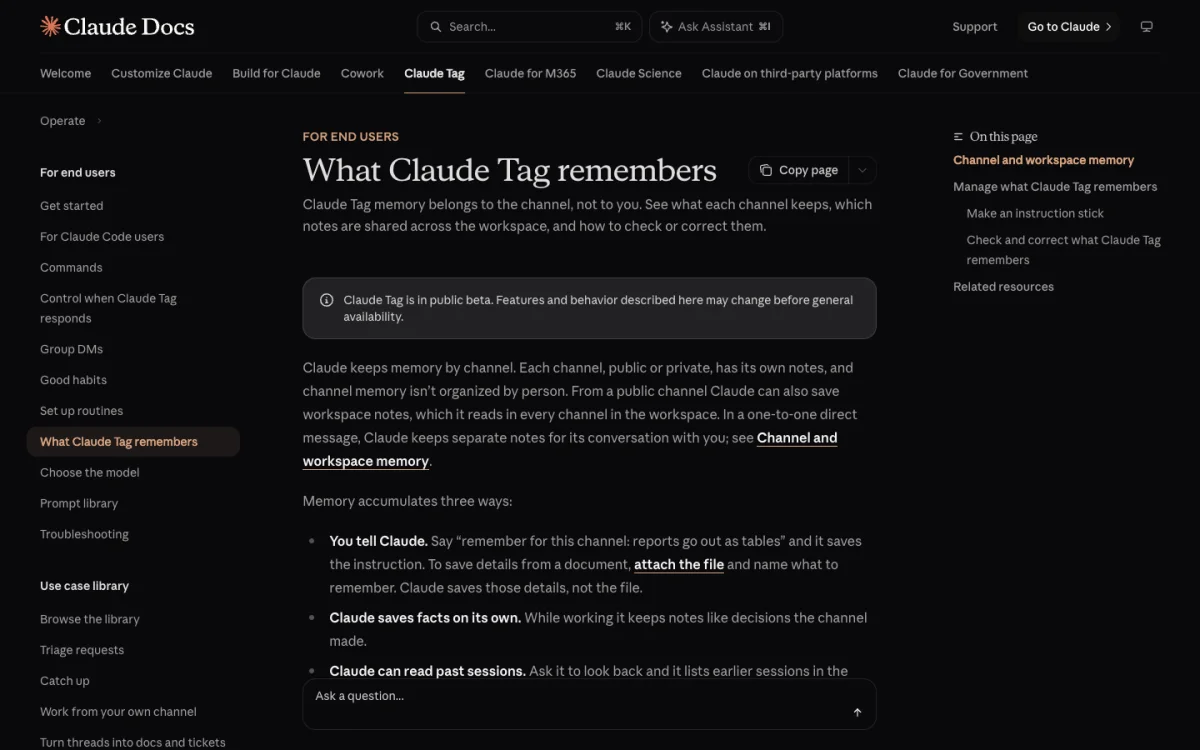 Claude Tag documents exactly what each channel keeps, and it is still in public beta.
Claude Tag is Anthropic's native Slack coworker for Claude Team and Enterprise organizations. Its documentation states the core rule plainly: memory "belongs to the channel, not to you." Each public or private channel keeps its own curated notes alongside shared workspace notes, while group DMs and one-to-one DMs each keep their own separate notes. Memory builds in three ways: you can tell @Claude what to remember (or attach a file and say what to keep), let it save channel decisions on its own, or let it read past session transcripts in that channel.
What stands out
- Clean privacy boundaries: a public channel reads and saves to both its own channel notes and workspace-wide notes, while a private channel saves only to that channel's notes so private facts never leak into workspace memory.
- Anyone in a channel can ask Claude what it remembers and tell it to correct a note right in the thread, while workspace owners can view, edit and delete memory files in admin settings (setup overview).
Worth knowing
- Just like Merlin, notes saved while a channel was public stay in workspace-wide memory even if you later convert that channel to private.
- It is still in public beta, runs in Anthropic's cloud sandbox with Claude models only, and is not available to organizations using Zero Data Retention, CMEK or certain HIPAA configurations because it stores channel memory and session transcripts.
Pricing: requires a Claude Team or Enterprise plan, where Standard seats start at $20 per user per month billed annually ($25 monthly), plus channel usage billed from an organization balance under a monthly spend limit (Claude pricing).
3. Lindy
Best when you want memory as plain, versioned files you can read and edit across team and personal tiers.
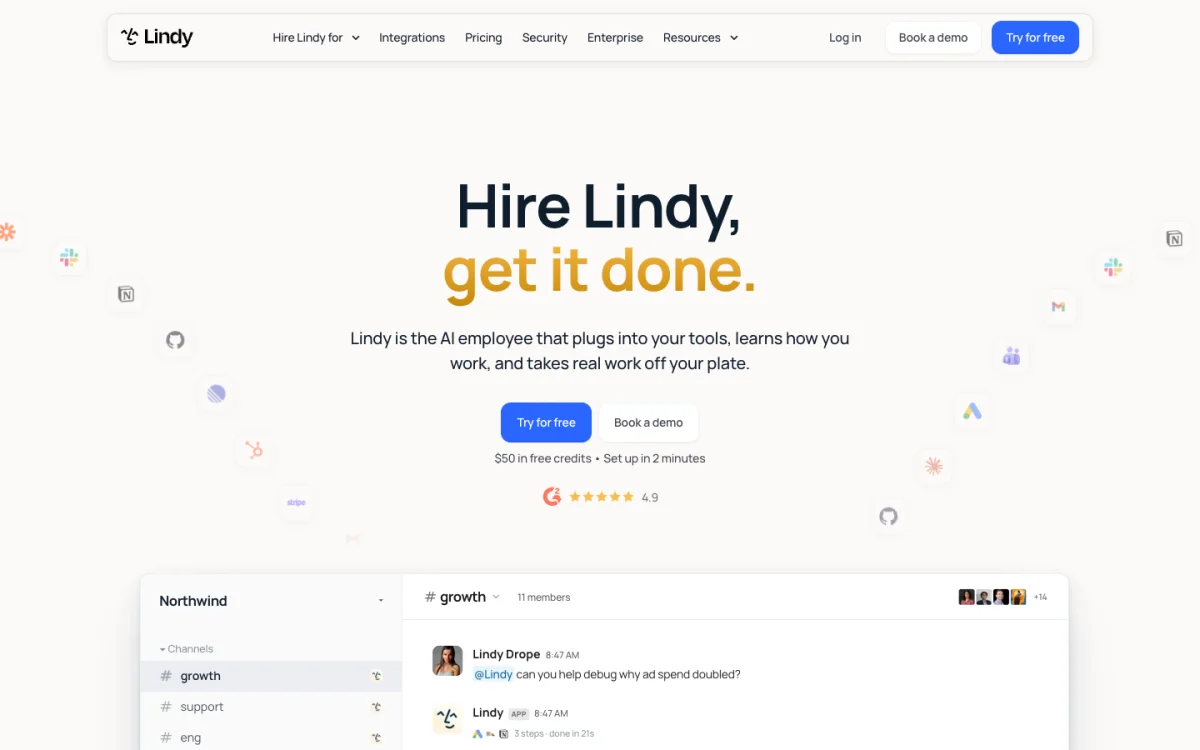 Lindy keeps personal and team memory as files you can open, edit and roll back.
Lindy treats agent memory like a tiny git repository you don't have to manage by hand. As Lindy works across Slack, email and meetings, it writes durable facts into a .memory/ folder and reusable workflows into .skills/. You can teach it by text, voice memo or Slack @mention, or open its file explorer to create, upload and edit files yourself.
What stands out
- Three clear priority tiers (memory docs): Personal memory (private to you), Team memory (shared across the workspace) and System defaults, where Personal overrides Team and Team overrides System.
- A built-in file explorer with Preview, Raw and History tabs. Every change is versioned, so when an agent learns something backwards you can roll the file back to Tuesday's revision in two clicks.
Worth knowing
- There is no channel-level memory scope, and Lindy's docs do not specify whether a fact mentioned in a private Slack channel or DM can be written into shared Team memory.
- Regular members get a read-only view of Team memory with a lock banner, so only owners and admins can fix a bad team-wide fact. Also watch seat creep: anyone who
@mentionsLindy in Slack counts as a billed active user.
Pricing: free 7-day trial with $50 in credits, then Team plans from $49.99 per active user per month with 5,000 pooled credits per user (Lindy pricing).
4. Viktor
Best for a company-wide "hire" that remembers what anyone tells it, with the least control over individual facts.
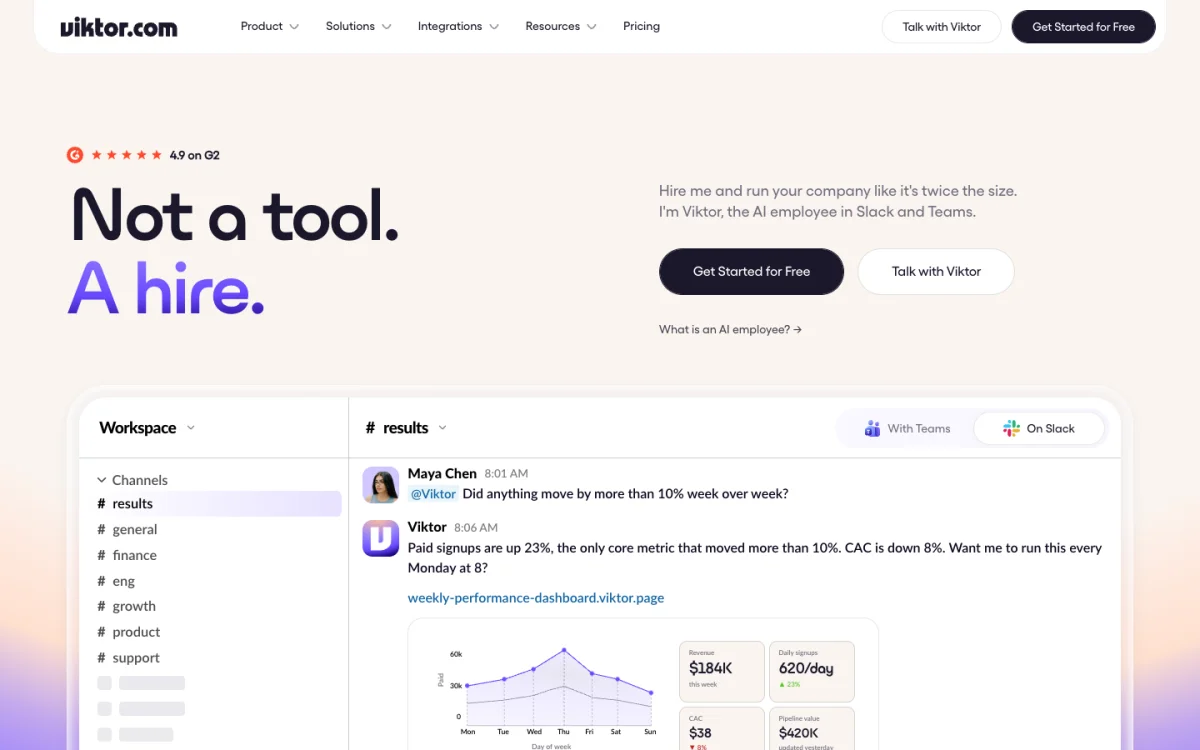 Viktor's memory is shared across the whole team.
Viktor pitches itself as an AI employee hired by the whole company across Slack and Microsoft Teams. Its memory model matches that pitch: tell Viktor once that customer invoices go out on the first of the month, and every teammate benefits from that context in future threads. When Viktor learns a multi-step job, it writes the repeatable procedure down as a skill you can open and refine.
What stands out
- Zero friction for shared context: one person corrects Viktor in Slack and the whole workspace gets the smarter version immediately.
- Repeat tasks turn into readable procedure files (skills) that humans can inspect and adjust.
Worth knowing
- Outside of saved skills, Viktor documents no UI for browsing or editing individual memory items. If it learns something wrong and won't let it go, the documented escape hatch is to "wipe his memory from settings."
- Viktor's documentation does not explain how facts shared in private channels or DMs are isolated from the rest of the team.
Pricing: free plan up to $100 in credits, then Team plans from $100 per workspace per month for 40,000 shared credits, which is the tier that unlocks persistent workspace context (Viktor pricing).
5. Slackbot
Best for personal memory with zero setup: it learns your style and projects, not your team's decisions.
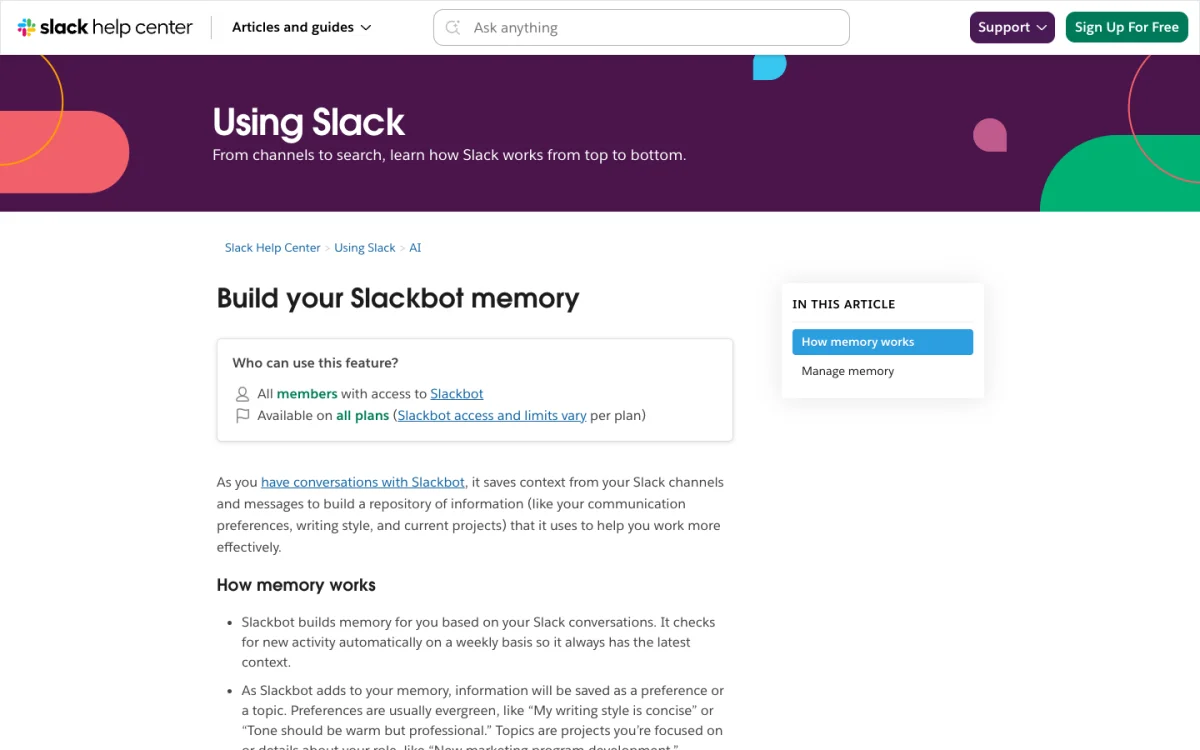 Slackbot's memory is about you, rebuilt from your activity once a week.
If you already pay for Slack Business+ or Enterprise+, Slackbot's built-in memory is sitting in your sidebar right now. It reads your channels and messages to learn your personal preferences ("my writing style is concise") and active topics (your current role and projects), and even lets you import existing memory from ChatGPT or Claude.
What stands out
- Complete transparency for the individual user: open Slackbot's three-dot menu, click Manage memories, and you can view, edit or delete any saved Preference or Topic, or flip off the "Generate memory from conversations" toggle.
- Zero risk of leaking a private channel's secret to a coworker, because your Slackbot memory belongs strictly to you.
Worth knowing
- There is no shared channel or team memory at all, so teaching Slackbot a team rule only helps your own account.
- Slackbot scans for new activity on a weekly schedule, which means a project change you discuss on Monday morning might not enter its memory until next week's pass.
Pricing: included with Slack Business+ at $15 per user per month billed annually and Enterprise+, with a limited trial on Free and Pro plans (Slack pricing).
6. Dust
Best for governed custom agents where each person's memory stays private to them.
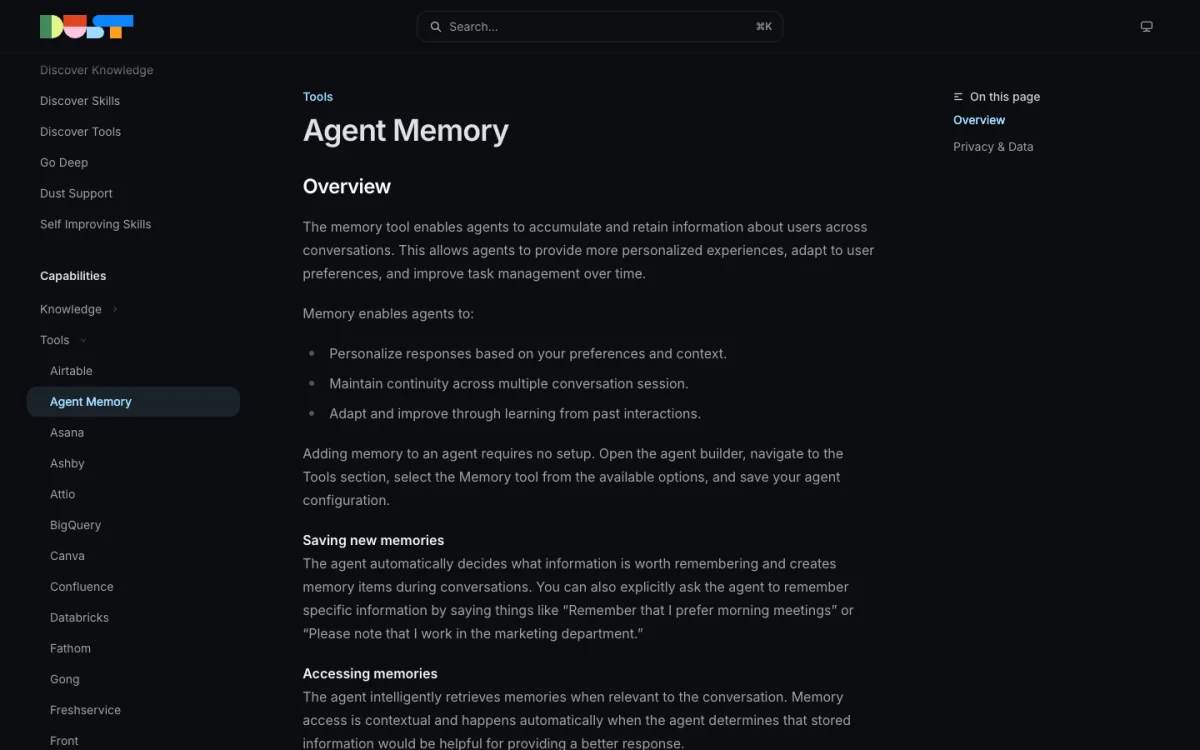 Dust's memory is a tool a builder adds, and every memory stays private to the person who created it.
Dust lets companies build specialized internal agents connected to company docs and link a default agent to any Slack channel. Memory in Dust is opt-in per agent: a builder explicitly adds the Memory tool in the agent builder, and from then on users can tell the agent things like "Remember that I prefer morning meetings."
What stands out
- Strict isolation by both user and agent: every person gets a private memory space per agent, so nothing you teach an agent in a sensitive thread can ever bleed into a colleague's prompt.
- Users can inspect what an agent has saved about them in the agent details drawer's Memory tab.
Worth knowing
- Because memory is private to each user, a correction one engineer teaches
@Dustinside a shared Slack channel will not carry over when the next engineer asks the exact same agent five minutes later. - The Memory tab lets you delete saved entries, not edit them in place, and memory stays off until an agent builder enables the tool.
Pricing: Free tier with 500 lifetime credits, Pro at €24 per user per month billed annually (€30 monthly, excluding VAT), and Max at €120 (Dust pricing).
7. Letta
Best developer pick if you want a first-party Slack integration and open-source stateful agents.
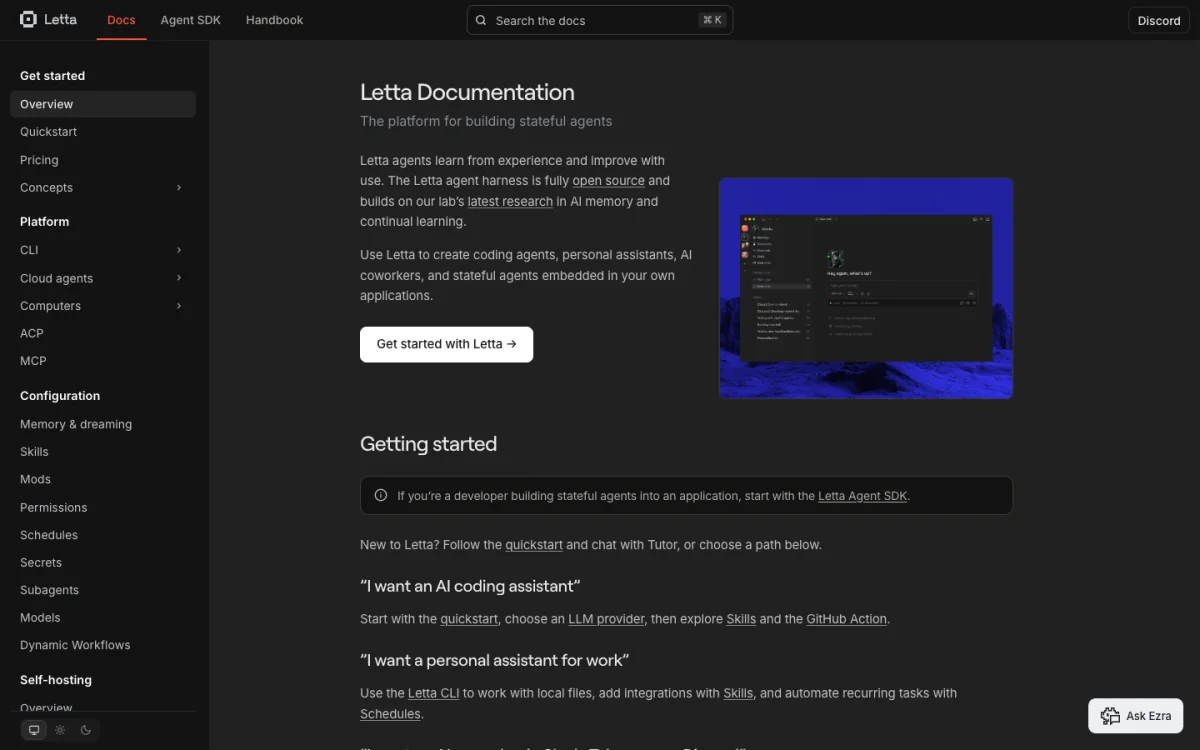 Letta is the one developer layer with its own Slack integration.
Born out of the MemGPT research project, Letta is an open-source (Apache-2.0) platform for stateful agents that actively manage their own memory blocks over time (GitHub). Among the developer platforms on this list, Letta is the only one that ships a documented, first-party Slack integration for both cloud agents and self-hosted setups.
What stands out
- Memory belongs to the agent itself and persists across every conversation it has, with optional shared memory blocks when you want multiple agents reading the same state.
- You don't have to write the Slack event listener from scratch to get a stateful bot into a workspace.
Worth knowing
- Because an agent's memory is shared across all of its conversations by default, connecting a single Letta agent to both a private channel and a public channel means facts from the private room can inform public replies. To isolate audiences, run separate agents per channel or audience tier.
- Role-based access control and SSO require an Enterprise plan.
Pricing: open source is free to self-host, and cloud plans start with a Free tier, Pro at $20 per month, API at $20 per month plus $0.10 per active agent, and Teams at $20 per seat (Letta pricing).
8. Mem0
Best developer pick for a drop-in memory API with a generous free tier when you build the Slack bot yourself.
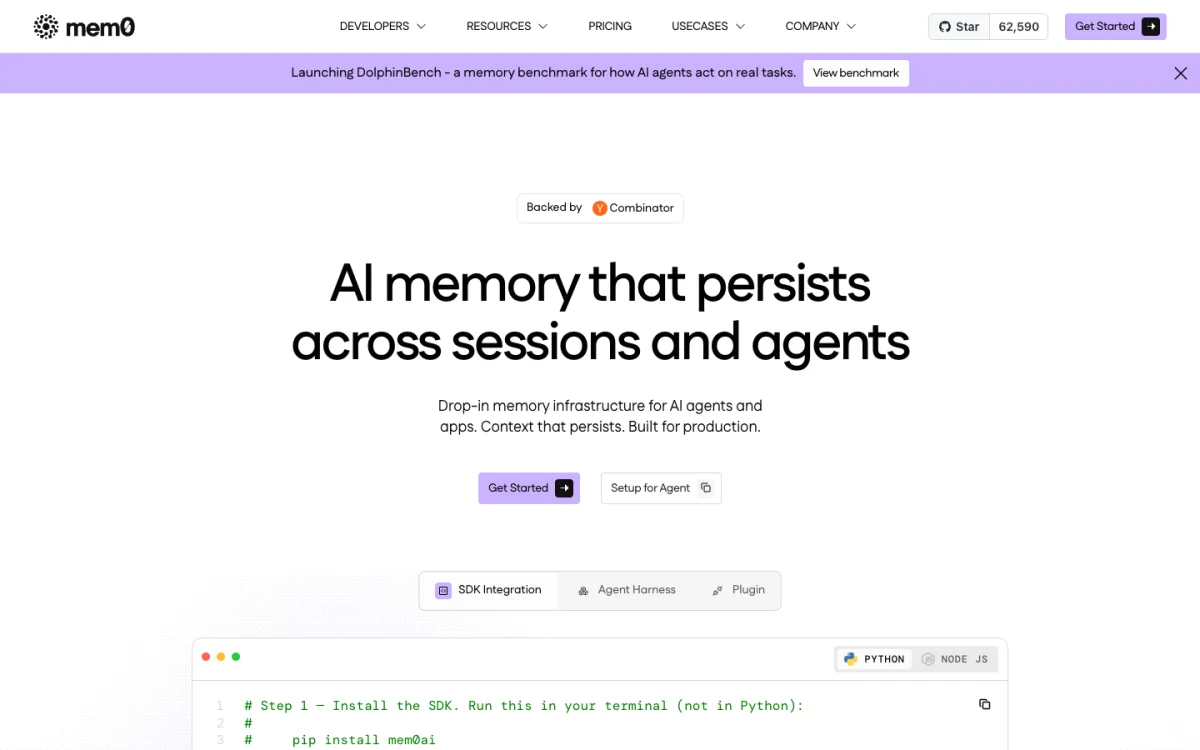 Mem0 gives you the memory API, and the Slack bot is yours to build.
With roughly 68,000 stars on GitHub, Mem0 is the best-known drop-in memory API for developers building custom agents in Python or JavaScript. You pass conversations into memory.add() and retrieve relevant facts with memory.search(), scoped by any combination of user_id, agent_id, app_id and run_id.
What stands out
- Dead-simple SDKs and an Apache-2.0 open-source core, plus a hosted platform with a very generous free tier once you plug in your own LLM key.
- Flexible entity-scoped memory that lets you map a Slack channel ID to an entity ID however your architecture requires.
Worth knowing
- Read the scoping docs closely before wiring up private Slack channels. Mem0 warns that "unmentioned entities are not constrained": if you filter a search by
user_idalone, the query can also return records that had anagent_idorrun_idattached. Your Slack bot's read filter is the only wall between a private channel and a public one. - There is no official Slack app or connector, and dashboard roles (
READERandOWNER) govern your developers rather than your Slack users.
Pricing: Free tier (10,000 adds and 1,000 retrievals per month for the first 30 days, then 50,000 adds and 10,000 retrievals when using your own LLM key), with graph memory, SSO, audit logs and on-prem on Custom plans (Mem0 pricing).
9. Zep
Best developer pick when you need policy-based access control over what an agent can recall.
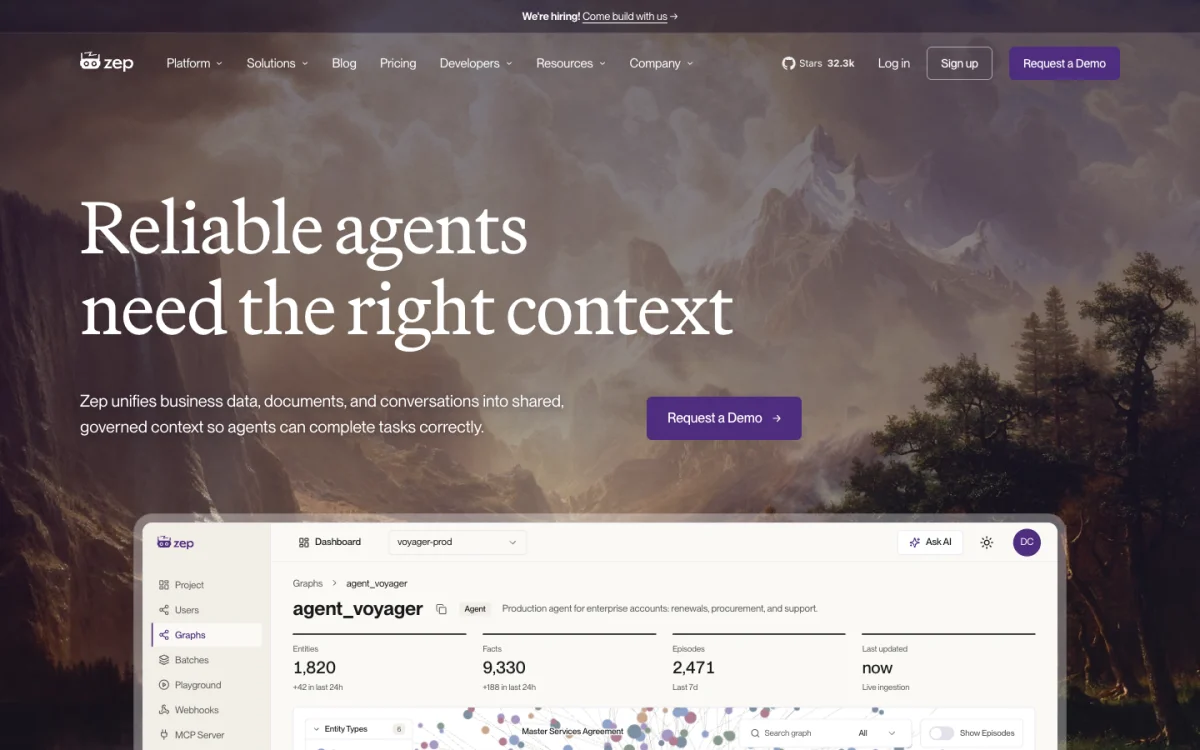 Zep's pitch is governed context, with access policies on Enterprise.
Zep turns conversations, documents and business data into a temporal knowledge graph powered by its open-source Graphiti library. When a fact changes over time ("Priya handed billing over to Marco in October"), Zep tracks when the old fact stopped being true instead of blindly overwriting it or returning both as a contradiction.
What stands out
- Policy-based access control lets admins attach allow and deny rules directly to agent API keys based on resource tags, so the memory layer itself enforces what an agent is allowed to recall.
- Includes a loader for Slack export files so you can backfill historical channel context on day one.
Worth knowing
- The policy-based access control that makes Zep stand out is gated to the Enterprise tier, and the old self-hosted Zep Community Edition is deprecated (though you can still self-host the underlying Graphiti library).
- The Slack export loader is for batch ingestion only, so you still build and run the live Slack bot yourself.
Pricing: Free tier with 10,000 credits, Flex at $125 per month, Flex Plus at $375 per month, and custom Enterprise pricing (Zep pricing).
10. Supermemory
Best developer pick for a fast memory API with namespaces and an open-sourced Slack bot to start from.
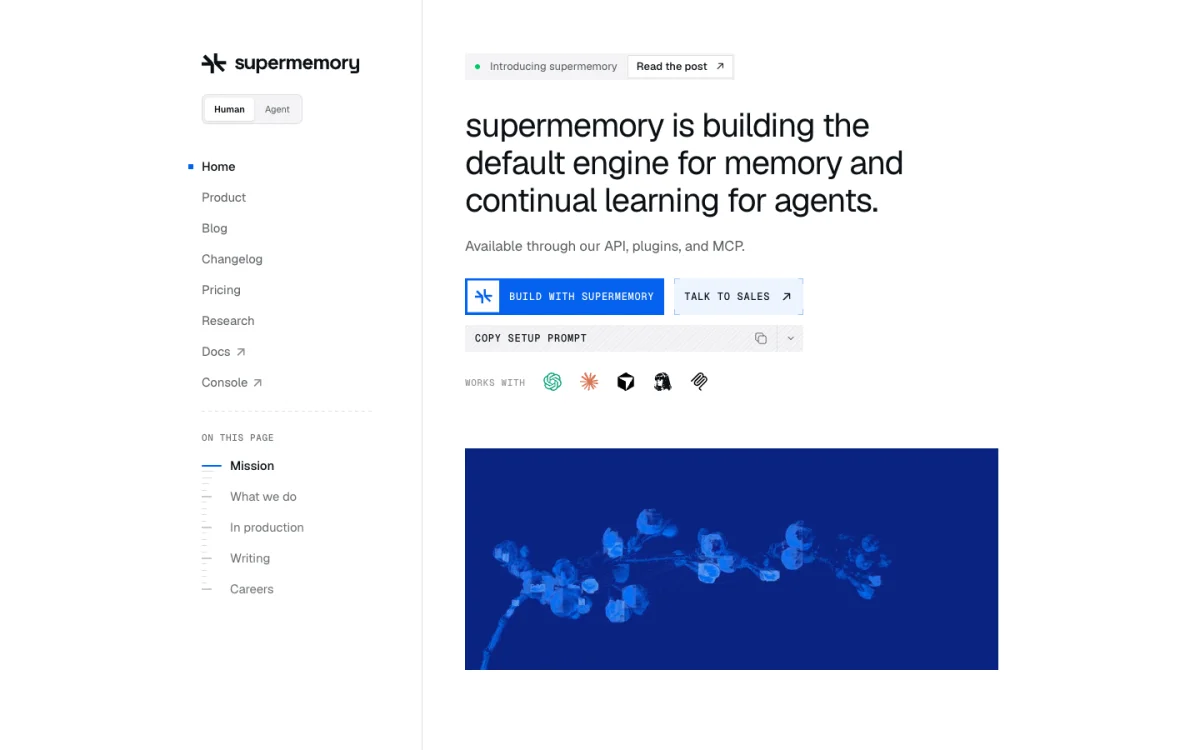 Supermemory's open sourced Company Brain is a ready-made Slack bot on top of its API.
Supermemory offers a hosted memory and continual-learning API accessible via REST, SDKs and MCP, using container tags (namespaces) to partition data. While it dropped its commercial Slack product, on September 25, 2026 the team open-sourced Company Brain, a ready-to-deploy Slack bot built on Cloudflare Workers and Supermemory's API.
What stands out
- Company Brain's README already thinks through Slack privacy: public channels read and write shared workspace memory, private channels add an isolated namespace for that specific channel, and DMs combine personal memory with the private channels that user belongs to.
- Clean namespace partitioning via container tags without standing up your own vector or graph database.
Worth knowing
- Company Brain is discontinued as a managed product, so you deploy and maintain the Cloudflare worker yourself while paying Supermemory for the hosted API.
- Restricting human team members to specific namespaces in the dashboard requires the $399 per month Scale plan.
Pricing: Free tier ($5 in credits), Pro at $19 per month, Max at $100, Scale at $399 (adds self-hosting and per-namespace access control), and custom Enterprise (Supermemory pricing).
How to choose a memory layer for Slack
Every roundup like this is a starting point. Before you connect a memory layer to your workspace, run through these five questions in order:
- Does your team have private channels where people say things that must stay private? If yes, only channel-owned memory (Merlin or Claude Tag) or a developer layer you scope by channel ID is safe to share. Team-wide memory pools without documented channel boundaries are a gamble.
- Should one person's correction help the whole team, or only that person? If you want the whole team to benefit when someone tells the bot "we moved staging to AWS," skip person-owned memory like Slackbot and Dust.
- Can a human inspect and fix one bad fact? Agents occasionally misunderstand a joke or a hypothetical and etched-in-stone wrong facts are maddening. Look for file-level editing (Merlin, Claude Tag, Lindy, Slackbot) over a single "wipe all memory" button.
- Who controls whether memory is on, and is it on by default? Check whether memory starts off until an admin enables it (Merlin), requires a builder to attach a tool (Dust), or turns on automatically for every user (Slackbot).
- Do you actually want to build and maintain a Slack bot? If you already have an engineering team building a custom bot, Mem0, Zep, Letta and Supermemory give you the primitives. Otherwise, buy a coworker that already lives in Slack.
Six things most lists skip
- ChatGPT's Slack app has no memory at launch. If you assumed
@ChatGPTin Slack uses your ChatGPT memory, check OpenAI's admin guide: "At launch, @ChatGPT does not include memory or use a person's ChatGPT memories." - Flipping a public channel to private does not erase what left the room. In both Merlin and Claude Tag, facts learned while a channel was public stay in shared workspace memory after you convert that channel to private. Audit and clean up workspace memory before you lock a channel down.
- Memory guides an agent, it does not enforce permissions. Never store API keys, passwords or secrets in an agent's memory files, and never use memory notes as a substitute for real access control.
- Weekly batching vs live learning. Slackbot refreshes its memory once a week. The channel and team coworkers here (Merlin, Claude Tag, Lindy, Viktor) save facts during the conversation, so the next thread can use them.
- With developer APIs, the Slack plumbing is 80% of the work. Calling
memory.add()takes five minutes. Mapping Slack user IDs, tracking when someone leaves a private channel, and passing the exact right read filter on every single thread reply is the real engineering project. - Untraceable memories erode trust. When an agent states a company policy with total confidence, someone will ask "who told it that?" Having the agent cite the exact Slack message a fact came from (as Merlin does) turns a mystery into a two-second check.
FAQ
A memory layer is the system that stores durable facts from past conversations (such as team conventions, project owners or user preferences) and feeds them back into future prompts so an AI agent does not start every thread from zero. In Slack, a memory layer also decides who is allowed to read those saved facts across public channels, private channels and DMs.
Yes. Slackbot builds a personal memory of your preferences, writing style and current projects by scanning your channels and messages once a week. That memory is strictly personal to your account, so you can edit or delete items in Slackbot's Manage memories menu, and none of it is shared with teammates.
It can if the agent stores all memories in one workspace-wide pool or attaches memory to the agent without scoping by channel. To keep private channel facts inside that private channel, pick a tool with channel-scoped memory like Merlin or Claude Tag, a personal-only memory tool like Slackbot or Dust, or enforce strict per-channel read filters in your own bot.
Retrieval-augmented generation (RAG) searches static documents like Notion pages, PDFs or codebases that already exist outside the conversation. A memory layer extracts and updates small facts learned inside conversations over time, such as a correction someone gives the agent in a Slack thread.
For developers building their own Slack bot, Letta and Mem0 both offer open-source (Apache-2.0) cores you can self-host for free alongside generous cloud free tiers, and Supermemory open-sourced its Company Brain Slack bot template. Among turnkey Slack coworkers, Dust has a free tier with 500 credits and Viktor includes $100 in free starting credits.
Use an AI coworker with shared channel or workspace memory, such as Merlin, Claude Tag, Lindy or Viktor, and tell it the decision directly in a public channel (for example, "@Merlin remember that we ship on Thursdays"). In Merlin and Claude Tag, facts saved in a public channel become available across the workspace while private channel decisions stay restricted to that channel.
If your team already runs Claude Code or Codex and wants shared memory that respects every private channel in Slack, start with Merlin. If you live on Claude Team or Enterprise and want a cloud sandbox, try Claude Tag, and if you are wiring up your own Slack bot from scratch, grab Letta or Mem0 and lock down your channel read filters before you invite it to a private room.
Try Merlin for free
Hand work to Claude Code and Codex from Slack, Linear and GitHub. Free for 14 days, no API keys, no card required.
Get started for free