

Slack AI (Slackbot) vs Merlin: Key Differences
 Dott
You're looking at Slackbot sitting in everyone's Slack sidebar, or you're weighing the jump from Slack Pro to Business+ so the team can use it past the trial. At the same time, someone on the engineering side has brought up Merlin, which connects your Slack channels to the Claude Code and Codex setups your developers already run on their laptops. You want to know where the two overlap, which requests go to which tool, and whether you should pay for one or both.
The two tools rarely compete for the same request because they look for answers in completely different places. Slackbot (which absorbed the old Slack AI add-on in January 2026) answers as you from your own Slack view, in a private panel. Merlin works as a teammate inside a channel thread, using the code, command line tools and credentials on a teammate's machine.
If you're just here for a quick recommendation, start with these.
The short answer
- You want personal catch-up across your own DMs, private channels and calendar: Slackbot. It reads everything your Slack account can view and keeps the answer on your screen.
- You want an agent in the channel that reads code, runs tests and opens pull requests: Merlin. It drives the Claude Code or Codex already installed on a teammate's machine.
- You want the whole channel to see the progress and steer the work mid-run: Merlin. Replies in the thread steer the active task, and any workspace member can stop it.
- You want quick actions in Salesforce, Jira, Figma or Docusign from a personal prompt: Slackbot, which connects to your SaaS accounts and MCP servers.
- You want to stay on Slack Pro and avoid a per-seat upgrade across the whole company: Merlin. It works on any paid Slack plan and bills per workspace, while Slackbot requires Business+ or Enterprise+ once the one-time trial runs out.
- You don't have engineers running Claude Code or Codex: Slackbot. Merlin needs at least one connected machine with a working local coding agent.
Slackbot and Merlin at a glance
| Dimension | Slackbot (Slack AI) | Merlin |
|---|---|---|
| Best for | Personal catch-up, search across your own channels and DMs, and actions in connected SaaS apps | Engineering and product teams that want Claude Code or Codex working inside Slack threads, Linear and GitHub |
| Where it looks for the answer | Your personal Slack view (channels, DMs, files you can see), connected apps and the web | The Slack thread, channel memory, and the files, repos, CLIs and MCP servers on a connected machine |
| Who sees the work | Only you, in a private side panel or floating window (Slackbot in channels is in early pilot) | Everyone in the channel thread, where teammates can reply to steer or click stop |
| What it can finish | Summaries, reports with citations, drafts, reminders, and actions in Salesforce, Jira, Figma, Docusign and MCP tools | Code edits, test runs, git pushes, pull requests, Linear issues, CLI investigations and channel answers |
| Work that starts on its own | Recurring and event-triggered personal tasks (up to 3 automatic runs per day) | Workspace and personal automations on schedules or webhook events, plus a proactive channel mode |
| Memory | Personal preferences and topics built from your messages, refreshed weekly | Short durable facts scoped to each Slack channel and shared with the team |
| Where it runs and which model | Slack's cloud, powered by Claude | A teammate's macOS, Windows or Linux machine running Claude Code or Codex |
| Who can use it | Full members on Business+ (15 messages/week) or Enterprise+ (unlimited), no guests | Active workspace users on any paid Slack plan, plus Linear and GitHub |
| Entry price | Included in Business+ ($15/user/month annual, $7.75 over Pro) | $19/workspace/month (up to 5 active users) or $59 (up to 50), plus existing Claude or ChatGPT plans |
Prices, limits and features seen on November 2, 2026.
Where the answer lives
When someone types a request in Slack, the quickest way to pick between the two is to ask where the context lives and who needs to see the result. Here are twelve common requests and which tool finishes them.
| Request typed in Slack | Better fit | Why |
|---|---|---|
| "Catch me up on #proj-atlas and my DMs from this week" | Slackbot | It reads every channel and DM your account is in, and answers privately |
| "What did we decide about the pricing page in the private leadership channel?" | Slackbot | Only your own view includes that private channel, and the answer stays on your screen |
| "Draft my reply to this customer thread" | Slackbot | Personal drafting from your own context |
| "Update the Salesforce opportunity and log a follow-up" | Slackbot | Native actions in Salesforce, Jira, Figma, Docusign and MCP apps |
| "Prep me for my 2pm with Acme" | Slackbot | Pulls from your calendar, Slack history and connected apps for one person |
| "Every time someone posts a win in #sales, add it to my list" | Slackbot | Event-triggered tasks (shipped October 28, 2026) for personal follow-up |
| "Why is the checkout webhook returning 500 for Acme?" | Merlin | Needs the repository, logs and CLIs on an engineer's machine |
| "Fix the trial expiry bug and open a PR" | Merlin | Claude Code or Codex edits code, runs tests and opens the pull request |
| "Take this Linear issue" (delegated in Linear) | Merlin | Runs from Linear and GitHub as well as Slack |
| "Every weekday at 9, summarize yesterday's Linear progress here" | Merlin | A workspace automation that posts back into the channel |
| "Run the migration dry run against staging and tell the channel what breaks" | Merlin | Needs staging credentials and tools on the runtime, and the whole channel should watch |
| "Remember that we ship on Thursdays" (in #eng) | Merlin | Saves to channel memory shared by everyone in #eng, whereas Slackbot memory is personal |
Where it looks for the answer
The core split between the two products is the permission boundary. Slackbot inherits the Slack permissions of the human typing the prompt. Merlin inherits the local environment of the machine running the task.
Slackbot
- Slack describes Slackbot as "your personal agent for work" that "has the same context and access to information you do" (seen October 30, 2026).
- Its security rule is strict: "Responses from Slackbot are based only on information you can view in Slack", so "no one using Slackbot can see anything they don't have permission to view."
- Beyond Slack messages, files and canvases, it searches the web and connects to tools like Google Drive, Salesforce, Jira, Figma, Docusign and custom MCP servers. Note that fine-grained admin controls per MCP server and tool are restricted to Enterprise Grid and Enterprise+ (seen October 27, 2026).
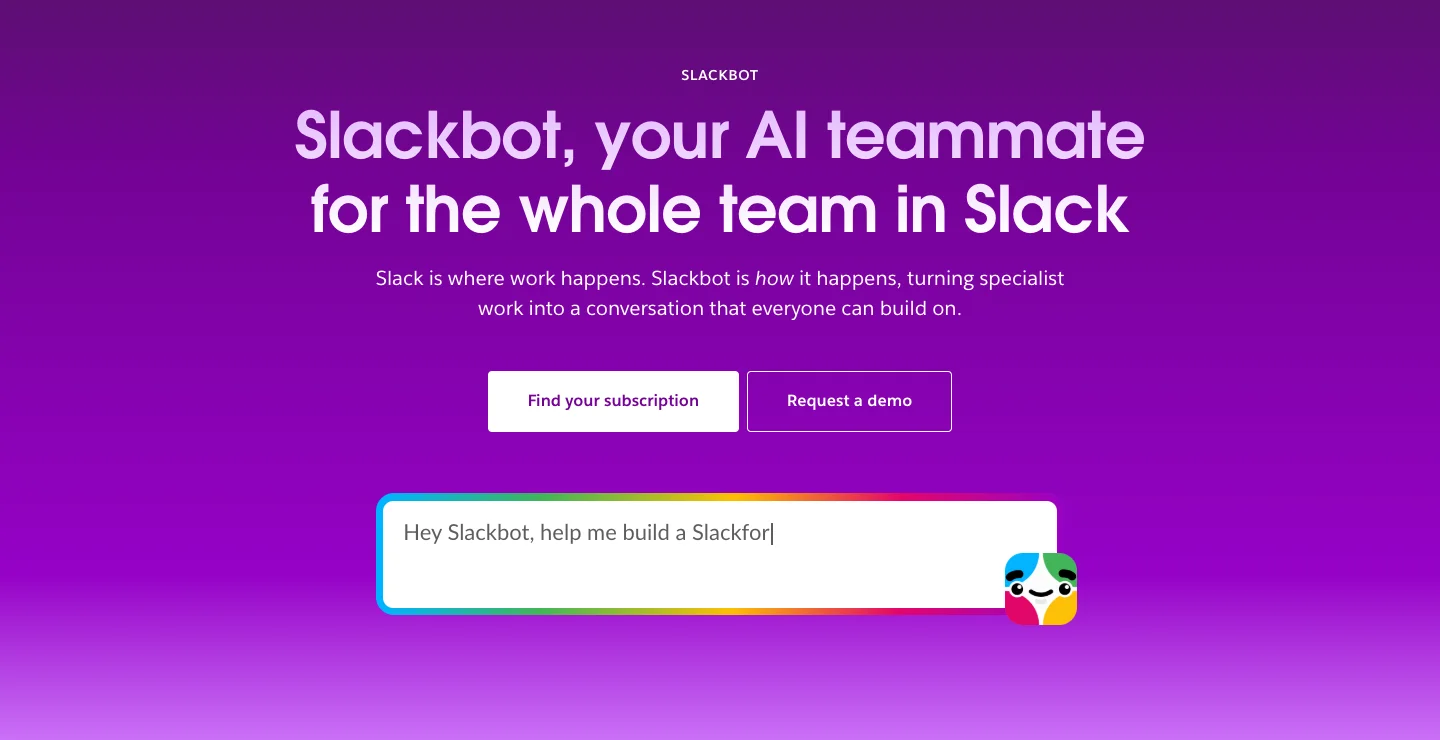 Slackbot ships inside Slack Business+ and Enterprise+, with nothing to install.
Merlin
- Merlin connects a request in Slack, Linear or GitHub to Claude Code or Codex running on a connected machine, and uses the files, credentials and tools available in that local environment.
- It does not index your whole Slack account or read your private DMs. It reads the conversation thread where you asked, its saved channel memory, and whatever repositories, CLIs and MCP servers live on the runtime machine.
- Runtime access is the boundary: private runtimes accept only their owner's requests, while public runtimes can accept eligible requests from other workspace members (security docs).
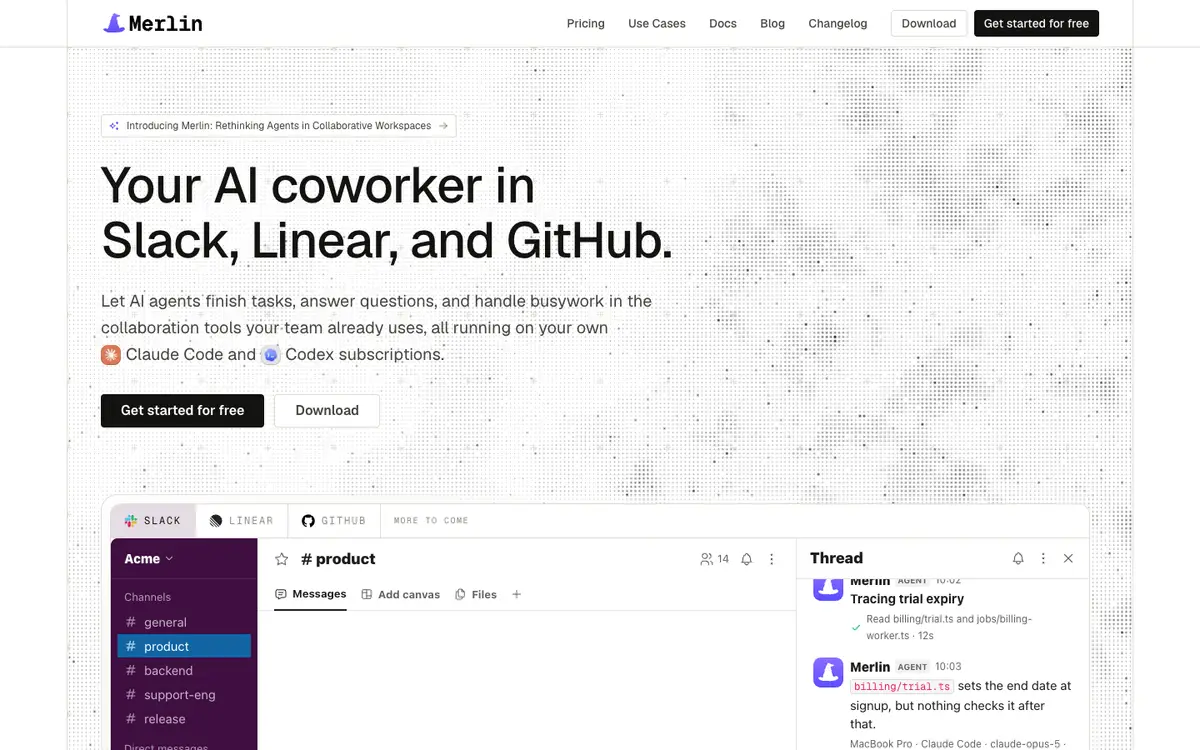 Merlin runs the Claude Code and Codex already on a teammate's machine and reports back in the thread.
What people say
- "Slack AI is worth it if your team has lots of Slack history to catch up on." (TechConcepts, November 2, 2026)
My read: if the answer is buried in three months of Slack threads and a Google Doc, Slackbot has the window into it. If the answer is buried in billing/trial.ts, a staging database or an AWS CLI command, only a runtime machine has those tools, and that's Merlin's job.
Who sees the work
A personal assistant and a channel coworker behave very differently once a task starts running. One hides the messy middle on your screen, while the other puts the work in a public thread so the team can jump in.
Slackbot
- You talk to Slackbot in a dedicated side panel inside Slack, in a DM, or in Slackbot Mini, a floating window and menu bar icon on macOS and Windows that shipped on October 28, 2026. The October 30 feature drop also put Slackbot in the DM sidebar next to other agent apps.
- The conversation is private to you until you copy the output into a channel or save it to a canvas.
- Shared channel work isn't generally available yet: as of Slack's September 15, 2026 announcement (when Slackbot crossed one million monthly active users), "Slackbot in channels is in early pilot."
Merlin
- You mention
@Merlinin a channel when the team should see the work, or DM it when you don't (Slack guide). - For longer tasks, Merlin posts a live task card in the thread showing the title, progress and sources as Claude Code or Codex works.
- Any eligible teammate can reply in the thread to steer the active task (for example, reminding the agent to cover annual plans too), and any member of the Merlin workspace can stop a running task using Slack's stop control.
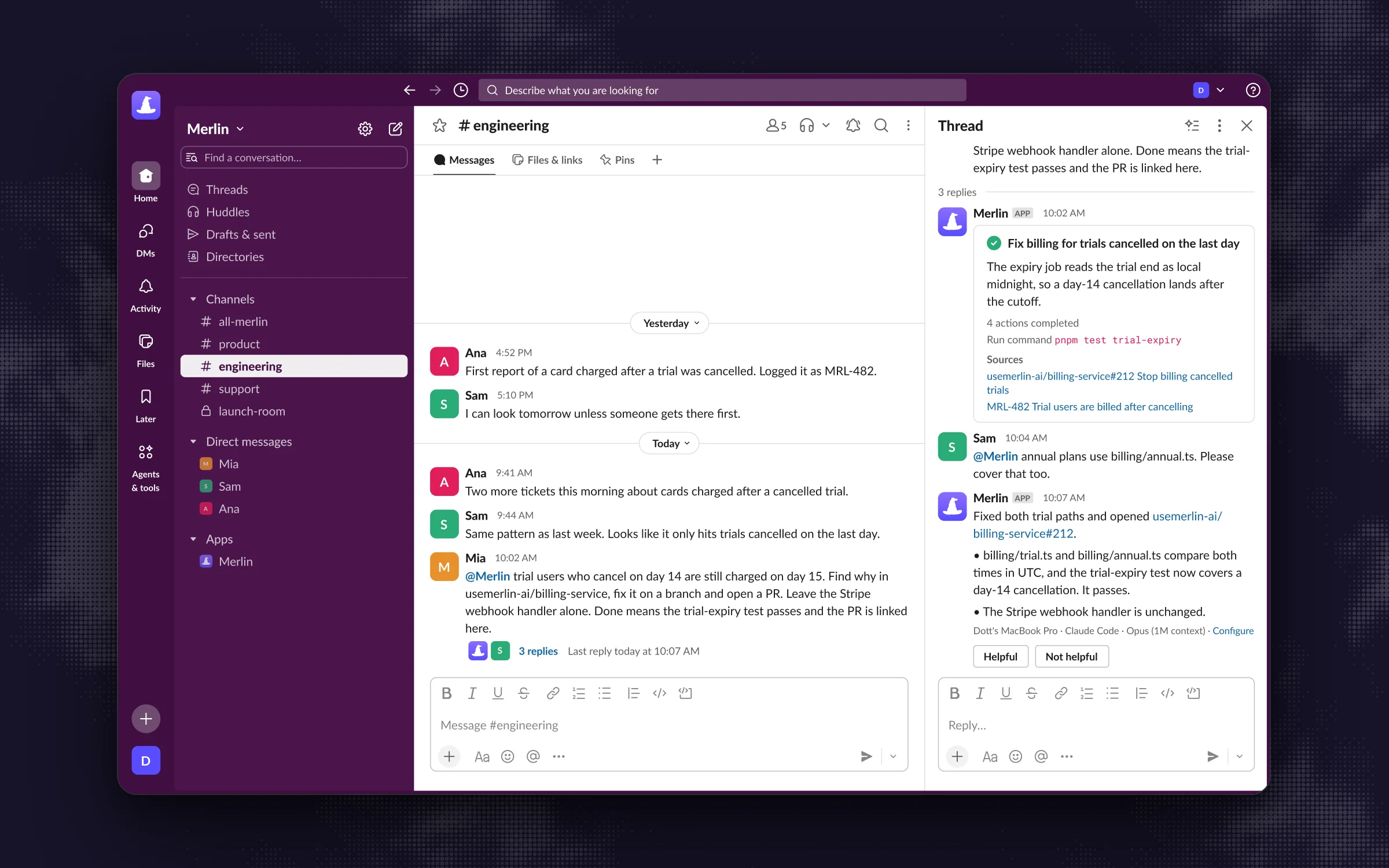 A teammate's follow-up steers the same task while Merlin works, so the final answer covers annual plans too.
My read: private panels are great when you're asking a quick question at 8:55 am before a 9:00 am meeting. Channel threads are better when an investigation affects the whole team, because three engineers watching one thread prevents three engineers from asking the same question in private.
What it can finish
Both tools can answer questions and call MCP servers, but they are built to finish different kinds of work.
Slackbot
- Summarizes threads and channels, compiles research reports with citations from Slack history and the web, drafts messages and canvases, and manages your personal to-do reminders (added October 30, 2026).
- Takes actions in connected SaaS tools including Salesforce, Jira, Figma and Docusign.
- Does not write code, run tests or open pull requests itself. For software work, Slack introduced Slack Code (seen November 2, 2026), which puts partner agents (Anthropic's Claude, Cognition's Devin, GitHub Copilot, ChatGPT and Vercel) into a code channel, with the caveat that "Access to each partner agent is required." If you are comparing Anthropic's native Slack agent directly, see Claude Tag vs Slackbot.
Merlin
- Because it drives Claude Code or Codex on a real machine, it finishes anything that local agent can finish: tracing bugs across repositories, editing files, running test suites and executing CLI scripts.
- Its GitHub integration opens pull requests, comments and reviews as the person who asked, while git pushes use the device owner's credentials.
- It also works outside Slack: you can delegate an issue directly to
@Merlinin Linear or mention it on a GitHub pull request. - The trade-off is that a task stops if the selected runtime machine is missing a file, credential or tool.
My read: Slackbot finishes office work (summaries, meeting prep, CRM updates). Merlin finishes repository and infrastructure work (bug fixes, PRs, staging checks, Linear tickets).
Work that starts on its own
Neither tool waits around for a manual prompt anymore. Both added ways to trigger work automatically, though one triggers for an individual and the other triggers for a channel.
Slackbot
- On October 28, 2026, Slack launched Event-Triggered Tasks alongside recurring scheduled tasks. You can tell Slackbot to act on a new message, an emoji reaction, a list item update or a new channel, with either an "ask me first" confirmation or auto-approval.
- The same update added a Skills system (with a Discover directory, admin verification and a Skills API so teams can publish skills from a GitHub repo via CI) and a "Start a conversation with Slackbot" step in Workflow Builder.
- The catch is the daily cap: recurring and event-triggered tasks are unlimited to create, but limited to three automatic runs per day, resetting at midnight local time (seen November 2, 2026).
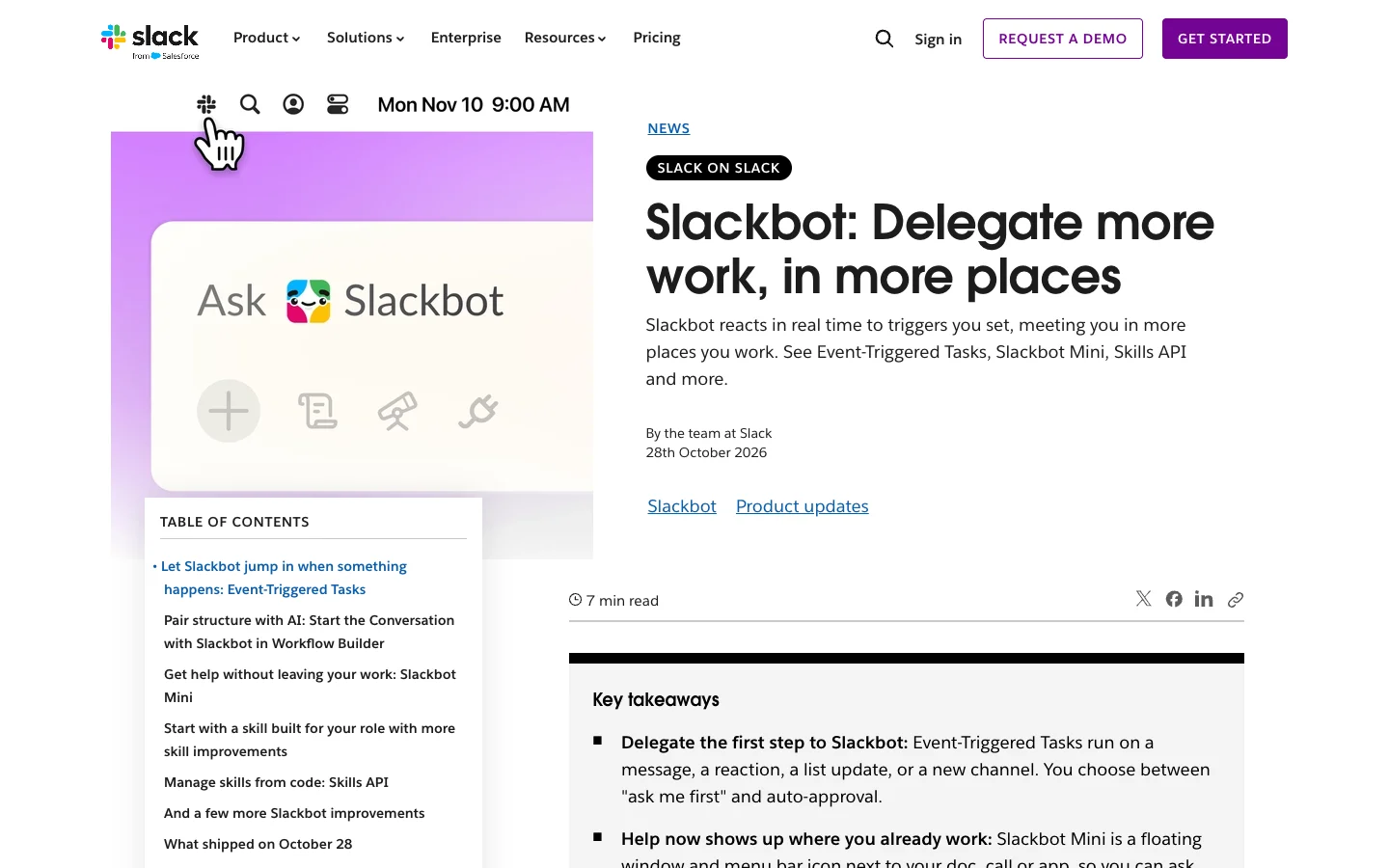 Since October 28, Slackbot can act on a message, reaction, list update or new channel without a prompt.
Merlin
- Automations run on a schedule (daily, weekdays, weekly, monthly or fixed interval) or when an external event arrives (such as Granola meeting notes, a GitHub pull request label or a failed Stripe payment).
- You can ask Merlin in plain English inside a channel to set one up, which creates a workspace automation that posts its output back into that channel. Every run executes on the runtime its creator chose, and skips if that machine is offline or busy.
- For regular channel chatter, each channel has a configurable response mode: Mention only, Thread follow-ups or Proactive (where Merlin can chime in on unmentioned top-level messages when it has the answer), gated by a workspace switch that only owners and admins control.
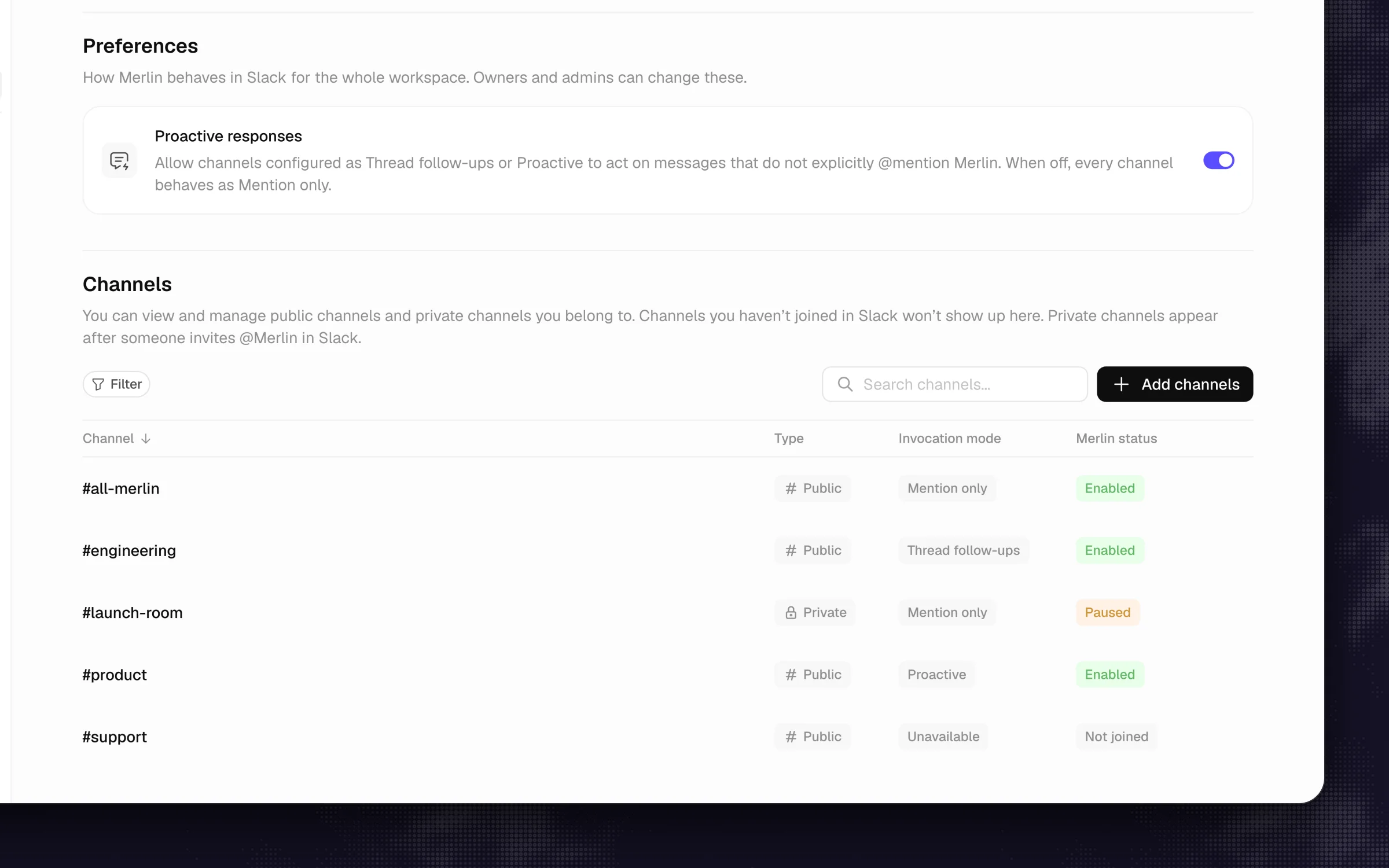 Each channel picks its own response mode, from Mention only to Proactive.
What people say
- "15 messages a week and three automatic task runs a day run out fast." (TechConcepts, November 2, 2026)
My read: Slackbot's event triggers are handy for personal hygiene, provided the event only fires two or three times a day. For a daily standup digest, a webhook from GitHub or Stripe, or an agent that quietly answers questions in #support, Merlin's workspace automations and proactive mode are built for shared channels without a three-run daily ceiling.
Memory
Both tools remember context across sessions so you don't repeat yourself, and once again the split is personal versus shared.
Slackbot
- Builds a personal memory of Preferences and Topics from your channels and messages, refreshed weekly and editable under Manage memories (seen October 30, 2026).
- What you teach Slackbot shapes how it answers you, and nobody else.
Merlin
- Saves short, durable facts scoped to the Slack channel where they were learned (memory docs). Telling
@Merlinin#engto "remember that we ship on Thursdays" stores that note for the channel. - Public channel memory can inform work across the workspace, private channels keep their own private store alongside public memory, and DMs read public memory without saving their own.
My read: Slackbot learns how you like your summaries formatted. Merlin learns how your team runs its deployments, so the fifth person who asks a question in #eng benefits from the correction the first person made.
Where it runs and which model
Under the hood, one is a vendor-hosted cloud service and the other is a bridge to your own machines.
Slackbot
- Runs entirely in Slack's cloud with zero local setup.
- Powered by Anthropic's Claude: as Slack put it on September 15, 2026, "It's powered by Claude and turns specialist work into a conversation that everyone can build on."
Merlin
- Runs on a teammate's macOS, Windows or Linux machine via the desktop app or Linux CLI daemon, driving the Claude Code or Codex already installed there with whatever model the machine owner uses (prerequisites).
- At least one machine has to stay awake and online. Merlin does not host models or spin up cloud VMs, and it only holds message content in flight while a task runs.
My read: Slackbot wins on convenience because nobody has to keep a laptop awake. Merlin wins on capability and model choice because your engineers can point a Slack thread at Claude Code or Codex with their full local setup intact. The trade-off is that at least one teammate's machine has to stay online to take the work.
Who can use it
Both tools let non-engineers ask questions in Slack, but they gate access differently.
Slackbot
- Available to full workspace members on Business+ and Enterprise+, while Guests and Frontline members don't have access (seen November 2, 2026).
- Workspace owners and admins can turn Slackbot on or off for the entire workspace.
Merlin
- Works on any paid Slack plan (Slack's platform rules require a paid plan for agent apps, so Slack Pro is enough).
- A PM, designer or support lead who has never opened a terminal can mention
@Merlinin Slack or assign a Linear issue, and the request runs on a public runtime an engineer shared with the workspace.
My read: if your company is on Slack Pro and you just want five people in product and engineering to use an agent in Slack, Merlin lets you do that today without upgrading all 50 or 100 seats in the company to Business+.
What it costs
The pricing math looks completely different because Slack bills per human seat across your whole workspace, while Merlin bills per workspace by active users and leaves model billing on the Claude or ChatGPT plans your engineers already pay for.
Slackbot
- Slack Pro is $7.25 per user per month billed annually ($8.75 monthly) and Business+ is $15 annually ($18 monthly), an extra $7.75 per user per month on annual billing (seen November 2, 2026).
- Free and Pro plans get only a limited, one-time preview that does not reset unless you upgrade.
- Business+ includes 15 Slackbot messages per member per week (resetting Monday at midnight local time) and 3 automatic task runs per day. Enterprise+ removes the weekly message cap. Teams on Free, Pro or Business+ can buy extra usage via Salesforce Flex Credits by connecting a Salesforce org.
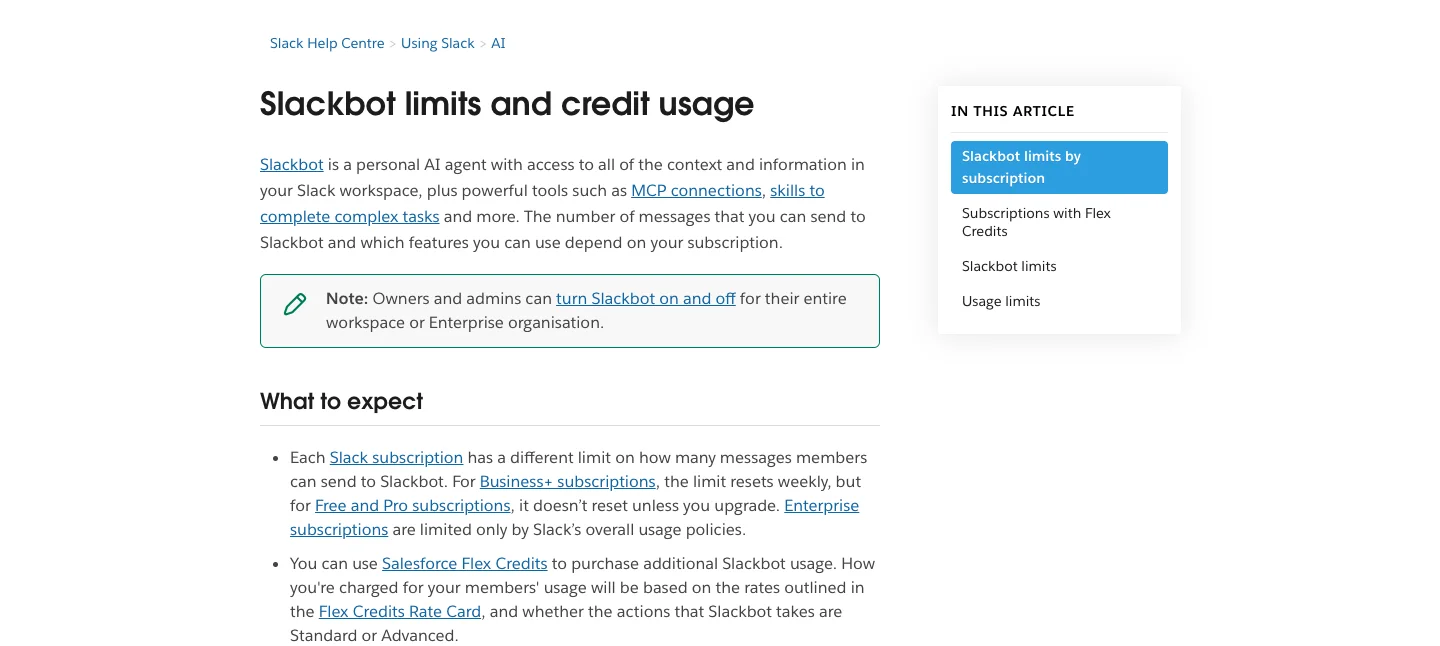 How much you can ask Slackbot depends on the Slack plan every member is on.
Merlin
- Bills once per workspace, by active users (pricing): Starter is $19 per month (up to 5 active users, 1,000 requests), Team is $59 per month (up to 50 active users, 5,000 requests), and Scale is $99 per month (up to 200 active users, unlimited requests). There is no free plan.
- Model usage stays on each runtime owner's existing Claude or ChatGPT account.
Here is how the monthly numbers compare on annual Slack billing as of November 2, 2026:
| Team size | Slack Pro (annual) | Slack Business+ (annual) | Extra for Business+ (what Slackbot costs as an upgrade) | Slackbot messages per week on Business+ | Merlin plan |
|---|---|---|---|---|---|
| 10 | $72.50 | $150 | $77.50 | 150 | $59 (Team) |
| 25 | $181.25 | $375 | $193.75 | 375 | $59 (Team) |
| 50 | $362.50 | $750 | $387.50 | 750 | $59 (Team) |
| 100 | $725 | $1,500 | $775 | 1,500 | $99 (Scale) |
To be fair to Slack, the Business+ upgrade also unlocks Slack's other AI features (like AI search answers, channel recaps and file summaries) along with Business+ admin controls. And to be fair on the Merlin side, that $59 or $99 workspace fee assumes your engineers already pay for their own Claude Code or Codex plans.
My read: if you are already on Business+, you have 15 Slackbot messages a week per person sitting there for free, and you should use them. If you are on Slack Pro and considering the upgrade mainly to get an agent for your product and engineering channels, upgrading 50 seats costs $387.50 a month for 15 messages per person per week, while Merlin Team is $59 a month for up to 50 active users and 5,000 requests.
Which one should you pick
Most teams can decide with three questions.
- Are you already paying for Slack Business+ or Enterprise+? If yes, turn Slackbot on for personal catch-up, meeting prep and quick SaaS tasks. It is already in your bill.
- Do your engineers already use Claude Code or Codex? If yes, adding Merlin lets the rest of the team reach those agents from Slack threads, Linear issues and GitHub PRs for $19 to $99 a month across the workspace. If nobody on your team runs a local coding agent, skip Merlin. (If you want a broader look at other tools in the space, check the roundup of Slackbot alternatives.)
- Do you want both? Plenty of teams do. People use Slackbot in the morning to catch up on their own unread channels and DMs, and mention
@Merlinin#engor#bugswhen a customer issue needs someone to inspect the codebase or ship a fix.
Three things most comparisons skip
- 15 messages a week is three a day. On Business+, Slackbot's included allowance works out to three prompts per workday before a member hits the wall or needs Salesforce Flex Credits. That is plenty for a morning recap, and nowhere near enough for back-and-forth debugging.
- Private answers can multiply team work. When five people ask Slackbot the same product or technical question in their private panels, they burn five allowances and still don't know if the answer was right. Asking
@Merlinin a shared channel leaves one verified thread and one channel memory for everyone else. - Laptops sleep, clouds don't. Slackbot works at 2 am when every engineer's laptop lid is shut. Merlin needs at least one connected machine awake and online, which is why teams that rely on it usually leave a desktop, a Mac mini or a Linux box running.
FAQ
Yes. In January 2026, Slack relaunched Slackbot as its built-in AI agent and folded the former Slack AI add-on into Slack's paid tiers. Full access with resetting limits is included in Business+ and Enterprise+, while Free and Pro workspaces only get a one-time preview.
Slackbot itself does not edit repositories, run tests or open pull requests. For coding work in Slack, Salesforce offers Slack Code, which connects channels to partner agents like Claude, Devin, GitHub Copilot, ChatGPT and Vercel, provided your team already has accounts for those partner tools. Merlin connects Slack, Linear and GitHub directly to the Claude Code and Codex setups running on your team's machines.
No. Slack requires a paid workspace for agent apps, so Slack Pro is enough to run Merlin. You don't need to upgrade your seats to Business+.
Yes, and they complement each other nicely. Teammates use Slackbot in its private side panel to catch up on their own DMs, private channels and calendars, and mention @Merlin in shared channels when a request needs code, CLI tools, Linear or GitHub.
No. Slackbot automatically sees every channel and DM your personal Slack account can view. Merlin only sees the thread you ask it in, its short channel memory notes, and the files and tools on the connected runtime machine, and it only enters a private channel if a member invites the app.
Slackbot runs on Anthropic's Claude inside Slack's cloud. Merlin runs the Claude Code or Codex already installed on your connected machines, using whatever model each machine owner configures there and billing on your existing Claude or ChatGPT plans.
If you're already on Business+ and want a private assistant for your own unread channels and SaaS apps, Slackbot is waiting in your sidebar. If you have engineers on Claude Code or Codex and want an agent in the thread that can actually check the repo and ship the fix, start with Merlin on a single channel and see what your team hands it first.
Try Merlin for free
Hand work to Claude Code and Codex from Slack, Linear and GitHub. Free for 14 days, no API keys, no card required.
Get started for free