

Best AI Agent Platforms for Small Teams
 Dott
When you're choosing an AI agent platform for a team of 3 to 50 people, every vendor homepage makes the exact same promise: thousands of integrations, every major model, live in minutes. And since you don't have a platform engineering team or a procurement department, the person picking the tool this week is also the person who will be debugging it at 6 pm on a Tuesday.
For a small team, the feature grid barely matters. Three questions decide whether a platform actually sticks: how long it takes to run the first real task, who fixes it when a run goes sideways, and whether you can predict the month-end bill before it arrives.
If you're just here for a quick recommendation, here's the summary.
The short answer
- Your engineers already run Claude Code or Codex, and you want the whole company to hand them work from Slack, Linear and GitHub: Merlin.
- You have one technical builder who wants to see and control every step, or you want to self-host: n8n.
- You want to share agents across the whole company on one flat price with unlimited seats: Gumloop.
- You need a fleet of knowledge agents with real permissions and SSO on a self-serve plan: Dust.
- You want one AI employee in Slack or Teams that returns finished deliverables at a workspace price: Viktor.
- Your ops and go-to-market folks want a personal assistant in DMs plus a shared teammate in Slack: Lindy.
- You already pay for Zapier and want agents sitting on top of your Zaps: Zapier Agents.
- You have a dedicated builder on a go-to-market team with an eye on a later enterprise rollout: Relevance AI.
- You already run Make scenarios and want to drop an agent inside one: Make.
The 9 AI agent platforms at a glance
"When the allowance runs out" is the column I'd read first, because it tells you more about your real bill than the starting price ever will.
| Platform | Best for | First task | When the allowance runs out | 10 people a month |
|---|---|---|---|---|
| Merlin | Teams already on Claude Code or Codex | A mention in Slack, once one machine is connected | Requests are refused until the period resets or you upgrade. No overage. | $59 per workspace, plus your own Claude or ChatGPT plans |
| n8n | One technical builder, or self-hosting | A prompt to n8n Assistant, or the canvas | Starter and Pro are capped with no overage fees | €50 (Pro, yearly), plus model usage |
| Gumloop | Shared agents, unlimited seats | A chat with a new agent | Agents stop. Overage is off by default. | $37 |
| Dust | Governed knowledge agents | Connect data, share it to a Space, ask or build | That person is blocked until reset, unless an admin buys top-ups | $240 (Pro seats, yearly) |
| Viktor | One AI employee, finished work | A message in Slack or Teams | Viktor pauses. Auto top-up is opt-in with a cap. | $100 for any headcount |
| Lindy | Ops and GTM routines | A message in Slack | Lindy pauses. No automatic charge. | $299.90 |
| Zapier Agents | Teams already on Zapier | A prompt, then a configure screen | Agents stop. No overage on the Agents add-on. | $102.33 (Team plus Agents Pro, yearly) |
| Relevance AI | GTM teams with a builder | A prompt to Invent, or the builder | Agents fail until someone tops up | $234 (Team, yearly) |
| Make | Teams already on Make | A scenario on the canvas | Every scenario stops | Paid plans from $9 for 10,000 credits |
These are the list prices I saw on November 17, 2026.
What counts as an AI agent platform
A chat assistant answers one person's question and stops. A workflow tool runs the exact steps you drew on a canvas, in the order you drew them. An AI agent platform gives a model tools, your team's context and a way to receive work from several people (through a Slack mention, a Linear ticket or a morning schedule), and lets the agent decide the steps to finish the job. There's a longer look at how that plays out day to day in what an AI coworker is.
Developer code frameworks like CrewAI, LangGraph and the OpenAI Agents SDK are a different purchase, and so are heavyweight enterprise suites like Salesforce Agentforce and Microsoft Copilot Studio. A 3 to 50 person company without a dedicated platform team doesn't adopt them, so they aren't on this list.
Every platform below is judged on five criteria:
- Time to the first task: how fast a teammate gets a real result on day one.
- Who fixes it: whether you can inspect what went wrong and get human support on a self-serve plan.
- How the bill behaves: whether you know the monthly cost in advance and what happens when your allowance hits zero.
- Where it runs: whether work runs in a vendor sandbox, your own cloud region, or on your team's own machines.
- Permissions on the plan you'll actually buy: roles, tool approvals and sign-on controls available without calling a sales rep.
How the nine platforms score
Each platform gets a score from 1 to 5 on those five criteria. A 5 means a teammate gets a real result the same day with no builder (First task), you can see what a run did and get help on a self-serve plan (Fixing it), you pay a fixed number you know in advance with no overage unless you switch it on (Bill), you choose where it runs including your own machines or your own keys (Where it runs), and you get roles, approvals and sign-on controls on the plan a small team actually buys (Permissions).
| Platform | First task | Fixing it | Bill | Where it runs | Permissions | Total |
|---|---|---|---|---|---|---|
| Merlin | 3 | 4 | 5 | 5 | 4 | 21 |
| n8n | 3 | 4 | 4 | 5 | 3 | 19 |
| Gumloop | 4 | 4 | 4 | 3 | 3 | 18 |
| Dust | 3 | 3 | 4 | 3 | 5 | 18 |
| Viktor | 5 | 3 | 4 | 2 | 3 | 17 |
| Lindy | 5 | 2 | 3 | 2 | 3 | 15 |
| Zapier Agents | 4 | 3 | 3 | 2 | 2 | 14 |
| Relevance AI | 3 | 3 | 2 | 3 | 2 | 13 |
| Make | 2 | 4 | 3 | 2 | 2 | 13 |
Treat the total out of 25 as a starting point. A one-point gap between two tools matters much less than matching the platform to the kind of team you have, which comes after the reviews.
How long the first task takes
Chat-first products like Viktor, Lindy and Gumloop get you to a working first task fastest because you talk to the agent to set it up. Builder products like n8n and Make take longer on day one, though they leave you with a visual flow you can inspect step by step when something breaks. Remember that every vendor's two-minute setup claim assumes your OAuth logins, API keys and Slack admin approvals are already sitting on your desk.
| Platform | Steps in the vendor's own quickstart | Builder needed? | Card to start? | The vendor's own claim | Time I'd budget |
|---|---|---|---|---|---|
| Merlin | 4: create the workspace, connect a machine, install the Slack app, invite members | No, a mention | No (14-day Team trial) | None published | 20 to 30 minutes if Claude Code or Codex already works on the machine |
| n8n | 7 with n8n Assistant, about 6 for a standalone agent | Optional, prompt or canvas | No | "less than five minutes" for a first workflow | 30 to 60 minutes for an agent with one tool |
| Gumloop | 3: add connectors, give it a real task, ask it to write its own instructions | No, a chat | Yes | None published | 15 to 30 minutes |
| Dust | 4 in the admin quickstart, 7 to build a custom agent | Agent builder, or build from chat | No | None published | An hour or two, mostly connecting and sharing data |
| Viktor | 3 on the homepage, 6 in the setup wizard | No, a message | No | "Live in two minutes" (its own guide: "in 15 minutes") | 15 minutes |
| Lindy | 5 in two parts | No, a message | No for the free credits | "Set up in 2 minutes" (and "about five minutes per person") | 15 minutes |
| Zapier Agents | 7 | A prompt, then a configure form | No | "in minutes" | 20 to 30 minutes |
| Relevance AI | 4 top-level steps | Optional, prompt or builder | Yes, a paid plan | "under 5 minutes" | 30 to 60 minutes |
| Make | 6, on the scenario canvas | Yes, a canvas | No, there is a free plan | None published | One to two hours if Make is new to you |
The 9 best AI agent platforms for small teams
1. Merlin
Best for teams whose engineers already run Claude Code or Codex and want the whole company to hand them work from Slack, Linear and GitHub.
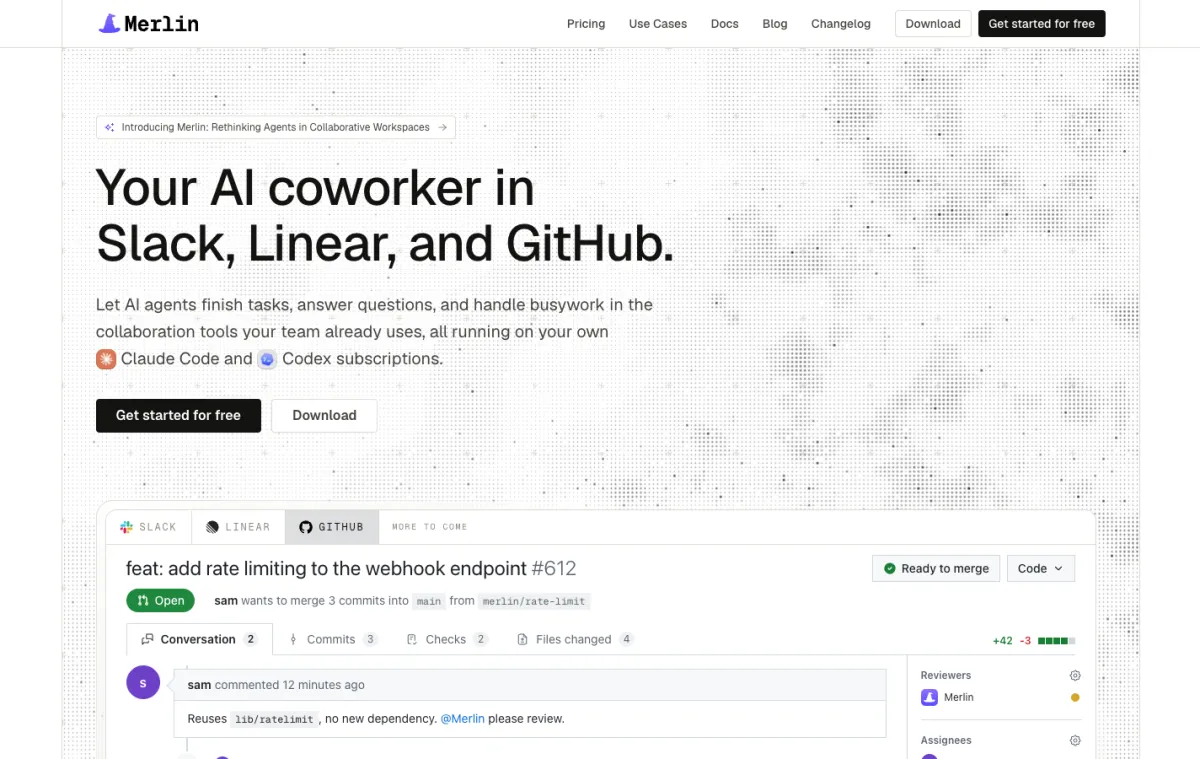 Merlin brings the Claude Code and Codex your engineers already run into Slack, Linear and GitHub.
Merlin turns the coding agents your engineers already use, Claude Code and Codex, into a teammate the rest of the company can reach. Once one person signs in, connects a machine via the desktop app or Linux CLI and makes that runtime public (getting started), anyone on the team can @Merlin in a Slack thread, delegate a Linear issue to it, or mention it on a GitHub issue or pull request. The work runs through Claude Code or Codex on that connected machine, using the repositories, command-line tools, skills and MCP servers already set up there. Progress streams straight into the thread, where any teammate can reply mid-run to steer it.
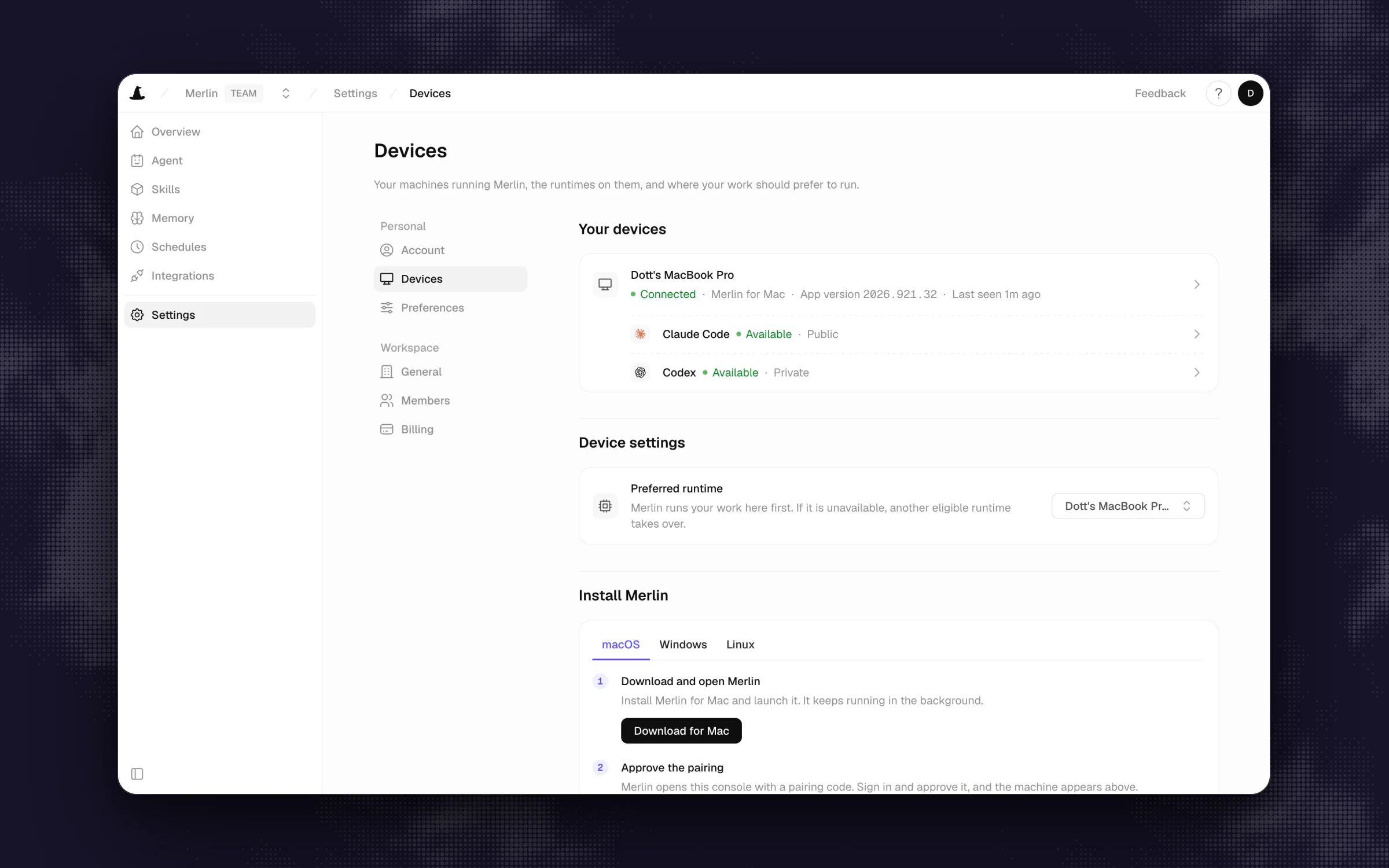 Work runs on a machine your team connected, and each machine reports which agents it can run.
What stands out
- Work runs on machines your team controls, and Merlin never hosts a model or asks for a provider API key. Repository contents, local files and credentials stay on the device over an outbound-only connection (security).
- The bill is a flat workspace price, and model usage stays on each machine owner's own Claude or ChatGPT plan. The request allowance is a strict cap: the 1,000th request on Starter runs, the 1,001st is refused until the period resets or an owner upgrades, and there is no overage fee.
- Every plan includes three roles (members and roles), and new runtimes start private by default until their owner chooses to share them with the workspace.
Worth knowing
- Not for you yet if nobody on the team runs Claude Code or Codex, or if your company has no engineers (prerequisites). At least one connected machine also has to stay awake and online to pick up work.
- Merlin works in Slack, Linear and GitHub, with no Microsoft Teams support, and what the agent can do is bounded by the credentials and tools installed on the connected machine.
Pricing: no free plan, and every new workspace starts with a 14-day Team trial with no card required. Starter is $9 per workspace per month (up to 3 active users, 1,000 requests), Team is $59 (up to 50 active users, 5,000 requests), and Scale is $99 (up to 200 active users, unlimited requests), with model usage billed on your own existing Claude or ChatGPT plans (pricing, seen on November 17, 2026).
2. n8n
Best for a team with one technical builder who wants to see and control every step, or to self-host.
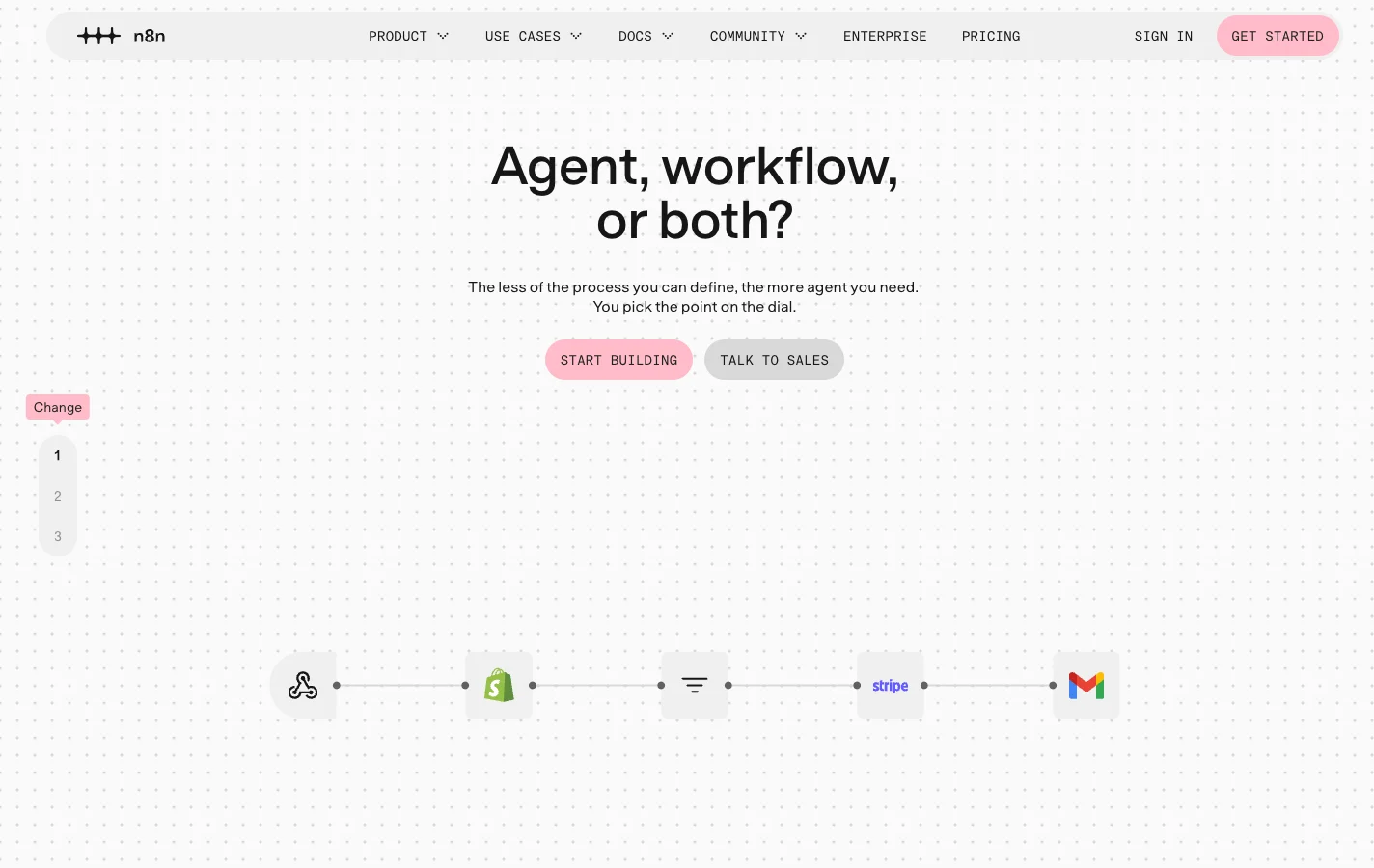 n8n lets you decide how much of a process is a fixed workflow and how much is left to an agent.
n8n is a workflow automation tool for technical builders that gives you two ways to use AI agents: drop an AI Agent node inside a deterministic workflow, or spin up a standalone Agent that lives between runs. You can prompt the n8n Assistant to draft a first flow in seven steps (quickstart), or wire up models, credentials and 600+ integrations on the visual canvas and expose the agent to Slack, Linear, Telegram or Microsoft Teams.
What stands out
- You can run it on n8n Cloud (hosted in Frankfurt) or self-host the free Community edition on your own servers (deployment options), bringing your own model API keys.
- Billing is based on workflow executions with unlimited user seats on every plan, and both Starter and Pro are hard-capped with no overage charges.
- Debugging is first-class: every Cloud plan includes execution logs, session traces showing tool calls and pending human approvals, and in-editor replay.
Worth knowing
- Standalone Agents launched in Preview on September 25, 2026, and n8n's own agent docs note that their behavior may change. Because one chat turn counts as one execution, a chatty agent burns through your monthly pool quickly.
- Support on Starter and Pro is the community forum only, log retention is 7 days on Starter and 30 on Pro, and the free Community edition cannot share workflows or credentials across users.
Pricing: 14-day Cloud trial (1,000 executions, no card, instance deleted if you don't upgrade), then Starter at €20 per month billed annually for 2,500 executions and Pro at €50 per month billed annually for 10,000, plus your own model API costs or prepaid gateway credits (n8n pricing, seen on November 17, 2026).
3. Gumloop
Best for sharing agents across the whole company on one flat price with unlimited seats.
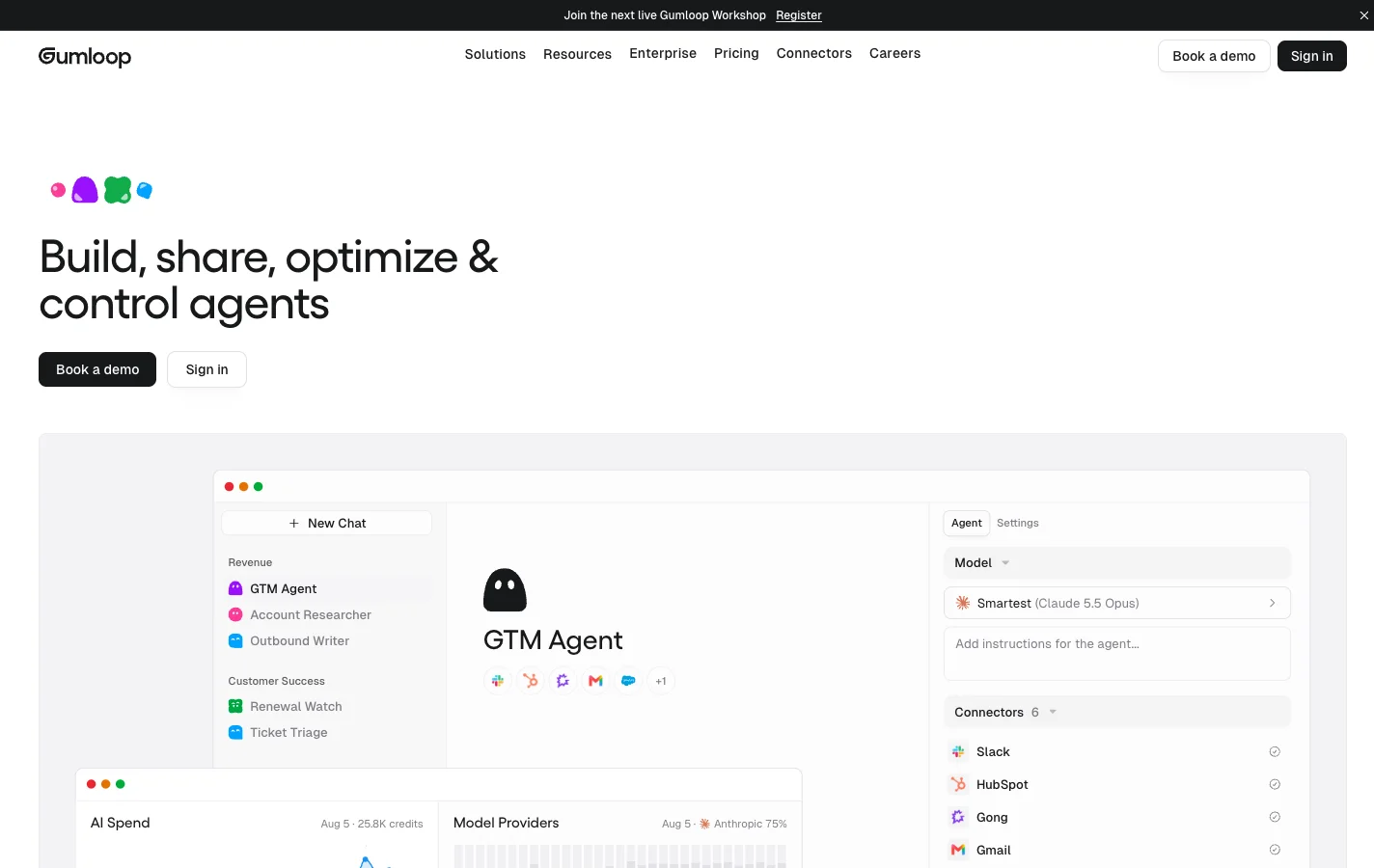 Gumloop agents are set up in a chat and shared across the company on one credit pool.
Gumloop is an agent platform where you configure an agent in three moves: add connectors from its catalog of 400+ tools, give it a real task in chat, and ask it to write its own instructions and skills (agent docs). Once it works, teammates can trigger it from Slack, Microsoft Teams, email, a hosted web page, an API or MCP.
What stands out
- The Pro plan gives you unlimited seats, unlimited agents and unlimited teams on a single pooled allowance of 20,000 credits for $37 a month.
- When credits run out, agents simply stop working because credit overage is switched off by default (credits guide).
- Each task logs its file outputs and exact credit breakdown, and admins can grant Gumloop's support staff time-boxed access to inspect a failing agent directly (support access).
Worth knowing
- There is no free plan, and the 14-day Pro trial requires a credit card upfront and auto-renews unless you cancel. If you do turn overage on, the default spend ceiling is $5,000 per billing period, so lower that cap first.
- Credit burn varies from 2 credits for a quick question to 200 for deep research, bringing your own model key raises the orchestration fee from 8% to 16%, and Pro workspaces reject new chats once 25 are running at the same time.
Pricing: 14-day trial (card required), then Pro at $37 per month for 20,000 pooled credits and unlimited seats, with optional overage at $0.005 per credit (Gumloop pricing, seen on November 17, 2026).
4. Dust
Best for a fleet of knowledge agents with real permissions on a self-serve plan.
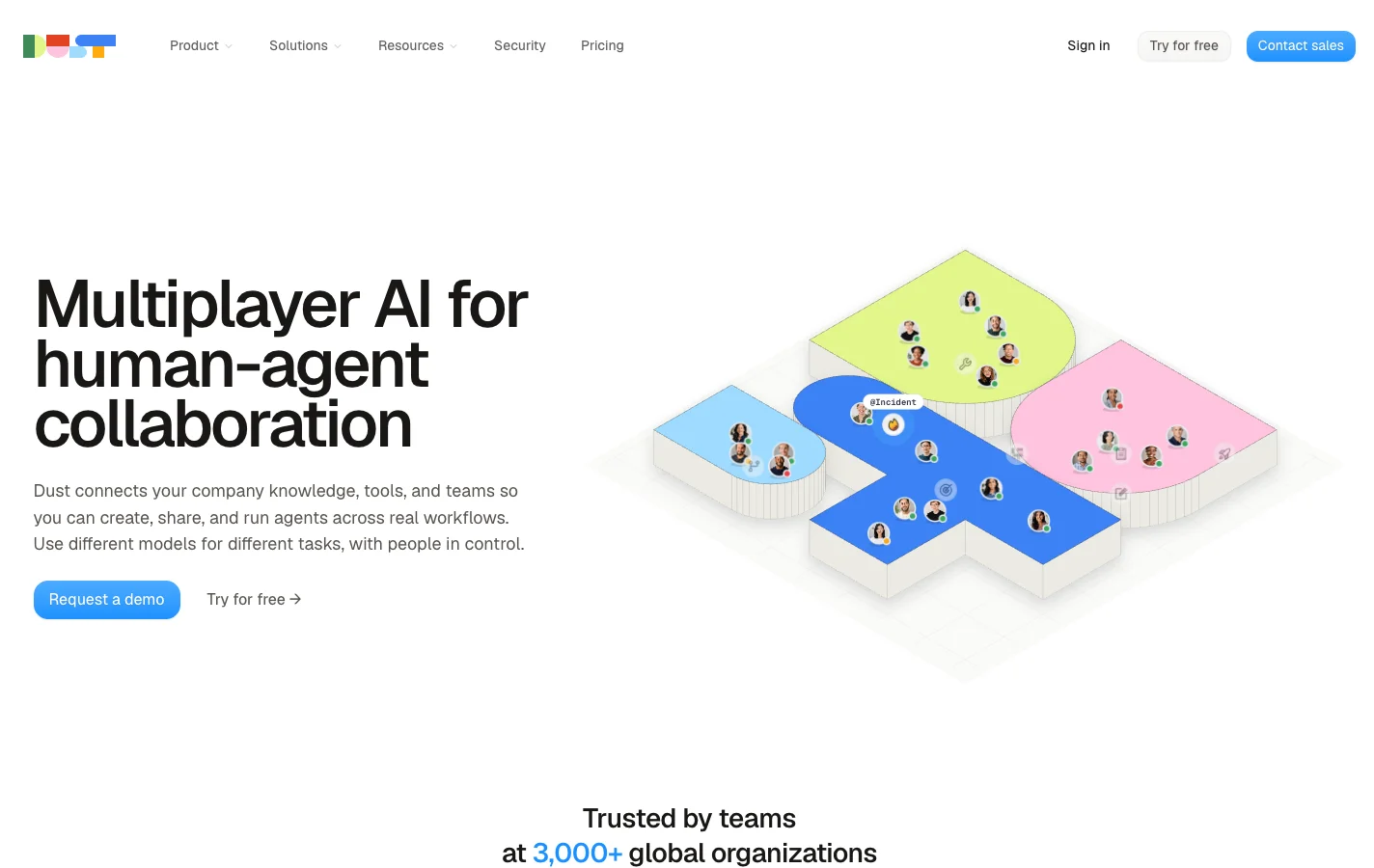 Dust is built around many specialized agents that share your company's knowledge.
Dust lets a company build specialized agents for support, sales, ops or engineering grounded in internal company data. An admin connects data sources, syncs them, and shares the data into a Space so workspace members and agents can use it (admin quickstart). People can then build custom agents in seven steps or directly from a conversation, and summon them in Slack with @Dust +AgentName.
What stands out
- It scored a 5 on permissions because the self-serve Business plan includes three roles, groups, Spaces for data isolation, per-tool confirmation stakes, SOC 2 Type II and SSO with Okta, Entra ID and JumpCloud (Dust security).
- You can choose US or EU data hosting and pick from 20+ models across OpenAI, Anthropic, Google, Mistral and DeepSeek for each agent.
- There is no automatic pay-as-you-go overage on the Business plan: if someone uses up their seat's credits, that person is blocked until the monthly reset unless an admin buys prepaid top-ups (credit management).
Worth knowing
- Credits belong to each individual seat and cannot be pooled across teammates or rolled over to next month, and the self-serve Business plan caps you at 3 connectors, 5 remote MCP servers and 5 Spaces.
- Agent memory is private to each user, and any scheduled agent runs missed while a credit pool is empty are not replayed.
Pricing: free up to 5 users with 500 lifetime credits per seat (no card), then Pro at $24 per seat per month billed yearly (8,000 credits per seat) and Max at $120 per seat billed yearly (40,000 credits) (Dust pricing, seen on November 17, 2026).
5. Viktor
Best for a non-technical team that wants one AI employee in Slack or Teams and finished work back.
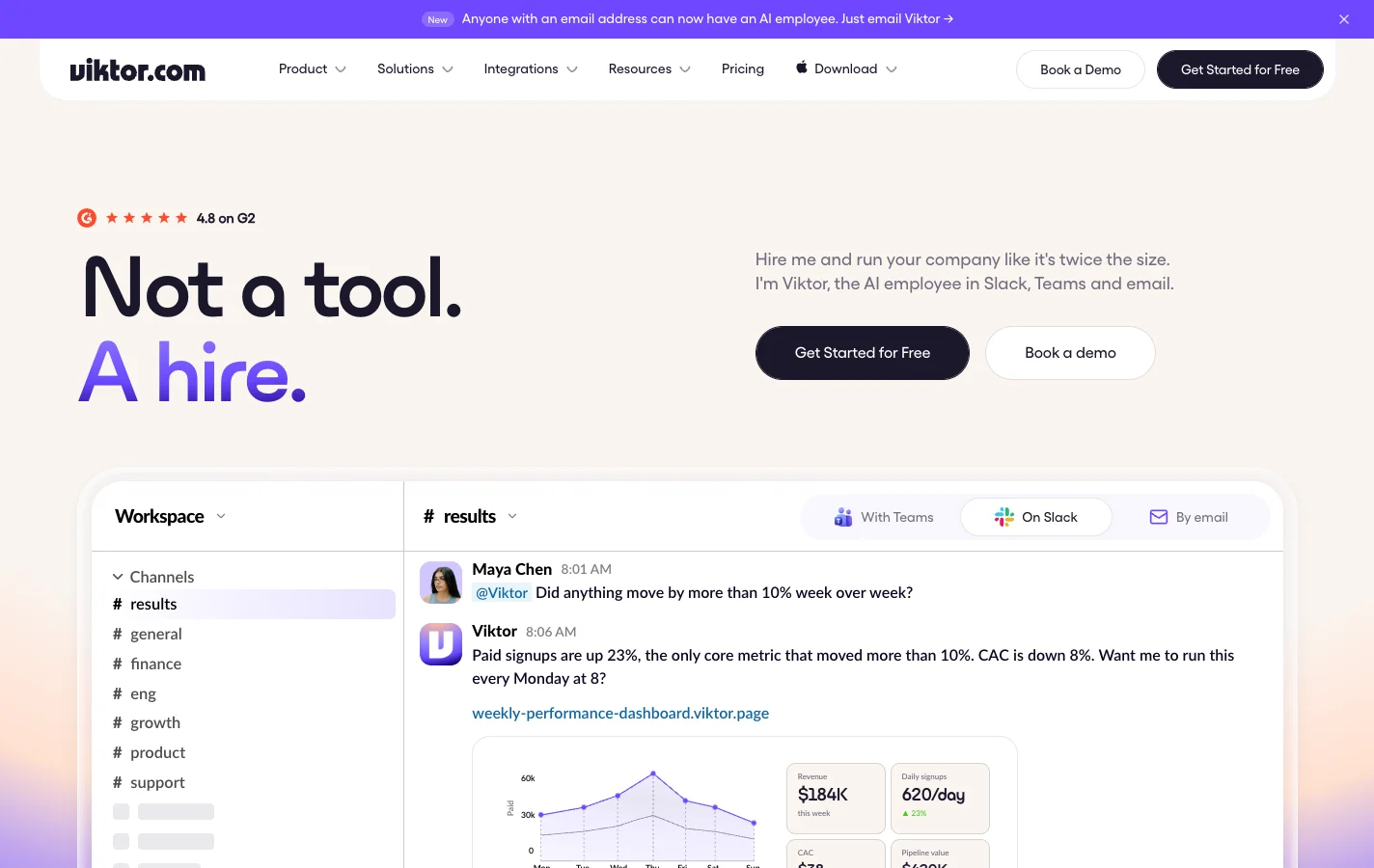 Viktor presents itself as one AI employee you message like a colleague.
Viktor pitches itself as a single AI hire that lives in Slack, Microsoft Teams and email. A Slack admin installs the app, connects tools from Viktor's catalog of 27+ native integrations and 9,800+ tools, and teammates message it in plain English (getting started). Viktor gets its own cloud computer in AWS us-east-1 where it writes and runs code to return finished dashboards, reports and small apps (security).
What stands out
- Zero builder friction: if your team can send a Slack message, they can assign Viktor a job on day one.
- Pricing is per workspace, so headcount doesn't change the bill, and when your workspace runs out of credits Viktor pauses automatically unless you opt into capped auto top-ups (running out of credits).
- Every plan lets admins set each connected tool to "Off", "Run automatically" or "Ask for confirmation".
Worth knowing
- Support is by email during European business hours only, Monday to Friday 9:00 to 18:00 in Warsaw (contact support), so a US afternoon issue waits until the next morning.
- The whole workspace shares one Viktor context, and credit usage ranges from 100 credits for a quick task to 5,000 for a full project (plans and credits).
Pricing: up to $100 in non-expiring free credits with no card required, then monthly workspace plans starting at $50 for 20,000 credits and $100 for the Team plan with 40,000 credits (Viktor pricing, seen on November 17, 2026).
6. Lindy
Best for ops and go-to-market people who want a personal assistant plus a shared teammate in Slack.
 Lindy is a personal assistant in your DMs and a shared teammate in channels.
Lindy gives your company two surfaces in one setup: a shared Lindy that teammates @mention in Slack channels, and a private Lindy in each person's DMs that handles their inbox, calendar and meeting notes (quickstart). An admin adds Lindy to a paid Slack workspace, and each person links their own accounts in about five minutes. If you are mainly comparing chat-based Slack teammates, the best AI agents for Slack roundup covers that ground.
What stands out
- Fast, no-builder onboarding with 3,000+ integrations, MCP support, and model choice across OpenAI, Anthropic, Google and DeepSeek on paid plans.
- Everyone shares one workspace pool of credits, and when the pool hits zero Lindy pauses credit-using actions with no surprise charge.
Worth knowing
- Anyone who
@mentionsLindy in Slack takes a seat (after a 7-day grace trial for Slack-joined teammates), so a casual question in a public channel can grow your monthly seat bill. - Per Lindy's own integrations docs, tool approval guardrails apply in shared Slack threads only: web chat, Slack DMs, iMessage and SMS are unguarded.
Pricing: 7-day trial with $50 in free credits (no card), then from $29.99 per active user per month with 3,000 pooled credits added per user, and manual top-ups at $10 per 1,000 credits (Lindy pricing, seen on November 17, 2026).
7. Zapier Agents
Best for teams already paying for Zapier that want agents on top of their Zaps.
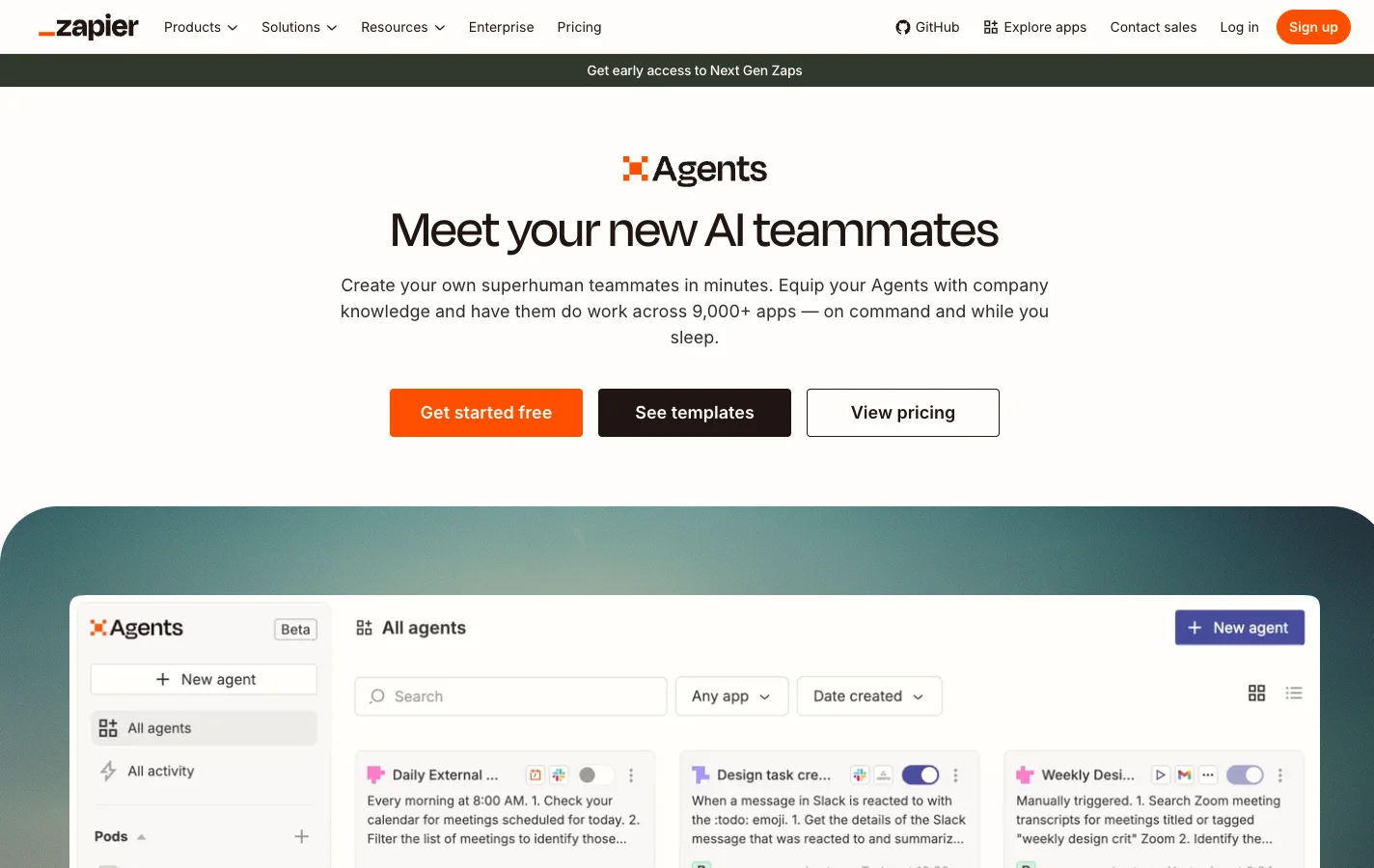 Zapier Agents sits on top of Zapier's app catalog, and is moving into AI by Zapier.
Zapier Agents lets you describe what should trigger an agent and what it should do in plain language, then wire it to Zapier's catalog of 9,000+ apps in a seven-step configure screen. Before you commit, read the banner news: Zapier is migrating Agents into AI by Zapier inside the standard Zap editor, has not set a shutoff date for agents.zapier.com, and notes that chat-triggered agents do not have a direct equivalent in the Zap editor yet.
What stands out
- Instant access to every app your team already connected in Zapier, with a 400-activity free tier that requires no credit card.
- On the standalone Agents add-on today, hitting your monthly activity limit simply stops your agents with no overage fee.
Worth knowing
- Agents are personal automations tied to one account, so sharing them with roles requires a Zapier Team or Enterprise plan (sharing docs).
- Once your workflows move into AI by Zapier, AI steps and tool calls burn standard Zapier tasks at a 1x, 3x or 5x multiplier (defaulting to the 5x Premium tier on paid plans), where pay-per-task overage is switched on by default up to 3x your plan limit.
Pricing: Agents Free includes 400 activities a month, and Agents Pro is $33.33 per month billed annually ($50 monthly) for 1,500 activities, layered onto a Zapier Team plan at $69 per month billed annually for up to 25 seats (Zapier pricing, seen on November 17, 2026).
8. Relevance AI
Best for a go-to-market team with a dedicated builder and an eye on a later enterprise rollout.
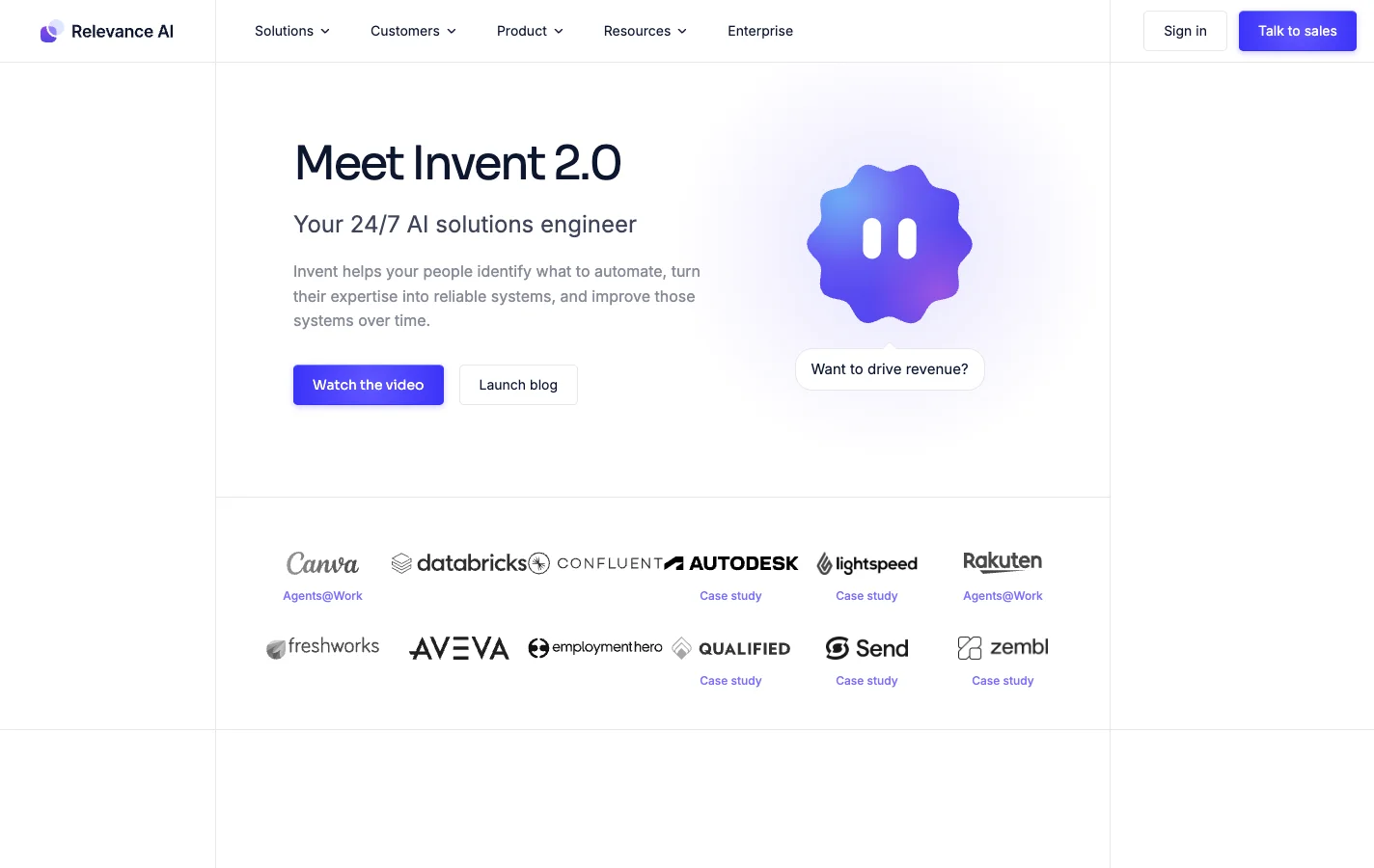 Relevance AI's homepage now leads with Invent, the assistant that builds agents from a description.
Relevance AI focuses on multi-agent GTM workforces and leads with Invent 2.0, an assistant that generates an agent from a text description in four top-level steps (quick start guide). You can host in the US, EU or Australia (chosen permanently at signup), bring your own model API keys on Pro and up, and set per-tool connection approvals.
What stands out
- Invent gets a complex multi-step agent onto the canvas quickly, and when a run breaks you can rerun errored tasks directly from the failing step.
- Model costs are passed through at cost via Vendor Credits, or routed through your own provider keys.
Worth knowing
- The free plan is retired for both new and existing accounts, every tool execution counts against your Actions meter even if the tool fails (plans docs), and if you turn on auto top-ups there is no limit to how many times it can reload unless you set a separate monthly spend cap (spend controls).
- Support operates on Sydney business hours (9 am to 5 pm) with a target first response of 3 business days on Pro and 2 on Team (support docs), and teams needing more than 5 builders have to move to Enterprise.
Pricing: no free plan. Pro is $19 per month billed annually ($29 monthly) for 2 build users and 2,500 actions, and Team is $234 per month billed annually ($349 monthly) for 5 build users, 45 end users and 7,000 actions, with extra actions at $80 per 1,000 (Relevance AI pricing docs, seen on November 17, 2026).
9. Make
Best for teams already running Make scenarios that want an agent inside one.
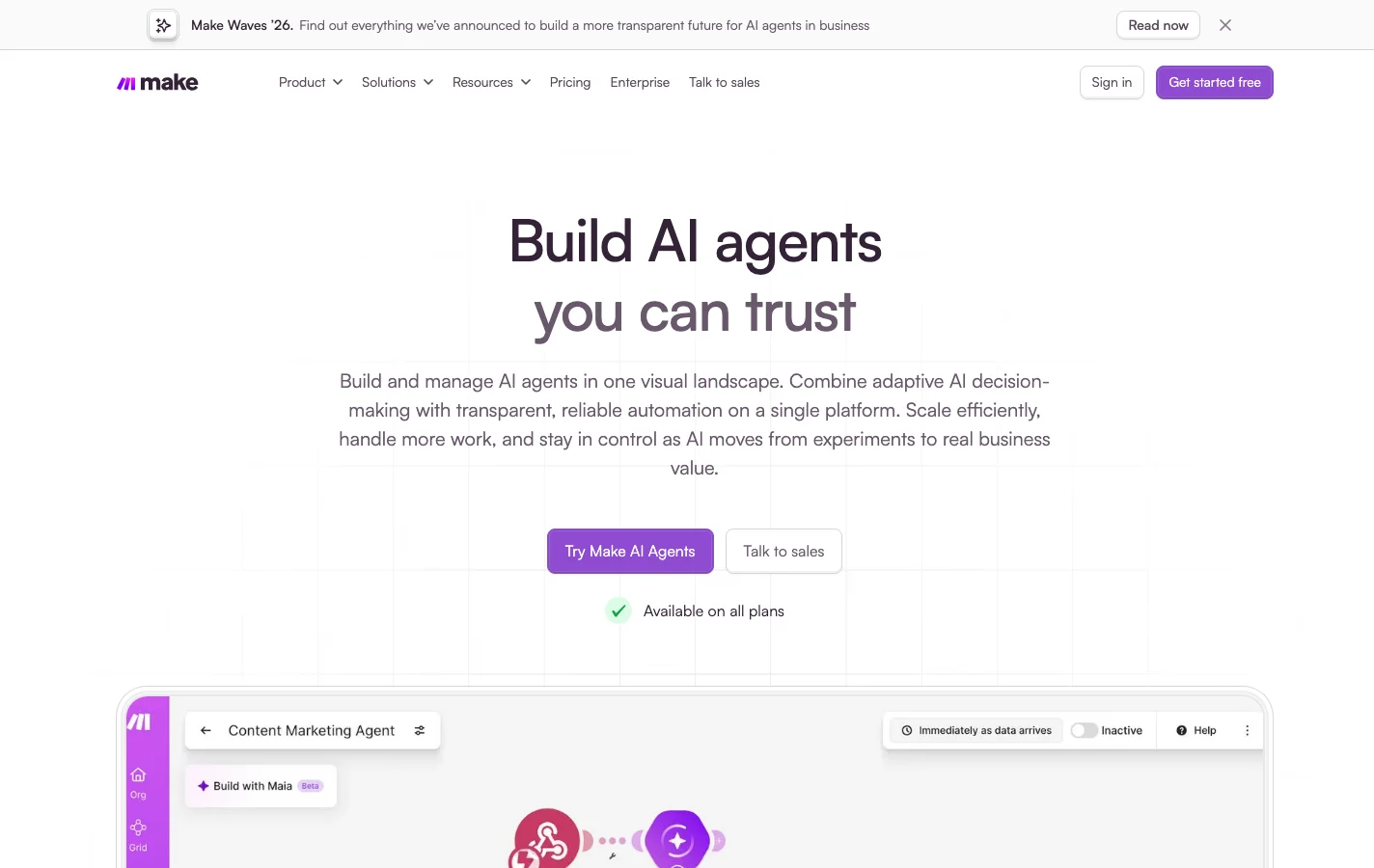 In Make, an agent is a module on the scenario canvas.
In Make, an AI agent is a module that lives inside a visual scenario canvas across 3,000+ native apps and two-way MCP (first agent guide). If your ops team already builds Make scenarios, dropping an agent node into one gives you a Reasoning view that shows the model's step-by-step thinking alongside Make's standard execution history (scenario history).
What stands out
- Strong visual debugging: you see exact inputs, outputs, duration, credit burn and agent reasoning for every run.
- When your credit pool hits zero, scenarios stop with no surprise bill unless you turn on auto-purchase (extra credits).
Worth knowing
- Make's current AI agent app is in open beta with functionality and pricing that may change, and when an agent drains your organization's credits, every ordinary automation scenario in your Make account stops too.
- Role management requires at least the Teams plan (teams docs), permissions apply to a whole team, so isolating one agent means creating another team, and top-up credits cost 25% more than your plan rate.
Pricing: Free plan with 1,000 credits a month, and paid plans starting at $9 per month for 10,000 credits, plus token-based credit burn when using Make's built-in AI provider (Make credits, seen on November 17, 2026).
How to choose an AI agent platform for your team
A scorecard is a starting point. The fastest way to narrow nine platforms down to two is by looking at who sits on your team today.
Engineering teams
If your engineers already run Claude Code or Codex, start with Merlin. It puts the agents and local dev environments you already have into Slack, Linear and GitHub without adding a model markup or a cloud sandbox to configure. When you want deterministic, inspectable multi-step workflows or need to self-host on your own infrastructure, pick n8n.
Operations teams
If you have no engineers on hand, pick Viktor when you want one AI employee that returns finished reports and tools at a flat workspace price regardless of headcount. Pick Lindy when each person on the GTM or ops team also wants a private inbox and calendar assistant in their DMs. Pick Gumloop when several people will build and share agents and you want a flat $37 bill with unlimited seats. Use Zapier Agents only if your company already lives in Zapier and you are comfortable with the upcoming move into AI by Zapier.
Mixed teams
When engineers, ops, product and support all work together in Slack, Merlin lets non-engineers hand real work to the engineers' coding agents and local context without turning a senior developer into a human copy-paste buffer. If the main job is answering questions from company documents with strict access rules and SSO, pick Dust. If you want a general-purpose builder in the middle at one flat price, pick Gumloop.
5 things most lists skip
- The starting price is the least useful number on the pricing page. Ask what happens when your allowance hits zero: a clean pause or cap (Merlin, Viktor, Lindy, Gumloop, n8n), a per-seat block until an admin buys prepaid top-ups (Dust), or overage that switches on by default (Zapier after the move to AI by Zapier).
- The billing unit decides who you end up policing. Per-seat pricing (Dust, Lindy) means watching who gets invited or mentions the bot in Slack. Credit pools (Viktor, Gumloop, Make) mean watching heavy research tasks. Executions (n8n) mean watching chatty agents. A flat workspace price (Merlin) keeps model usage on the plans you already pay for.
- Audit logs and SSO sit behind Enterprise on almost every platform here. Dust is the notable exception for self-serve SSO. If your customers or leadership will ask for audit logs within a year, price the Enterprise tier before you build.
- Support hours are a time zone. Viktor answers tickets on Warsaw business hours, Relevance AI runs on Sydney hours with a two-to-three business day target on self-serve tiers, and n8n's Starter and Pro plans use a community forum.
- Three of the nine platforms are mid-transition. Zapier Agents is folding into AI by Zapier, Make's agent module is in open beta with pricing that may change, and n8n's standalone Agents are in Preview. That's fine for an afternoon pilot, and worth factoring in before you build ten production workflows.
FAQ
An AI agent platform is software that gives an AI model access to your company's tools, data and communication channels so it can plan and complete multi-step tasks for your team. Unlike a single-player chat assistant or a fixed automation script, an agent platform lets multiple people hand the agent work in Slack, Linear or email and lets the model decide which tools to call.
For small teams whose engineers already use Claude Code or Codex, Merlin is the top pick because it runs on your own machines and adds no model markup beyond a flat workspace fee starting at $9 a month. For teams without engineers, Gumloop ($37 a month for unlimited seats) and Viktor (from $50 a month per workspace) give you shared agents without per-seat sprawl, while n8n is best for a technical builder.
For a 10-person team, self-serve plans on this list range from $37 a month on Gumloop and $59 a month on Merlin (plus your existing Claude or ChatGPT plans) up to $240 a month on Dust and $299.90 a month on Lindy. Always check whether the platform bills per seat, per workspace or by credit burn, and whether overage is switched off by default.
Most do not. Viktor, Lindy and Gumloop set up agents through plain-English chat messages, and Dust, Zapier Agents and Relevance AI can generate agents from a short text prompt. Merlin requires at least one teammate who already runs Claude Code or Codex on their machine, after which non-technical teammates can ask it for work in Slack with no coding at all.
For a first useful task with one tool connected, budget 15 minutes for chat-first tools like Viktor and Lindy, 20 to 30 minutes for Merlin (if Claude Code or Codex is already working locally), Gumloop and Zapier Agents, and 30 minutes to two hours for builder-heavy platforms like n8n, Dust, Relevance AI and Make.
A chatbot answers questions in a window and leaves the actions to you, while a classic automation tool runs a rigid sequence of steps that breaks the moment an input looks different. An AI agent sits between the two: you give it a goal, and it chooses which connected tools to run, checks the results and loops until the job is done.
Keep human approval switched on for anything external or irreversible: sending emails to customers, modifying production databases, merging pull requests or deleting records in your CRM. Nearly every platform here lets you set tool actions to require confirmation, though on Lindy those guardrails only apply inside shared Slack threads.
If your engineers already live in Claude Code or Codex, start with Merlin. If you want a visual builder you can self-host, start with n8n. And if you want a no-code agent the whole company can share on a flat monthly bill, try Gumloop or Viktor.
Try Merlin for free
Hand work to Claude Code and Codex from Slack, Linear and GitHub. Free for 14 days, no API keys, no card required.
Get started for free