

AI Employee vs AI Coworker: What Each Label Actually Promises
 Dott
In the same week, you can open one vendor's homepage that says "Not a tool. A hire." and another that says "Artificial colleagues. Natural collaboration." Both products sit in Slack or Linear, connect to your company's apps, and run on the same underlying language models. If you're trying to figure out what to bring into your team, the naming feels like a marketing game.
An AI employee is an AI agent sold as a replacement for a hire: you give it a role and it works through that role on its own. An AI coworker is an AI agent sold as a teammate: anyone on the team hands it tasks where the team already works, and a person still reviews and owns what it ships.
The noun a vendor picks is a promise about who manages the work. Three questions decide how that plays out in your workspace: who assigns the tasks, who reviews the output, and who answers when the agent gets something wrong.
Where the two labels come from
The "AI employee" camp pitches headcount you don't have to recruit. Viktor leads with "Not a tool. A hire. I'm Viktor, the AI employee in Slack, Teams and email," and backs it up with a customer quote on its homepage: "It's made us realize that we might really never have to hire someone." Lindy tells visitors to "Hire Lindy, get it done" and explains that "Lindy is the AI employee that plugs into your tools, learns how you work, and takes real work off your plate."
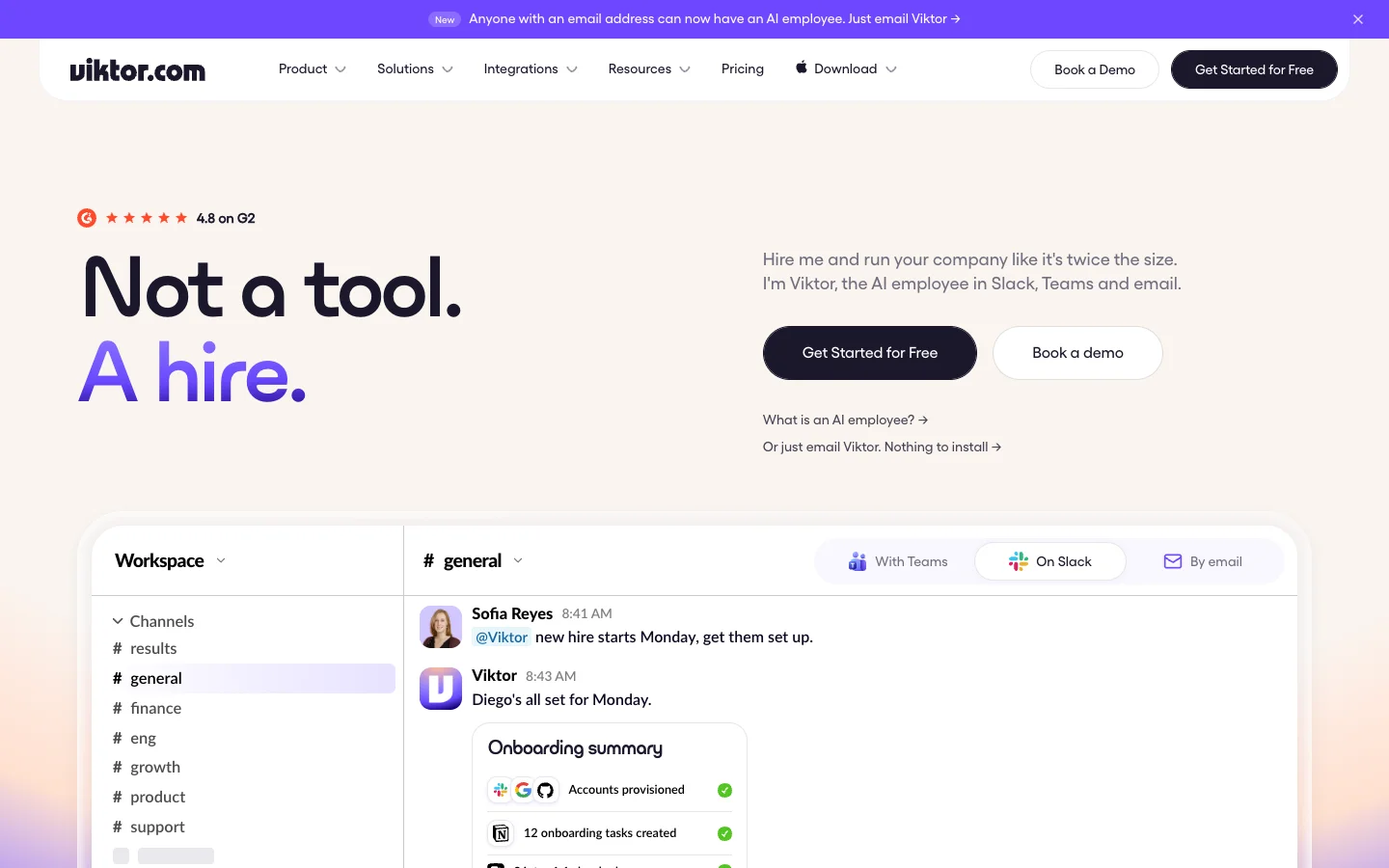 Viktor sells itself as a hire, and the demo task is onboarding a human one.
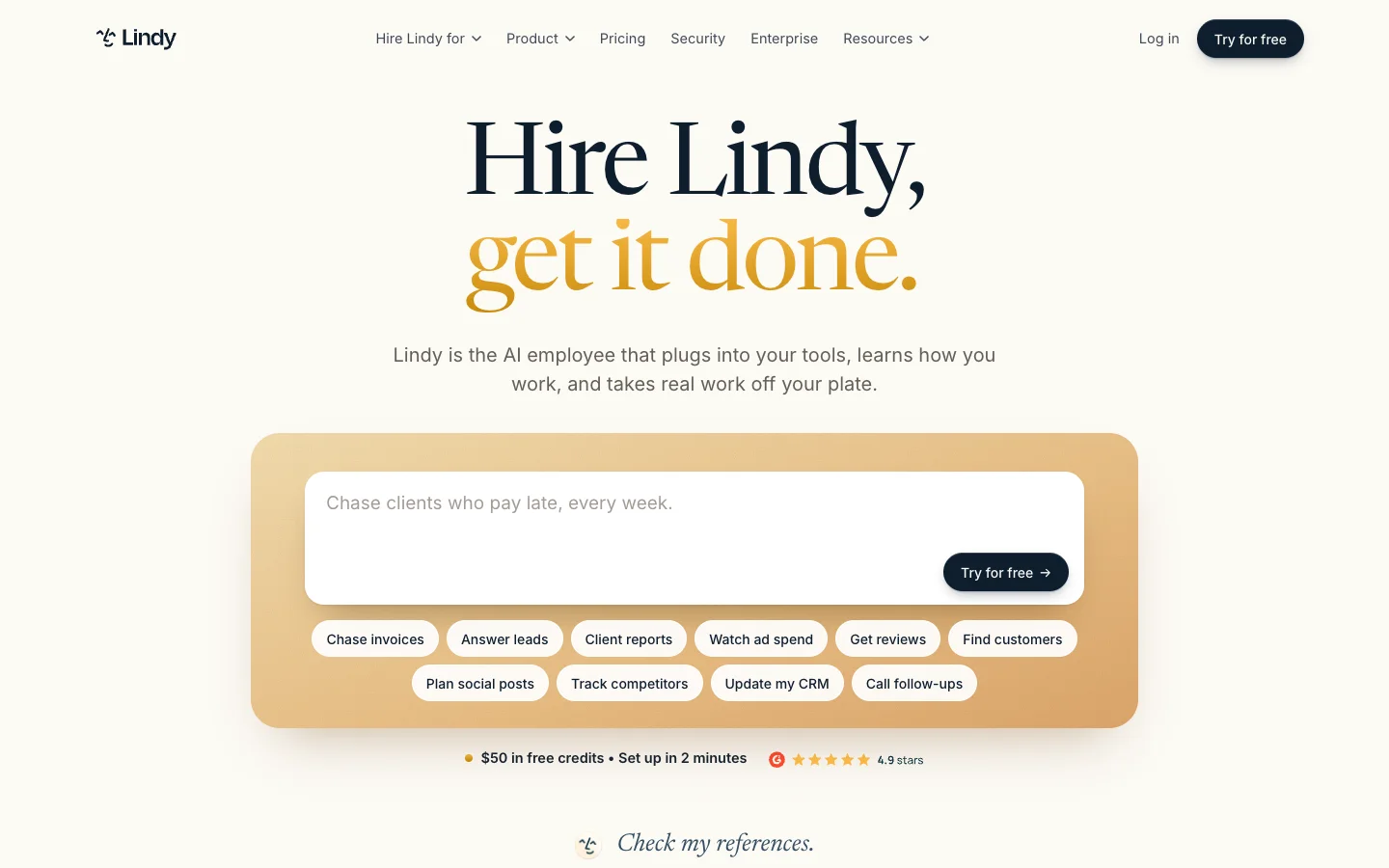 Lindy asks for a job, the way you'd brief a new hire.
Plenty of other startups sell the same promise. Marblism offers "AI employees to scale your business" under the banner "Employee of the Month. Every Month." Ema pitches a "Universal AI Employee" with "configurable Human-in-the-Loop approval chains." Relevance AI calls itself "The home of the AI Workforce," while Salesforce frames Agentforce as digital labor where "A digital workforce of intelligent AI agents augments your human workforce."
Even the loudest voice in the employee camp has started softening its pitch. Artisan says "Artisan builds AI employees for go-to-market teams" and introduces "Ava, the first AI employee, is an autonomous AI BDR that runs outbound end to end." Yet in an August 2026 blog post, the company looked back on its most famous campaign: "We spent $2M putting 'Stop hiring humans' on billboards across San Francisco and New York." In August 2026, they retired the slogan and announced, "Now we're hiring our first human BDR." As they put it in the post, "Customers don't fire their BDRs and install Ava. They bring Ava in as a teammate."
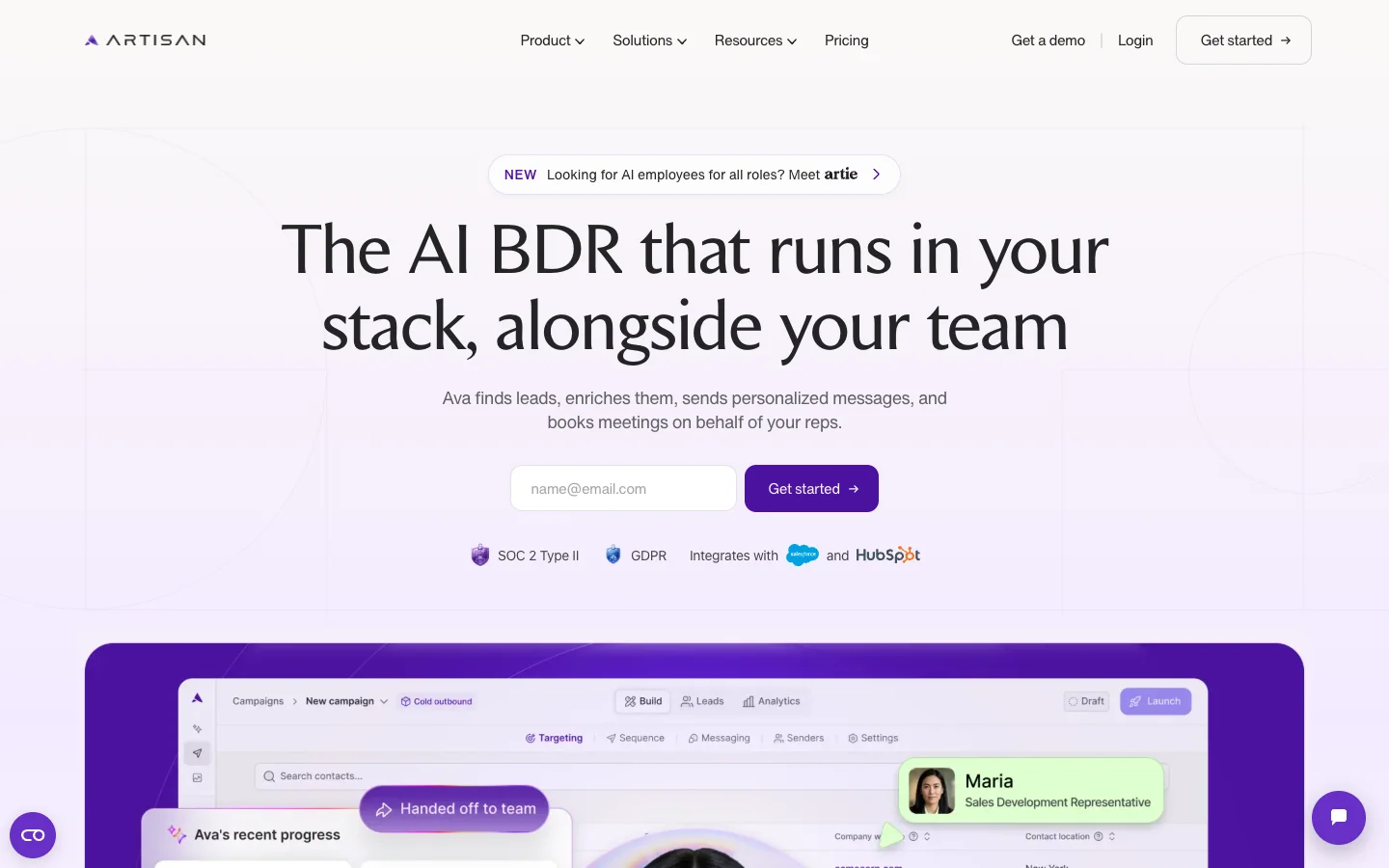 Artisan now says Ava works alongside your team, a step back from its Stop Hiring Humans billboards.
The "AI coworker" and "AI teammate" camp starts from the opposite angle: the tools your team already has open all day. Slack pitches Slackbot as "your AI teammate for the whole team in Slack." Linear for Agents greets you with "Artificial colleagues. Natural collaboration. Build and deploy AI agents that work alongside you as teammates." Asana ships "AI Teammates" that are "Prebuilt AI agents that work alongside your team inside real workflows," while Dash calls itself an "AI Coworker for Slack."
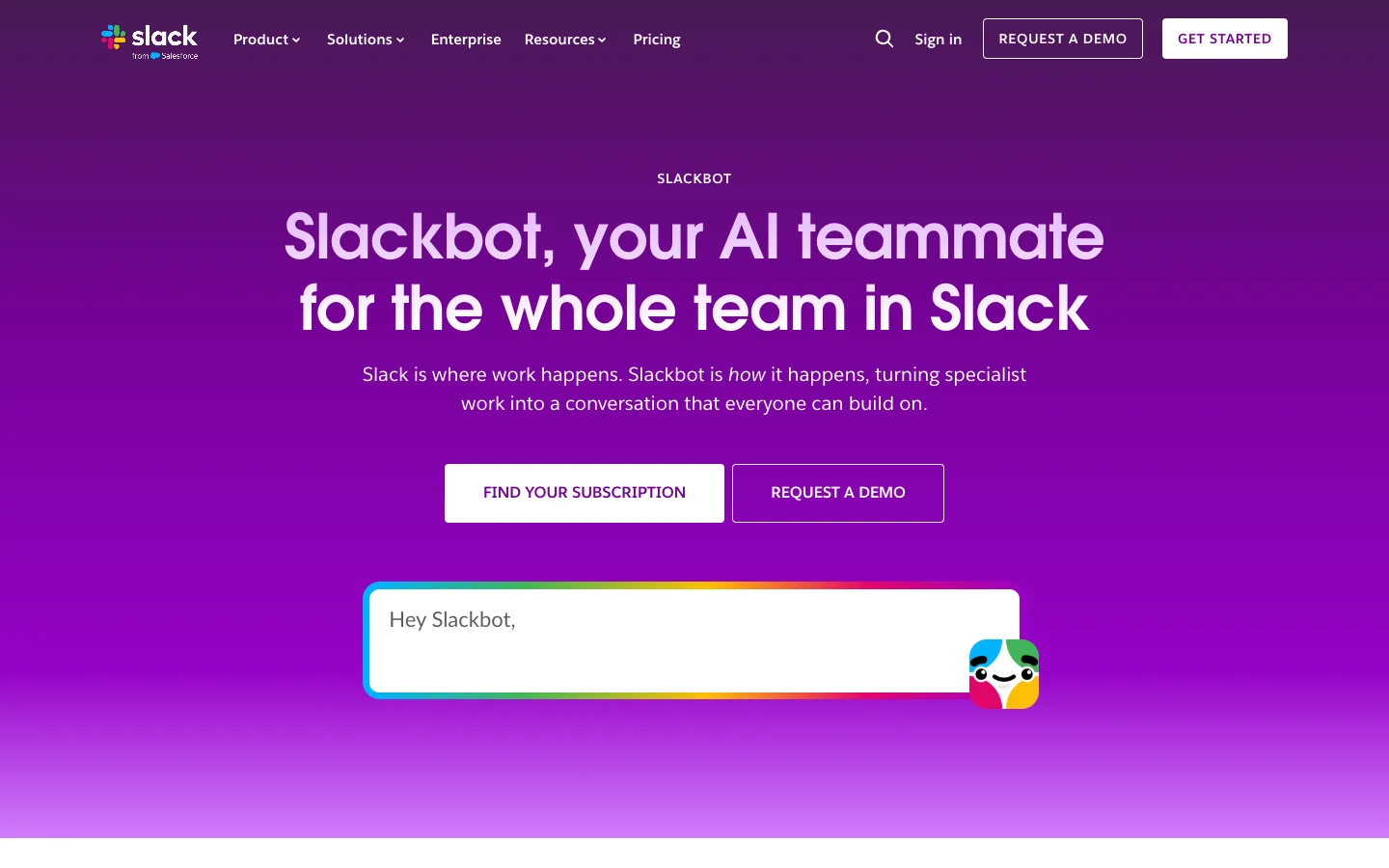 Slack's Slackbot feature page pitches a teammate for the whole team, working with each person's own access.
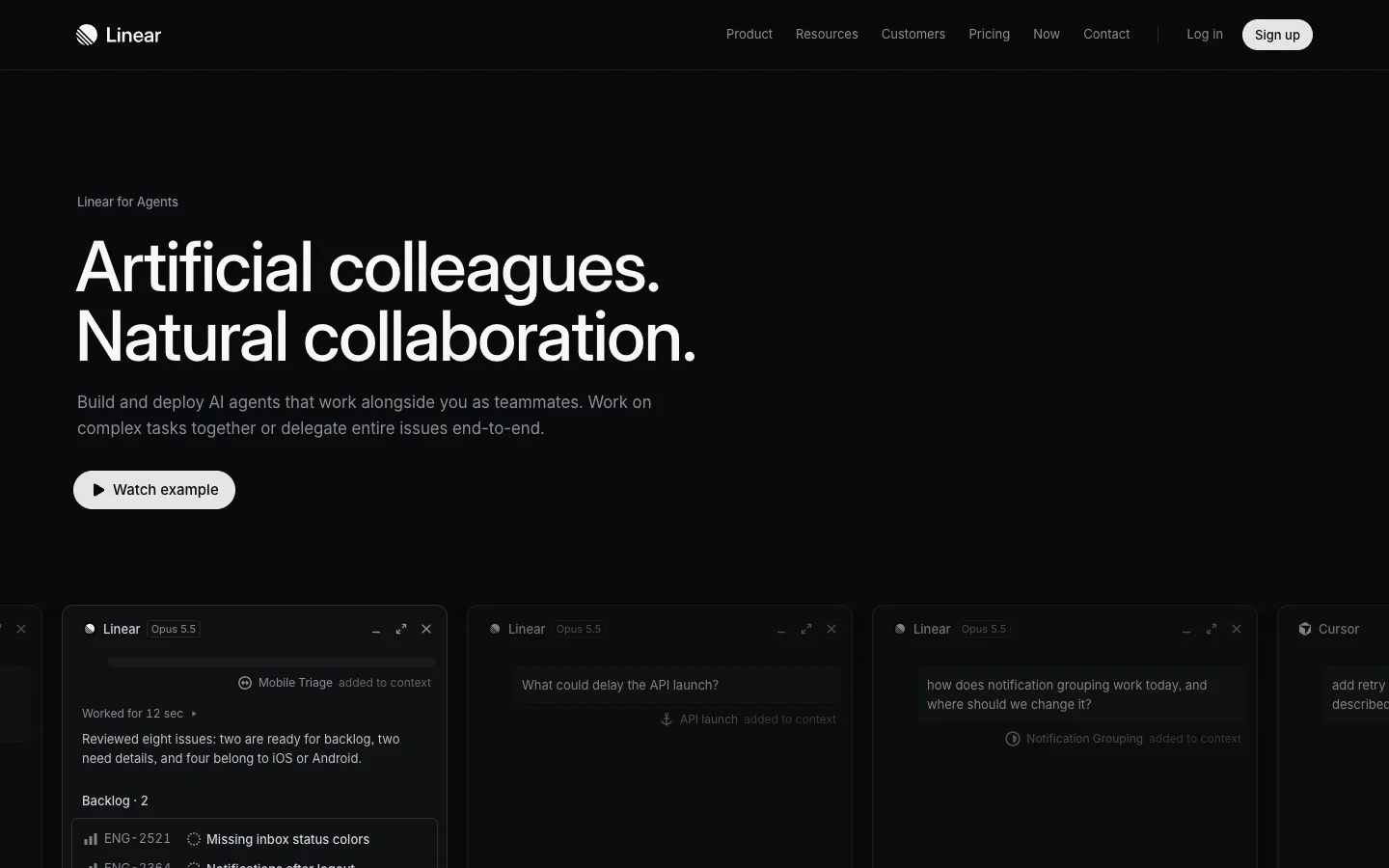 Linear calls agents colleagues, and keeps a human as the assignee on every issue they work.
The two labels bleed into each other constantly because vendors want both kinds of search traffic. Lindy calls itself an AI employee on its homepage and publishes guides about AI coworkers. Rerun splits the difference right in its headline: "Hire AI Coworkers." And in Microsoft's 2025 Work Trend Index, where 82% of leaders said they were confident they would use digital labor to expand workforce capacity in the next 12 to 18 months, Microsoft noted that agents join teams as "digital colleagues." Because vendors swap the nouns at will, you have to look at how the software actually behaves.
How each label works in practice
When you strip away the homepage slogans, the real split between an employee tool and a coworker tool shows up in three product defaults. For a deeper look at the architecture behind these choices, read the breakdown of what "agents as coworkers" actually means.
Who hands it work
Under the employee label, the person who buys or sets up the tool defines a whole role or an ongoing goal once. Lindy defines the category directly on its site: "An AI employee is AI you hand whole jobs to, the way you would a new hire." You connect an inbox or a CRM, set the instructions for how to chase invoices or qualify leads, and let the agent run in the background.
Under the coworker label, anyone on the team hands the agent one task at a time right inside a conversation or ticket. In Linear's agent documentation, "any user with access to the selected teams can interact with the agent." In GitHub's Copilot documentation, "Only users with write access to the repository can trigger Copilot cloud agent to work," and it picks up "a task from an issue or a pull request comment." Slack notes that Slackbot works across the workspace while "always respecting the permissions that are already in place." The work is scoped to a single thread or issue, and whoever is in that thread can see it happen.
Who reviews the work
Employee tools often treat human review as an optional setting or something the AI triggers when it feels stuck. Lindy notes that "actions that write or send can wait for your approval." Marblism promises that its agents "check in only if they need your input or approval." Viktor is a notable exception in the employee camp and deserves credit for how clearly it draws the line: "Viktor does the work. You keep the sign-off. Nothing runs until someone on your team reads it and approves. That pause is deliberate." (If you are evaluating Viktor's model specifically, see the guide to the best Viktor alternatives.)
Coworker tools build the checkpoint straight into the team's daily workflow. GitHub states that "Draft pull requests created by Copilot cloud agent must be reviewed and merged by a human," and it even "Prevents the user who asked Copilot cloud agent to create a pull request from approving it." Dash "asks before it sends, posts, writes, or spends." Rerun explains its workflow in two short sentences: "It stops and asks first. Anyone on the team can say yes."
Who answers when it's wrong
When an agent sends a weird email to a prospect or breaks a staging build, somebody at your company has to explain what happened. In Linear's developer docs, "humans maintain ownership while agents act on their behalf": the human stays the issue assignee while the agent is recorded as the delegate. GitHub credits commits to Copilot "with the developer who assigned the issue or requested the change to the pull request marked as the co-author." Microsoft's Work Trend Index predicts "the rise of the agent boss: someone who builds, delegates to, and manages agents."
By contrast, Viktor's product page details its approval steps and integrations, yet does not say who is responsible for the output once it ships. That silence doesn't move the risk off your plate. According to a Wharton and GBK Collective study reported in October 2026, when a serious AI error happens at work, leaders split the blame roughly evenly between the employee who deployed the agent, their manager, and the risk team, at about a quarter each. "Roughly 10% blamed the vendor." Whatever noun is on the marketing page, a person on your team answers for the result. The only difference is whether the software puts their name on the record up front.
AI employee vs AI coworker at a glance
Read the review row first, because it's where the two models really split.
| AI employee promises | AI coworker promises | What to check in the product | |
|---|---|---|---|
| Who hands it work | Whoever bought it sets a role or goal once | Anyone on the team, one task at a time | Can two people steer the same task? |
| Unit of work | A job ("hand whole jobs to it") | A task in a thread, issue or pull request | Does each task have its own visible record? |
| Where you watch it | Its own computer, inbox or dashboard | The thread or issue where the task started | Can teammates see progress without logging into a new app? |
| Who reviews before it acts | Optional, often when the AI decides to ask | Built into the workflow (pull request review, approval before sends) | Which actions run without a human, and who set that list? |
| Whose name is on the result | The AI's | A named person on your team | Who is the assignee, co-author or sender? |
| What the price is compared against | A salary | A software seat or workspace plan | What does a busy month cost when everyone uses it? |
| What success is measured in | Hires avoided | Work shipped and time saved by the team | What number does the vendor's case study report? |
Vendor pages read on November 12, 2026.
When the employee model is the right fit
An AI employee makes a lot of sense when you have a function that nobody on the team owns today. If you're a solo founder or a fifteen-person shop with no sales development rep and no operations coordinator, handing a well-defined bucket of work to an autonomous tool is often the only way that work gets done at all. It fits best when the tasks are high volume, repetitive, and easy to undo: researching new leads, triaging a shared inbox, compiling a weekly metrics digest, or nudging overdue invoices.
When a tool is priced against a human salary, the math on avoided headcount can look great for routine ops work. In Viktor's Hampton case study, for instance, the company highlights "$440K in budgeted compensation that Hampton hasn't added to payroll" by using Viktor across roles it didn't have to fill.
What you have to watch out for is the hidden manager. Hiring an AI employee still means somebody on your team becomes its manager, they just don't get a 1:1 calendar invite for it. Somebody has to write the initial instructions, audit the sent folder every Friday, and step in when a customer asks a question that falls outside the script.
Klarna's customer service arc is the classic cautionary tale for handing over a whole department too fast. In February 2024, Klarna announced that its AI assistant was doing "the work of 700 customer service agents." By May 2025, Klarna's CEO reversed course, promising that "there will always be a human if you want" and concluding that "investing in the quality of human support is the way of the future for us." Gartner warned via Reuters in June 2025 that "More than 40% of agentic artificial intelligence projects will be canceled by the end of 2027" and noted widespread "agent washing" by vendors.
When the coworker model is the right fit
The coworker model is the safer bet when the work is already shared across Slack channels, Linear issues, and GitHub pull requests, and when mistakes are expensive. If an agent is touching production code, replying to paying customers, or changing records your finance team relies on, you want multiple people able to steer it in the open and an existing owner signing off on every change.
Merlin is built around this coworker model for teams that already run Claude Code or Codex. Instead of spinning up a separate cloud employee, teammates @mention Merlin in a Slack thread, delegate a Linear issue to it, or tag it on a GitHub issue or pull request (how Merlin works). The task runs on a teammate's machine using their existing setup and returns the result right where the conversation started.
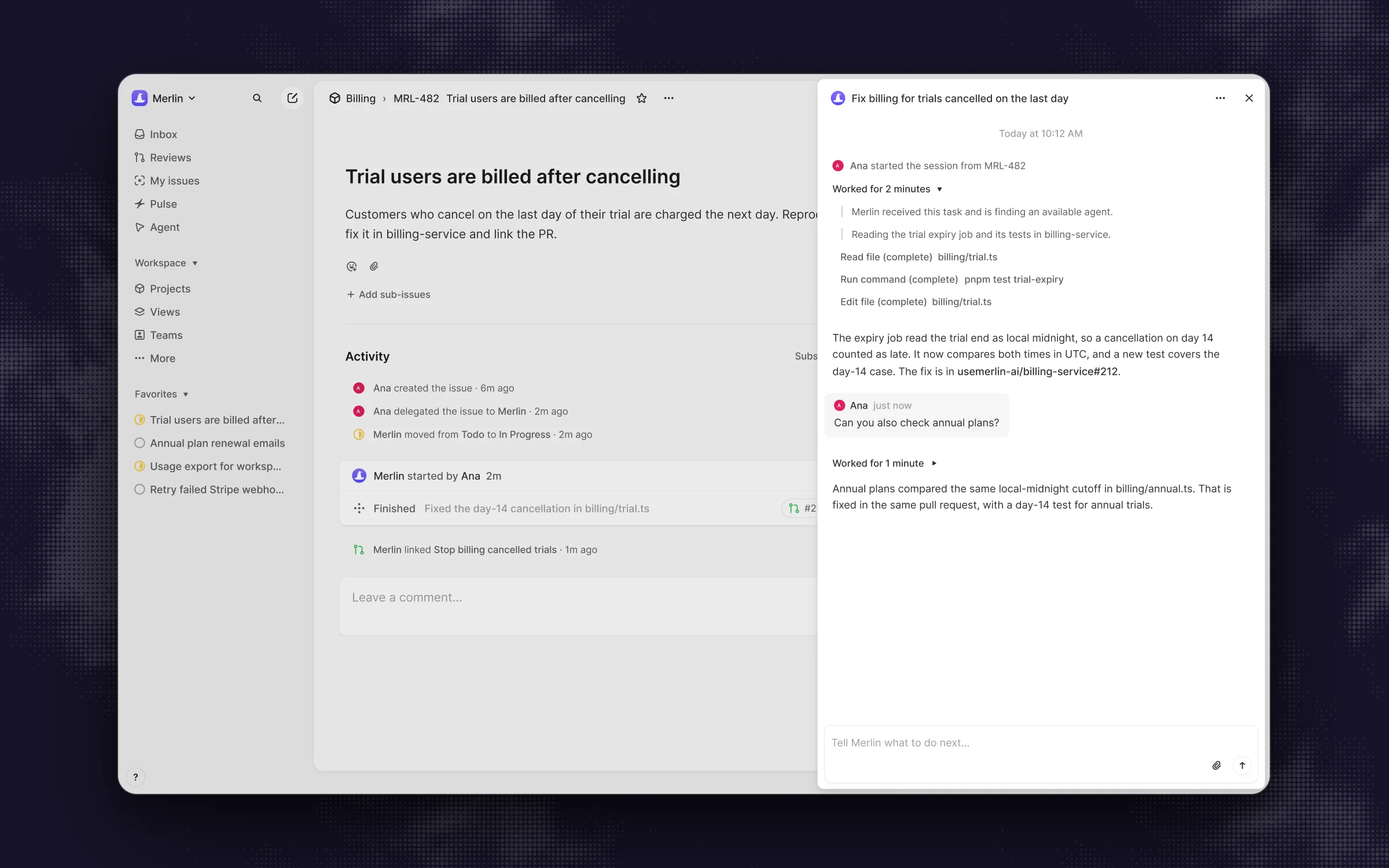 In Merlin's Linear session, the person who delegated stays on the issue and steers it with a follow-up.
Because the work happens in the open, anyone in the Slack thread can reply to steer an active run, and any member of the Merlin workspace can click the stop control to end a task (Slack docs). In Linear, follow-up comments in the agent session steer the work and the session's stop control cancels it (Linear docs), and on GitHub, any admitted participant can steer with a follow-up comment while pull requests are prepared using the device owner's own Git credentials (GitHub docs). The closest Merlin gets to an "employee mode" is its scheduled automations, which run recurring jobs on the runtime owned by the person who created them. Pricing is a flat workspace plan starting at $9 a month for Starter, $59 for Team, and $99 for Scale, while model usage stays on each machine owner's existing Claude or ChatGPT subscription (pricing).
The trade-offs of Merlin's approach are worth checking before you start. It requires teammates who already run Claude Code or Codex (prerequisites), and tasks only run while an eligible machine is online. New runtimes start private, and when an owner chooses to make a runtime public so teammates can share it, Merlin does not prompt the device owner with an approve button on every single command (security). The human checkpoints are the live thread, the stop button, and the pull request review before any code is merged.
Five questions to ask any vendor
Before you connect an agent to your workspace, ask the vendor these five questions. The answers will tell you far more than whether they call the bot an employee or a coworker.
- Who can hand it work, and can a second person steer a task that's already running? A good answer shows how a PM and an engineer can look at the same running session in a thread or ticket and add context mid-flight, without logging into someone else's private dashboard.
- What does it do without asking, who decides that list, and can the person who asked approve their own request? Look for clear boundaries between read-only research and actions that write, send, or deploy. For high-stakes changes like code merges, the best setups require a second human to approve the output.
- Whose name is on the result? When a commit lands, an issue closes, or an email goes out, you want a named person on your team recorded as the assignee, co-author, or sender.
- When it gets something wrong, how do you stop it, undo it, and who finds out? Check whether any teammate in the channel can hit stop, or if you have to track down the one admin who set up the workflow six months ago.
- What is the price compared against, and what happens to the bill when the whole team uses it? Vendors pitching an AI employee compare their price to a salary and often bill in usage credits. Vendors pitching software charge per seat or per workspace. Ask what a busy month costs when twenty people start tagging it daily.
Three things most AI employee pages skip
- The labels are converging in practice. Artisan retired its "Stop hiring humans" billboards and now says customers bring Ava in "as a teammate." Viktor, the loudest "Not a tool. A hire." pitch on the market, added a sign-off step before irreversible actions like emailing customers. And 11x, another prominent AI SDR vendor, now leads its homepage with a reassuring promise: "Reps own every deal."
- An AI employee still needs a manager. Even if an agent runs on a schedule in the background, someone on your payroll has to define its goals, review its edge cases, and fix its mistakes. Budget their hours into the cost of the tool.
- "AI coworker" can be a costume too. It takes five minutes for a vendor to change "chatbot" to "coworker" on a landing page. If a tool lives in a private browser tab where nobody else can see the prompt or steer the run, it's still a solo tool. The guide to what an AI coworker is breaks down the five traits that separate a real team agent from a renamed chat box.
FAQ
An AI employee is an autonomous AI agent designed to take over an entire role or ongoing business function, such as outbound sales prospecting, inbox triage, or invoice chasing. As Lindy describes it, "An AI employee is AI you hand whole jobs to, the way you would a new hire." You configure its goals and connected apps once, and it works through tasks on its own.
An AI employee is given a broad role by whoever set it up and runs autonomously in the background, often checking in only when it needs input. An AI coworker works inside shared tools like Slack, Linear, and GitHub, where anyone on the team can hand it one task at a time, steer it in the open, and review the output before it ships. The two labels describe who manages the work and where the human checkpoint lives.
It can take over repetitive, well-scoped workflows so a company can avoid hiring for a role it doesn't have yet, as shown in Viktor's Hampton case study. However, Klarna reversed course in 2025 when its CEO said "there will always be a human if you want," and Artisan retired its "Stop hiring humans" campaign after seeing that customers bring its AI in as a teammate alongside human reps.
Vendors usually price AI employees in usage credits while comparing the cost to a human salary: Lindy starts you with "$50 in free credits," and Viktor's pricing page promises "an analyst, an ops lead, and an engineer. For the price of lunch." When you calculate the total cost for your team, include both the monthly credit burn and the hours a person on your staff will spend managing and reviewing its output.
Someone at your company is. In an October 2026 Wharton and GBK Collective study, leaders split the blame for a serious AI failure roughly evenly across the employee who deployed the agent, their manager, and the risk team, while "Roughly 10% blamed the vendor." That is why coworker tools like Linear and GitHub keep a named human on every issue and commit.
An AI agent is the underlying technology: software that uses a language model and connected tools to plan and carry out multi-step tasks. "AI coworker" describes how a team works with that agent, meaning it lives in shared channels and tickets, takes tasks from anyone on the team, and keeps a human owner on the final result.
If nobody on your team owns the function today and mistakes are cheap to fix, an AI employee is a fine hire, as long as someone on your staff signs up to manage it. When the work is already shared across your team and mistakes are expensive, pick an AI coworker and check that a named human stays on every result.
Try Merlin for free
Hand work to Claude Code and Codex from Slack, Linear and GitHub. Free for 14 days, no API keys, no card required.
Get started for free