

Best Claude Tag Alternatives in 2026
 Dott
Your team turned on Claude Tag in Slack, tagged @Claude into a channel, and watched it trace a bug or summarize a sprawling decision thread. For that one move, asking Claude for help inside the channel you're already reading, it's genuinely good. Then someone asks it to pick up a Linear ticket, run on an OpenAI model, or use the local MCP server an engineer already has working on their laptop, and the conversation stops.
Each of those dead ends comes from the same architectural choice: one Anthropic-hosted cloud sandbox per thread, configured per channel scope. Which wall your team bumped into decides whether you need a different way to run coding agents, a multi-model coworker in the cloud, or something smaller that's already in your Slack plan.
If you're just here for a quick recommendation, here's the summary.
The short answer
- Your engineers already run Claude Code or Codex and you want that exact setup in Slack, Linear and GitHub: Merlin.
- You want a managed "AI employee" across 9,800+ tools and Microsoft Teams without running a thing yourself: Viktor.
- Your Slack requests are really engineering tickets that should end in pull requests, with Linear built in: Devin.
- Your engineers live in Cursor and want
@Cursorin Slack with a model picked per request: Cursor. - Your company standardized on OpenAI and wants the same
@mentionhabit on GPT models: ChatGPT in Slack. - You want several specialized agents grounded in company knowledge across 20+ models: Dust.
- You want a named bot per team (
@RevOps,@Support) across Slack, Teams and Discord: Runbear. - You want zero new vendors and mostly need personal answers from your own Slack: Slackbot.
The 8 Claude Tag alternatives at a glance
"Gets past which Claude Tag wall" is the column I'd read first, because a tool that fixes the model limit can still leave you stuck inside Slack.
| Agent | Best for | Models | Where it runs | Gets past which Claude Tag wall |
|---|---|---|---|---|
| Merlin | Teams whose engineers run Claude Code or Codex | Whatever their Claude Code and Codex offer (Anthropic and OpenAI), effort per task | Teammates' own machines | Tool, model, context |
| Viktor | A managed AI employee across many tools | Several presets incl. Claude and Grok, default model per channel | Viktor's cloud (AWS us-east-1) | Model, tool (Teams + 9,800+ tools) |
| Devin | Tickets that end in PRs | Devin's own modes (Lite, Normal, Ultra, Fusion, SWE-2) | Cognition's cloud, commands on your machines with Outposts | Tool (Linear), partly context |
| Cursor | Cursor-first engineering teams | Curated models picked per request (model=opus) | Cursor's cloud VMs or self-hosted machines | Model, tool |
| ChatGPT in Slack | OpenAI-standardized teams | GPT models | OpenAI's cloud (Codex Cloud environment) | Model |
| Dust | Knowledge agents on company data | 20+ models from several providers | Dust's cloud, US or EU | Model, channel (many agents) |
| Runbear | Named agents per team | Claude, GPT or Gemini per agent | Runbear's cloud | Model, tool (Teams, Discord) |
| Slackbot | No new vendor | Chosen by Slack | Slack's cloud | None, it's a lighter tool |
Prices in the sections below are the list prices seen on November 10, 2026.
Where Claude Tag stops
Claude Tag is Anthropic's Slack teammate, launched in public beta on June 23, 2026 as the replacement for the older Claude in Slack app. It's available on Claude Team and Enterprise plans, and adding it to Slack doesn't add a per-seat charge (pricing, spend limits). Anyone in a channel can tag @Claude to reproduce a bug and open a pull request, turn a thread into a doc, or check the state of a project. Each thread gets its own ephemeral sandbox, channels get a default model and scheduled routines, and it can search public channels by keyword.
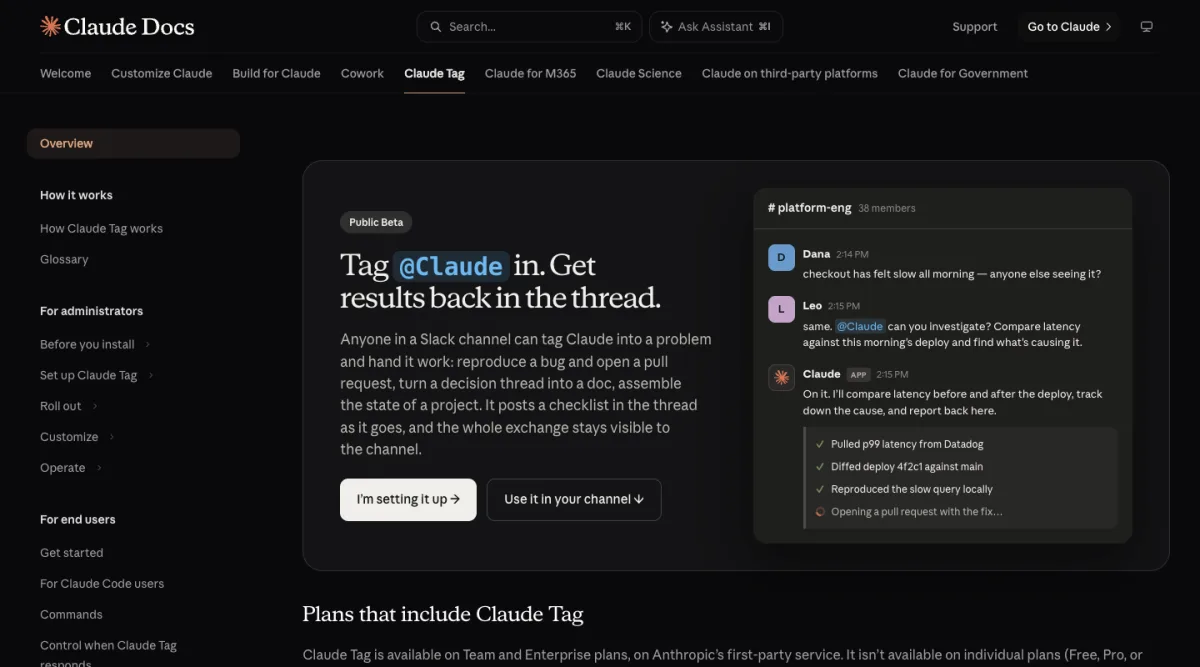 Claude Tag is built around one move: tag Claude into a channel thread and get the result back there.
The deeper comparison of Claude Tag and Merlin walks through every setting, and the short version is that teams go looking for an alternative when they hit one of four walls in Anthropic's documentation:
- The channel wall. Permissions, connectors and memory are configured per channel and workspace scope, up to 50 channel rules per scope (customize, scopes). A private channel Claude is in stays unreadable from any other channel or DM, it can only keyword-search public channels it hasn't joined (getting started), and it can't post into a Slack Connect channel from anywhere. There's no organization-wide memory (memory), and the app can't be renamed (access).
- The tool wall. Claude Tag works in Slack, with Microsoft Teams still on a waitlist (product page). In my judgement, Linear and GitHub are connectors it reaches out to for filing tickets or opening PRs (proactivity), while Slack remains the only place you can actually call it. Routines run at most once an hour. Because sessions run in Anthropic's cloud sandbox, a repository's
.mcp.jsonis never loaded and local stdio MCP servers can't be connected at all (for Claude Code users, custom connections). - The model wall. Anthropic manages the list: Opus and Sonnet models, with a per-thread switcher and a fast mode on Opus (models). Effort level is marked "Not configurable" and stays at the model's default, and there's no way to run OpenAI, Gemini or open-weight models.
- The context wall. Every session starts in an ephemeral sandbox on Anthropic's side. It reads
CLAUDE.mdand.claude/skills, while your engineer's~/.claude, repository hooks, local services and unpushed branches stay on their laptop. Self-hosted runners exist, though Claude can't use admin-added connectors in those sessions (security and data).
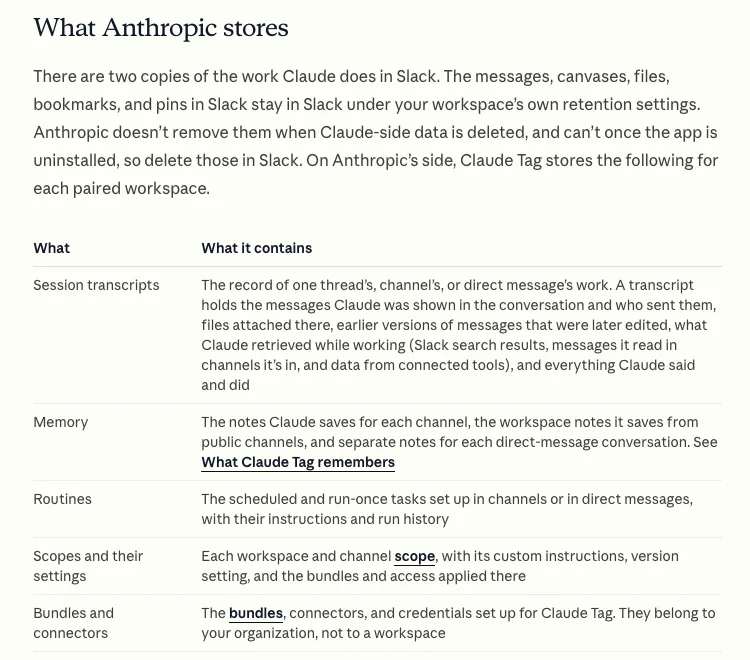 Transcripts, memory, routines and connectors all live on Anthropic's side, and during the beta they aren't in your data exports.
With those limits in mind, the five criteria that separate the eight tools below are:
- Model choice: whether you're locked to one vendor or can pick models and reasoning effort per task.
- Where the work runs: a vendor's cloud sandbox or the machines your engineers already have working.
- How you pay: an organization usage balance (which a Claude Team plan has to fund before anything runs in a channel), vendor credits, per-seat fees, or your existing Claude and ChatGPT subscriptions.
- Linear and GitHub: whether you can trigger the agent directly from an issue or pull request.
- Memory and data: how knowledge is shared across channels, and whether transcripts show up in your compliance exports (data lifecycle).
The 8 best Claude Tag alternatives in 2026
1. Merlin
Best when your engineers already run Claude Code or Codex and you want the team to use that setup from Slack, Linear and GitHub.
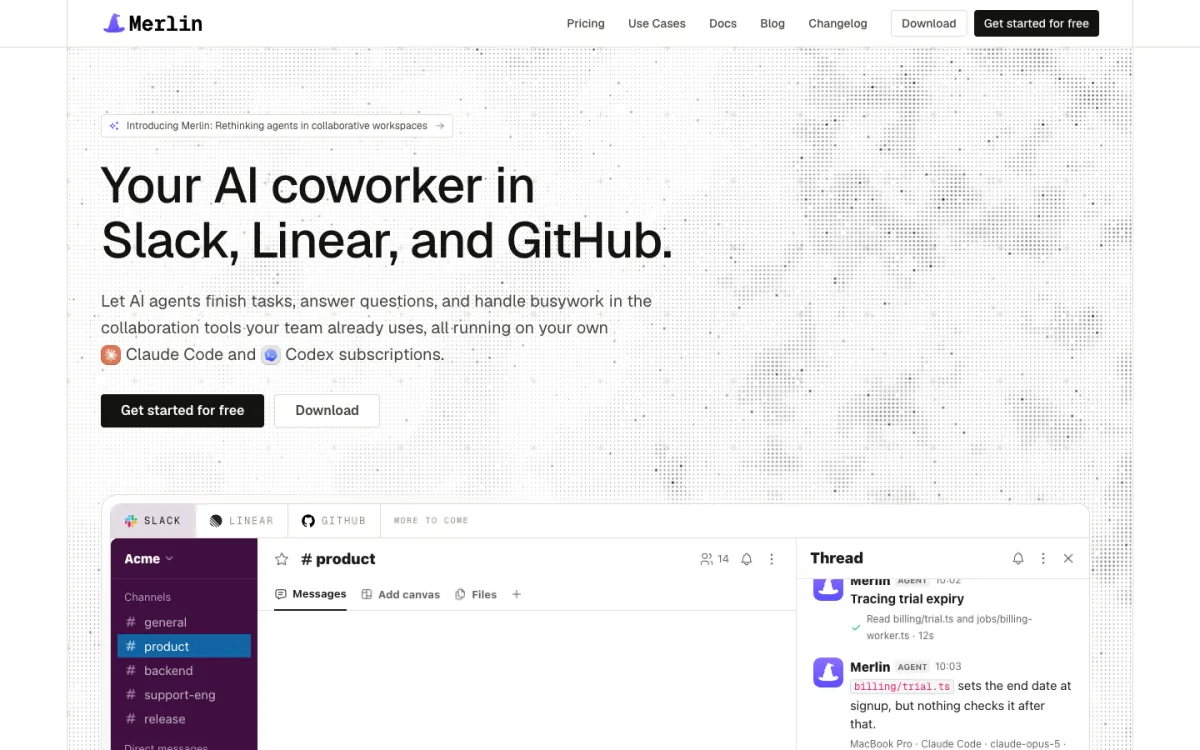 Merlin brings the Claude Code and Codex your engineers already run into Slack, Linear and GitHub.
Merlin is built for teams whose engineers already have Claude Code or Codex dialed in on their own machines, complete with local repositories, credentials, ~/.claude/skills and local MCP servers. Instead of spinning up a fresh cloud box that lacks all of that context, Merlin connects the desktop app (macOS, Windows) or CLI daemon (Linux) on a teammate's machine to the tools the rest of the company uses (prerequisites). Anyone can @mention Merlin in Slack, delegate a Linear issue to it, or mention it on a GitHub issue or pull request. The task runs on that teammate's machine and the answer or pull request comes back to the thread.
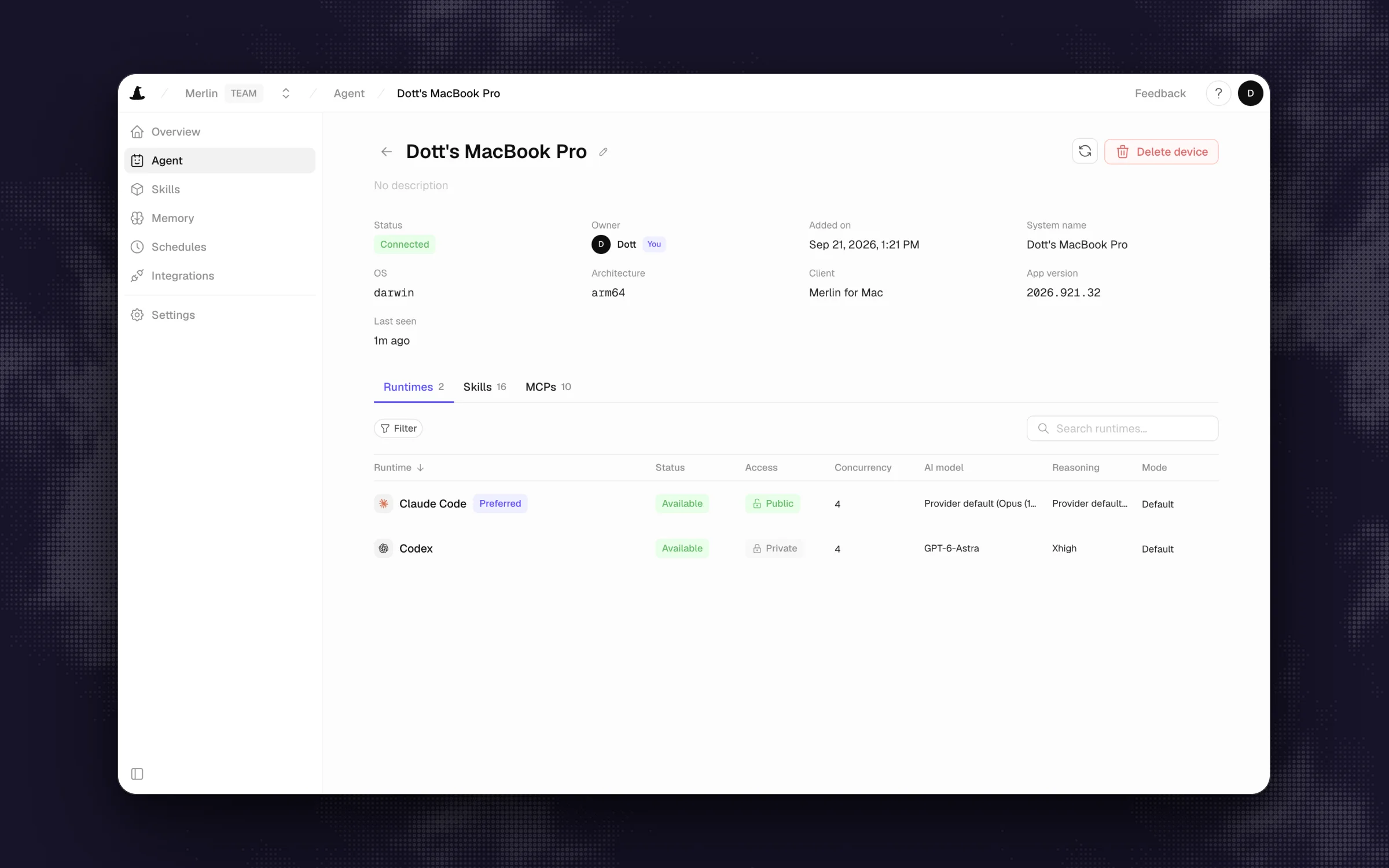 One teammate's machine can offer both Claude Code and Codex, each with its own model and reasoning effort.
What stands out
- Removes the model, tool and context walls in one move: a single machine can offer both Claude Code and Codex, the runtime owner picks the model, reasoning effort and mode, and anyone in a Slack thread can ask to switch runtime or effort for one turn or the whole thread (devices and runtimes).
- Works where engineering work actually starts: Slack threads and DMs (with Mention only, Thread follow-ups or Proactive modes per channel), Linear issues, GitHub issues and PRs, plus scheduled and event-driven automations.
- Channel memory is stored as plain Markdown files indexed by
MEMORY.mdthat members can browse and admins can edit in the web app, and Merlin hosts no model, so usage stays on each machine owner's own Claude or ChatGPT plan.
Worth knowing
- Not for you yet if nobody on your team runs Claude Code or Codex, or if you need Microsoft Teams. It supports only those two coding agents (no Gemini or open-weight models).
- A machine with a runtime has to be online for the team to use it, and Merlin doesn't add an OS sandbox, so sharing a runtime means trusting teammates with what that user account can reach.
Pricing: Starter at $9 per workspace per month (up to 3 active users, 1,000 requests), Team at $59 (up to 50 users, 5,000 requests), Scale at $99 (up to 200 users, unlimited requests), with a 14-day Team trial and no card required (pricing, seen November 10, 2026). Each machine owner's model usage stays on their own Anthropic or OpenAI subscription.
2. Viktor
Best managed "AI employee" if you want more tools, multiple models and Microsoft Teams without running anything yourself.
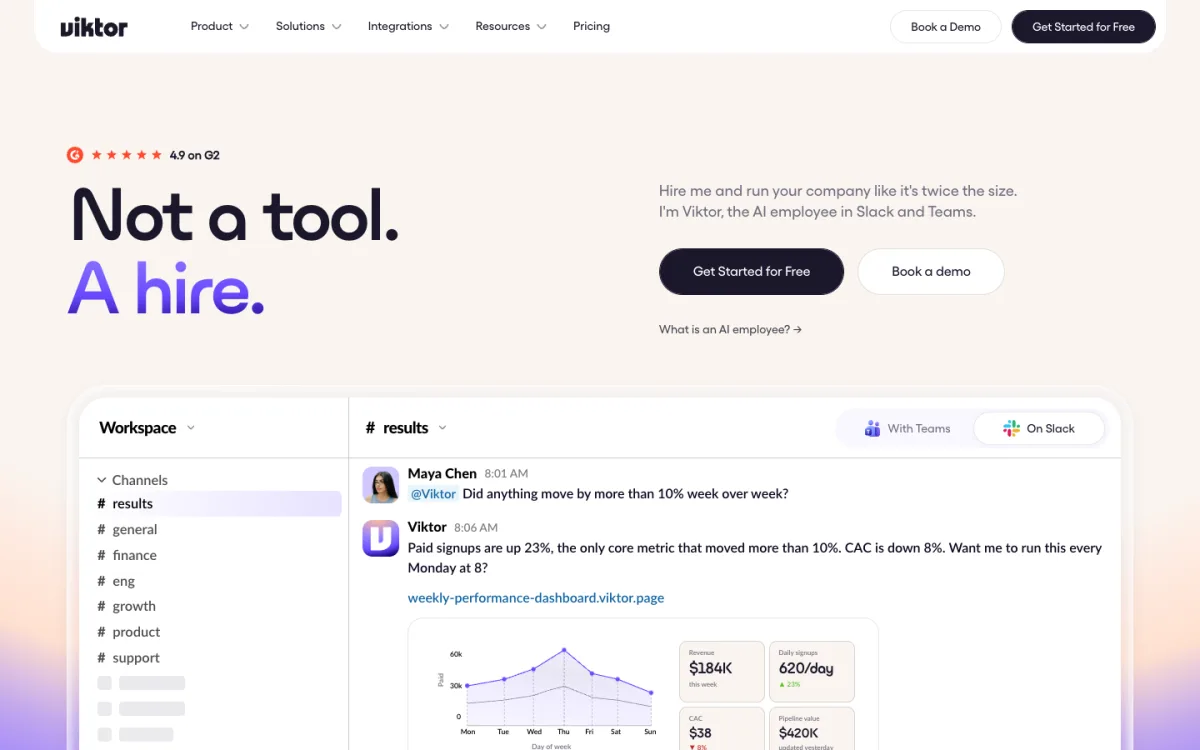 Viktor sells itself as an AI employee that works from its own cloud computer.
Viktor pitches itself as an AI hire with its own cloud computer where it writes and runs code, builds dashboards, files tickets and opens GitHub pull requests. It lives in both Slack and Microsoft Teams, connects to 9,800+ tools (27 of them native, including GitHub and Linear), and runs in an isolated workspace sandbox on AWS us-east-1, with EU residency available on Enterprise (security). If you're weighing it against other general coworkers, the Viktor alternatives roundup goes deeper on that lane.
What stands out
- Multi-model in the cloud: its model picker includes several presets (including Claude and Grok 4.7), and a November 9, 2026 update lets admins set a default model per Slack or Teams channel, such as Cheap for a busy support channel or Ultra for deep research.
- Memory is shared across the team by default, with Enterprise controls to turn it off per workspace or channel, and Viktor asks for confirmation before high-stakes actions.
- Per-channel credit tracking landed in October 2026, which takes some of the guesswork out of workspace billing.
Worth knowing
- It still runs in Viktor's cloud sandbox, so it won't see an engineer's local laptop setup or unpushed branches.
- It is SOC 2 Type 1 compliant with Type 2 and ISO 27001 in progress, which may matter if your security team requires a completed Type 2 report today.
Pricing: free start with up to $100 in credits, then workspace-based Team plans from $50 per month for 20,000 credits ($100 for 40,000), with unused credits rolling over for one month (seen November 10, 2026).
3. Devin
Best when the Slack requests are mostly engineering tickets that should end in pull requests, with Linear built in.
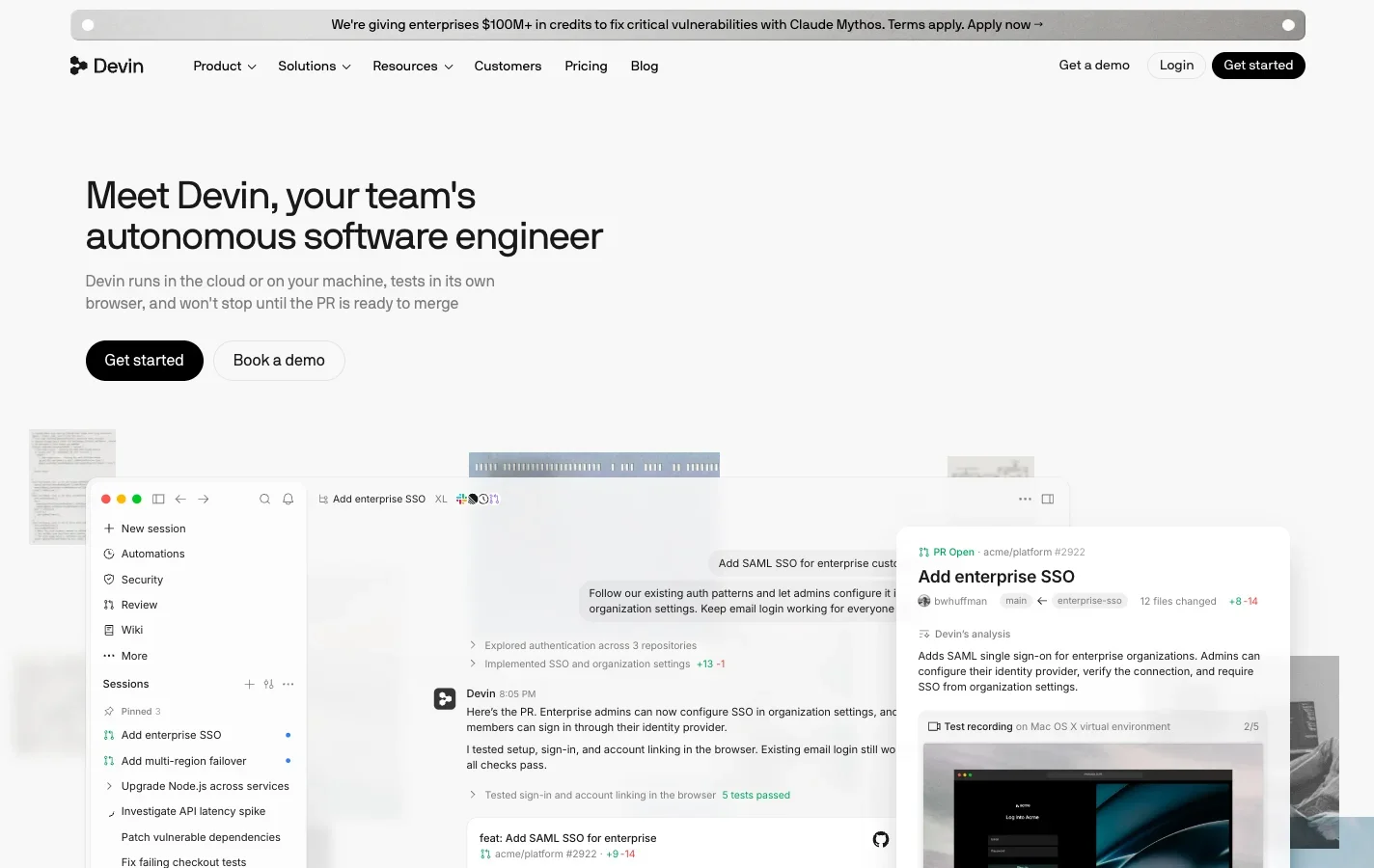 Devin turns Slack and Linear requests into sessions that end in pull requests.
Devin is Cognition's autonomous software engineer. In Slack, anyone can tag @Devin in a channel or thread once they've linked their Devin account, or an admin can set up service-user Slack apps that watch specific channels (Slack docs, release notes). Outside Slack, you can assign a Linear ticket directly to Devin and let it work from the issue (Linear docs).
What stands out
- Built around shipping code: you pick from Devin's agent modes (Lite, Normal, Ultra, Fusion and Cognition's own SWE-2 model), and Slack admins and users can make "Code channel" the default for where Devin starts new sessions (first run).
- Outposts on Pro, Max and Teams let Devin run commands on your own machines while its planning and inference loop stays in Devin's cloud (Outposts), which gets halfway past the local context wall.
- You can link a ChatGPT plan to cover GPT model requests in sessions you own (ChatGPT billing).
Worth knowing
- Every Slack user has to link a Devin account once (unless you configure a service-user app), and sessions still consume Devin quota even when a linked ChatGPT plan covers the GPT tokens.
- It's an engineering tool through and through, so marketing or finance won't find much for their day-to-day work.
Pricing: Free at $0, Pro at $20 per month, Max at $200 per month, and Teams at $80 per month plus $40 per full dev seat for up to 200 users, with extra usage at API pricing (seen November 10, 2026).
4. Cursor
Best if your engineers already live in Cursor and want @Cursor in Slack to kick off cloud agents with a model per request.
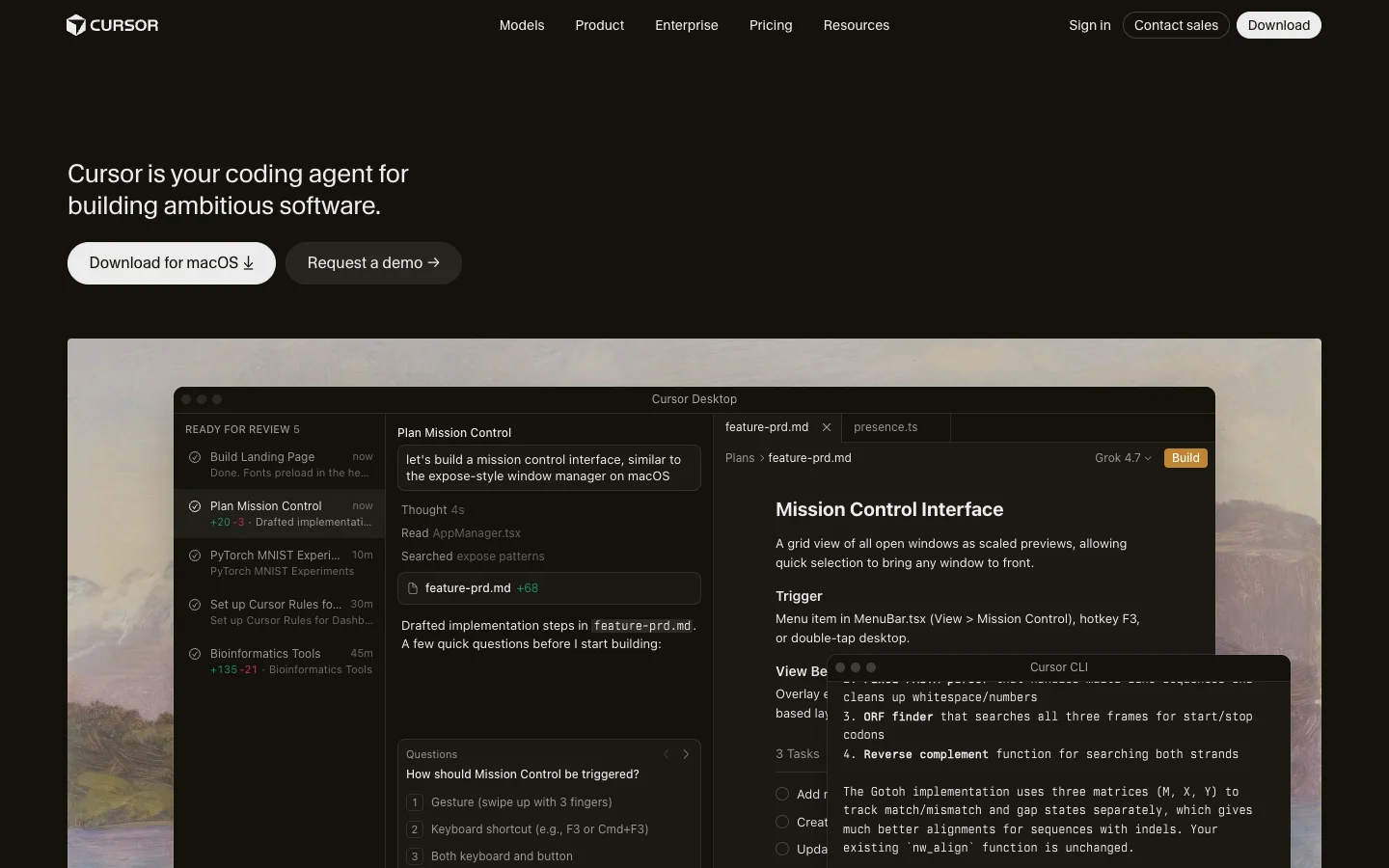 The homepage shows Cursor's editor. In Slack, @Cursor starts the same agents as Cloud Agents.
If your engineering team already writes code in Cursor, Cursor Cloud Agents bring that workflow into Slack. Tagging @Cursor in a channel, thread or DM spins up an agent in an isolated cloud VM (or on self-hosted Team Pools if you're on Enterprise) and posts the branch and PR back when it finishes (Slack integration).
What stands out
- Inline flags right in the Slack message: a prompt like
@Cursor env=Platform branch=dev model=opus autopr=false Fix the login bugpicks the environment, branch and model on the spot from Cursor's curated multi-vendor list. - Pull requests opened by Cloud Agents automatically close their linked Linear issue (release notes).
Worth knowing
- Channel settings and Slack automation triggers work for public channels only (automations).
- Self-hosted runners require an Enterprise plan, and third-party models (Claude, GPT, Gemini) bill at API list price on top of your subscription.
Pricing: Cloud Agents start on Premium at $30 per month (Free and Plus exclude them), followed by Super at $100, Ultra at $200, and Teams from $30 per user per month, plus API list prices for third-party model usage (seen November 10, 2026).
5. ChatGPT in Slack
Best for teams standardized on OpenAI who want the same "tag it in a channel" habit on GPT models.
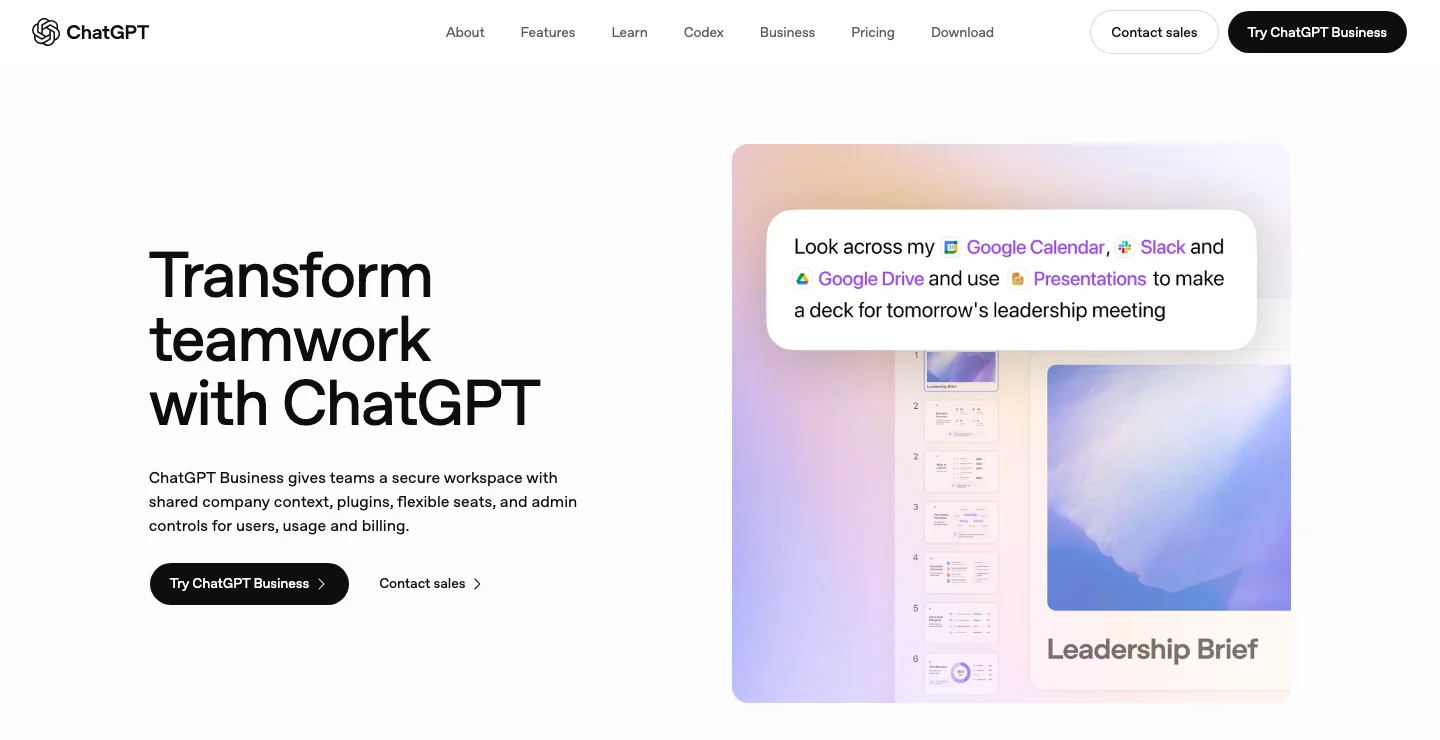 The ChatGPT Business page. In Slack, @ChatGPT can pass repository work to Codex Cloud.
For shops that already pay for OpenAI seats, ChatGPT in Slack is the direct mirror of Claude Tag on the other side of the model aisle. Teammates mention @ChatGPT in a channel, and for coding work it can hand repository tasks off to Codex Cloud and return the result to the thread. OpenAI is also rolling out Dots, cloud agents with their own computer and browser expanding to GPT-6.1 Terra, which turn on by default for Enterprise workspaces starting November 18, 2026 unless an admin opts out.
What stands out
- Gives you OpenAI's GPT models and Codex Cloud inside Slack threads without introducing a startup vendor to procurement.
- Included in standard ChatGPT plans starting from Plus and Business.
Worth knowing
- Handing repository work to Codex Cloud requires admin setup and an eligible workspace-shared environment with a published version, so it still runs in OpenAI's cloud rather than on a local machine.
- Like Claude Tag, it does not support Slack Connect channels, and an OpenAI API key plan by itself excludes the Slack integration.
Pricing: included from Plus at $20 per month and Business at $20 per user per month billed annually ($25 monthly), seen November 10, 2026.
6. Dust
Best for building several specialized agents on company knowledge with your choice of 20+ models.
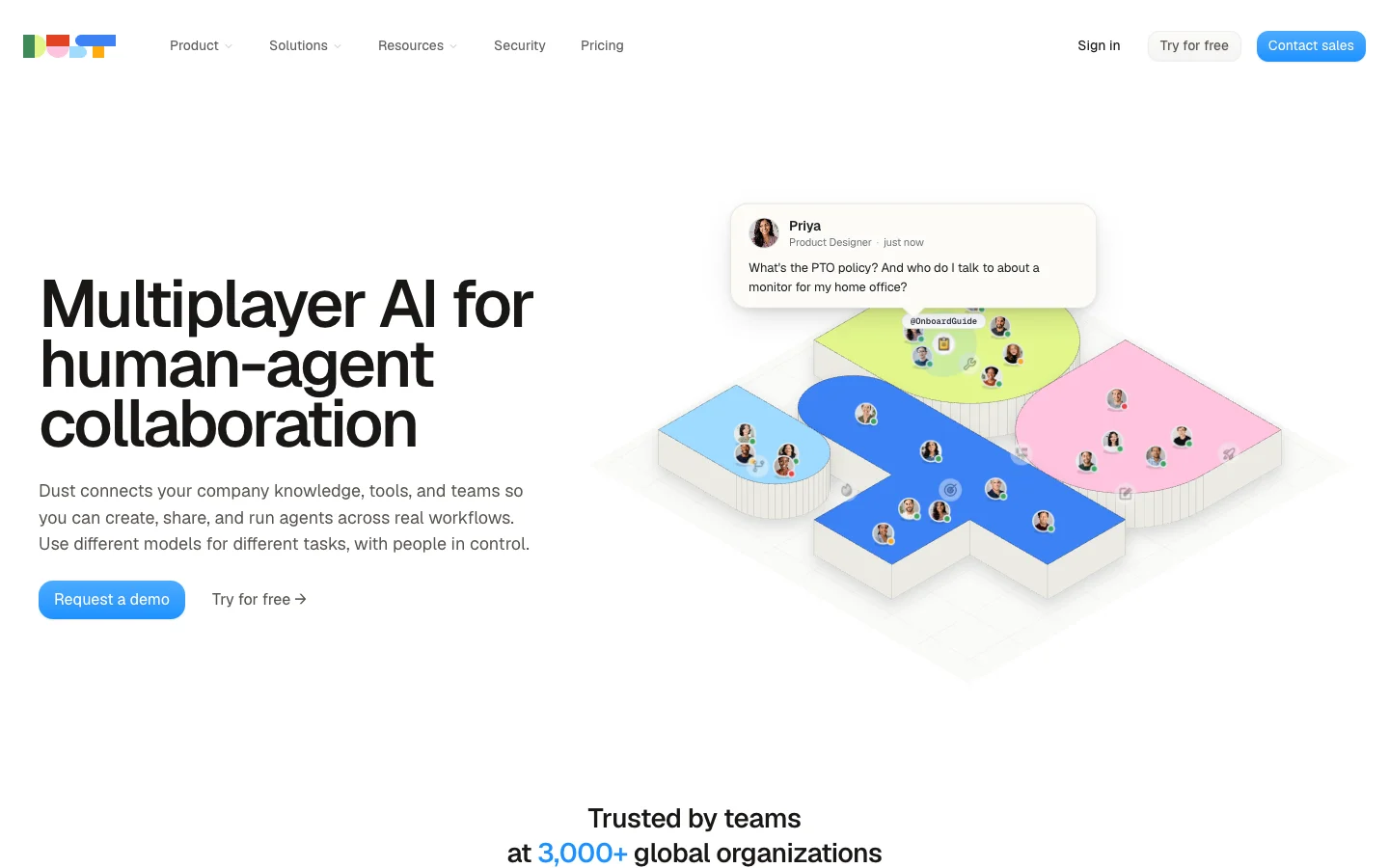 Dust is built for teams that want several specialized agents on shared company knowledge.
Where Claude Tag gives you a single @Claude across the whole workspace, Dust lets you build a fleet of specialized agents for support, sales, legal or engineering, grounded in 70+ company data connectors and backed by 20+ frontier and open-source models. In Slack, you call a specific agent with @Dust +AgentName, or let an agent auto-reply in a channel without a mention (Slack docs, changelog).
What stands out
- Solves the model wall and the single-persona problem at the same time: each agent can use a different model provider and its own set of company documents.
- SOC 2 Type II certified with a choice of US or EU data residency, and credit-priced plans added automations on November 6, 2026.
Worth knowing
- You can call only one agent per Slack message, and agent memories are private to each user rather than shared across a channel.
- It's built for company knowledge and workflows, not for running a local coding agent inside a git repository.
Pricing: a free tier with 500 lifetime credits, then Pro at €24 per seat per month billed yearly (€30 monthly) with 8,000 credits per seat, and Max at €120 yearly (€150 monthly), seen November 10, 2026.
7. Runbear
Best for named, per-team agents across Slack, Teams and Discord with 2,000+ tools and bring-your-own-key on Business.
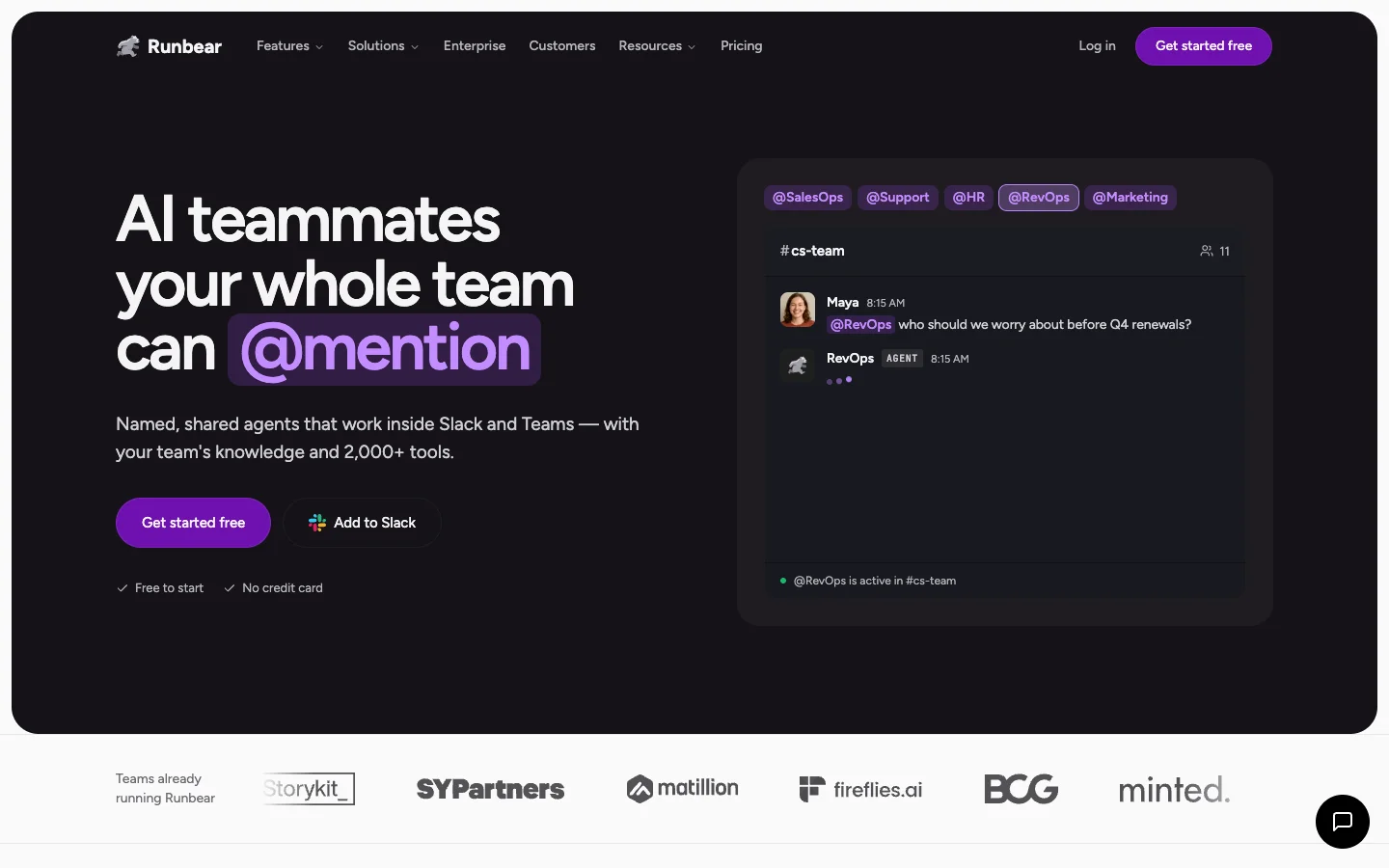 Runbear gives each team its own named agent, mentioned like a teammate.
Claude Tag's app name is locked to Claude. Runbear goes the opposite way: every agent can get its own custom Slack bot with its own name and avatar (@RevOps, @OnCall), and the same setup works across Slack, Microsoft Teams and Discord (Slack channels). Under the hood, each agent runs on your choice of Claude, GPT or Gemini models (runtimes) and connects to 2,000+ tools.
What stands out
- Flexible channel behavior: an agent can keep answering in a thread, reply to every message in an intake channel, run on a schedule, or send private replies.
- Each agent gets its own file system to run code and produce files like PDF reports, and a July 2026 update lets agents review feedback nightly and draft edits to their own instructions.
- SOC 2 Type II certified, with bring-your-own LLM API key on the Business tier.
Worth knowing
- Bring-your-own-key starts on the $399 per month Business plan, while the entry Team plan runs on Runbear credits.
- Code execution happens in Runbear's cloud file system for reports and scripts, so it isn't a drop-in replacement for a full repository coding agent.
Pricing: Team at $99 per month (20,000 credits, 5 builders) and Business at $399 per month (100,000 credits, 10 builders, bring your own LLM key), with 20% off on yearly billing (seen November 10, 2026).
8. Slackbot
Best if you want no new vendor and mostly need personal answers from your own Slack.
 Slackbot is already in Slack, and the full version comes with Business+ and Enterprise+.
Sometimes the right move after testing Claude Tag is realizing you don't need a coding agent in Slack at all. Slackbot is built into Slack, answers with the asker's own permissions (help article), and connects through MCP to tools like Jira, Figma and Salesforce. Late October 2026 brought Event-Triggered Tasks, a menu-bar Slackbot Mini and workflow steps (October feature drop). If it's a straight choice between the two, Claude Tag vs Slackbot covers who sees what.
What stands out
- Zero procurement or setup: it's already inside Slack and respects the channel access each user already has.
- Event-triggered tasks and workflow steps cover lightweight channel routines without funding a separate Anthropic usage balance.
Worth knowing
- You don't pick the model, and it doesn't clone repositories or open pull requests.
- Business+ caps you at 15 Slackbot messages per member per week and 15 automatic task runs per day, while the Free and Pro trial never resets unless you upgrade.
Pricing: included on Business+ at $15 per user per month billed annually ($18 monthly) with the 15-message weekly cap, and uncapped on Enterprise+ via sales (seen November 10, 2026).
How to choose a Claude Tag alternative
Treat this list as a starting point, and match your next test to the exact wall that frustrated your team in Claude Tag. If you want a broader look at the category beyond Claude Tag switchers, the best AI agents for Slack list covers the wider category.
| If your team says… | The Claude Tag limit behind it | Pick | Why |
|---|---|---|---|
| "Half of us use Codex, not Claude Code" | Anthropic models only | Merlin (or Cursor) | Runs Claude Code and Codex side by side, with effort per task |
| "It should use the MCP servers and scripts on my laptop" | Cloud sandbox, .mcp.json never loaded, no stdio MCP | Merlin | Runs on the teammate's own machine with its local setup |
| "We want to hand it Linear issues and PR comments, not just Slack threads" | Slack is the only surface | Merlin or Devin | Both take Linear issues, and Merlin also takes GitHub issue and PR mentions |
| "We're on Microsoft Teams too" | Slack only, Teams on a waitlist | Viktor or Runbear | Both work in Teams |
| "We want different agents for support, sales and eng" | One @Claude, the app can't be renamed | Runbear or Dust | Named agents per team or per job |
| "We don't want to fund a separate usage balance" | Channel work bills to an org usage balance a Team plan must fund first | Merlin or Slackbot | Merlin uses existing Claude/ChatGPT plans, Slackbot is in Business+ |
| "We need GPT and Gemini, with nobody running servers" | Anthropic models only | Viktor, Dust or Runbear | Managed multi-model |
| "We only need answers about our own Slack" | No limit, a lighter need | Slackbot | Already in Business+ |
| "We're all-in on Anthropic and want zero setup" | None of them | Stay on Claude Tag | Nothing to host, works out of the box in Slack |
4 things most lists skip
- Claude Tag already has a model switcher, just for one vendor. Anyone in a thread can switch between Opus and Sonnet, and Opus has a fast mode. The real model wall is that every option is Anthropic and the reasoning effort level is fixed at the default.
- Your repository's
.mcp.jsonnever loads in Claude Tag. Because sessions run in Anthropic's cloud sandbox, checked-in.mcp.jsonfiles and repository hooks are ignored, and local stdio MCP servers can't connect at all. Teams coming from terminal Claude Code usually hit this on day one. - Beta transcripts and memory aren't in your organization's data exports. During the public beta, Claude Tag session transcripts and memory have no automatic retention period, stay out of org data exports, and aren't covered by Anthropic's BAA (healthcare docs). Check that with whoever owns compliance before you put customer data into a channel thread.
- Switching tools doesn't always mean switching models, or even leaving Anthropic. Viktor, Cursor, Dust and Runbear all let you pick Claude models right alongside GPT or Gemini, so the real change is where the work runs and how it's billed. And if your only complaint about Claude Tag is that you can't trigger it from GitHub pull requests, Anthropic's own Claude Code GitHub Actions can cover PR and issue comments without adding a new vendor.
FAQ
Claude Tag is Anthropic's AI teammate for Slack, launched in public beta on June 23, 2026 for Claude Team and Enterprise customers as the replacement for the older Claude in Slack app. Teammates mention @Claude in a channel or DM to ask questions, summarize threads, reproduce bugs or open pull requests from an Anthropic-hosted cloud sandbox.
Adding Claude Tag to Slack carries no extra per-seat fee, though it requires a Claude Team plan (Standard at $20 per seat per month billed annually or $25 monthly, Premium at $100 or $125, for 2 to 150 people) or an Enterprise plan (from $20 per seat per month annually with a 20-seat minimum). Work in channels and group DMs bills to an organization usage balance that a Team admin must fund before anything runs, while one-to-one DMs bill to the sender's seat. Anthropic does not publish per-task cost guidance.
Claude Tag only takes requests in Slack today, with Microsoft Teams on a waitlist. It can connect to Linear and GitHub to file tickets or open pull requests, while Slack remains the only place you can invoke it. Merlin can be called directly from Slack, Linear issues and GitHub issues or PRs, Devin takes Linear tickets, and Viktor and Runbear work in Microsoft Teams.
Yes, several tools have free entry points: Viktor gives new workspaces up to $100 in free credits, Dust has a free tier with 500 lifetime credits, Devin offers a $0 Free tier, and Slackbot includes a one-time trial on Free and Pro Slack plans. Merlin has a 14-day Team trial with no credit card required, though no permanent free plan.
If your team is all-in on Anthropic, works only in Slack, and likes a zero-setup cloud sandbox, stay on Claude Tag. If you hit the local context, Linear or multi-model wall and your engineers already run Claude Code or Codex, start with Merlin, and if you want a fully hosted cloud coworker across Teams and thousands of SaaS apps, try Viktor or Runbear.
Try Merlin for free
Hand work to Claude Code and Codex from Slack, Linear and GitHub. Free for 14 days, no API keys, no card required.
Get started for free